

Which is the best version of Queen's Domain? PS5, Switch 2, Xbox, AYN Thor, ROG Ally, and Steam Deck tested
Retro-fantasy RPG Queen's Domain launched about a week ago on PS5, Xbox, Nintendo Switch 2, and PC (Steam). Ahead of its release, I was playing it on Steam, PS5, and Switch 2. I was originally going to do a portable-focused comparison, but I had a few folks reach out about testing PS5 and Xbox as well. I've now replayed the opening hours of Queen's Domain across PS5, PS5 Pro, Xbox Series X, Steam Deck, ROG Ally, AYN Thor (Max model), and Nintendo Switch 2 (docked and handheld).
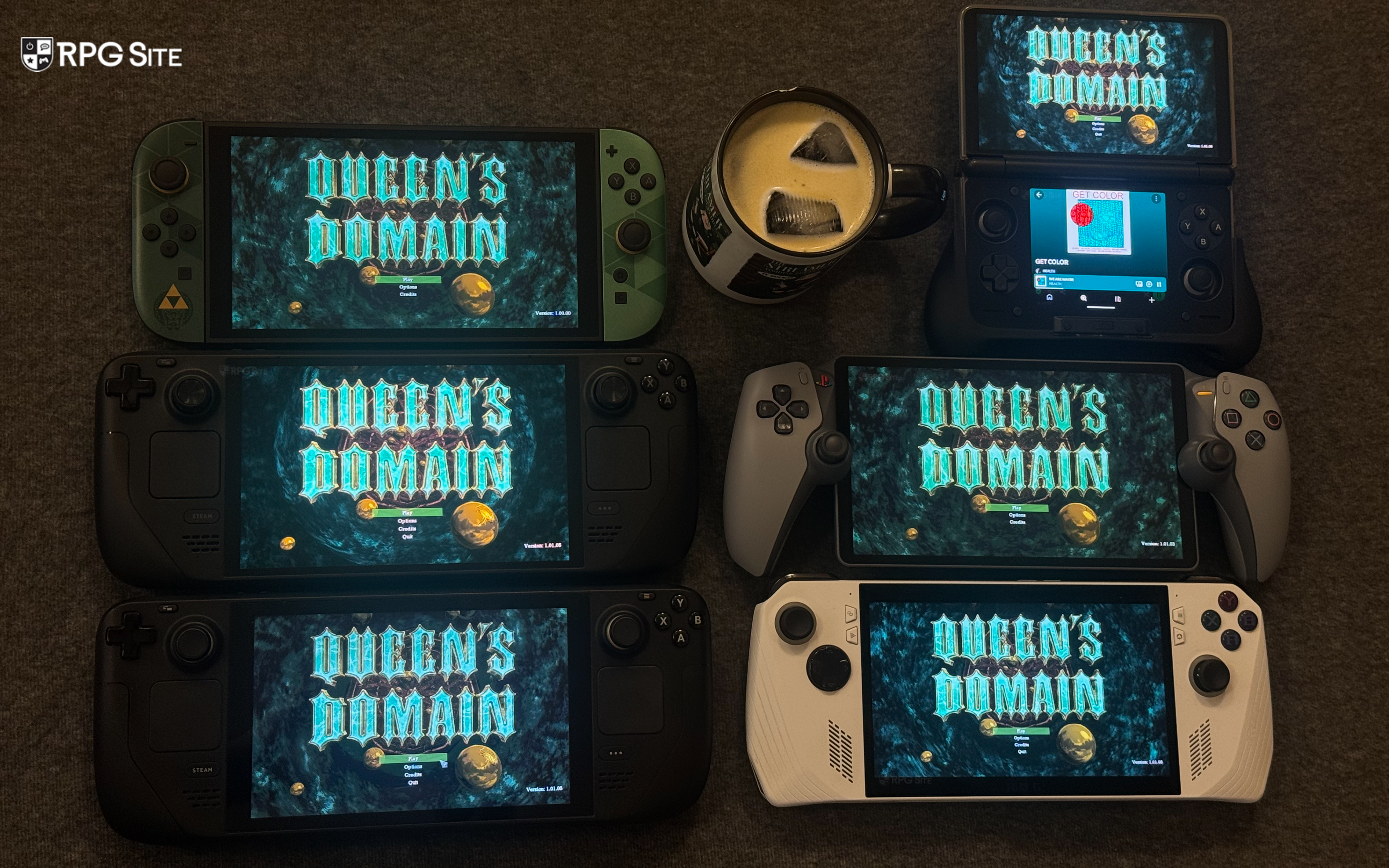
Before getting to the actual comparison, Queen's Domain came in a bit hot so it is getting patched on all platforms. I also noticed a few bugs affecting all versions. With that in mind, treat this as more of a combination of a comparison and impressions article because Queen's Domain will likely get more patches over the next few weeks on all platforms. I will update this when we see any major patch arrive to address the remaining issues. If you're curious about the game itself, read our Queen's Domain review here.
Queen's Domain features across PS5, Xbox, Switch 2, and PC
Queen's Domain is at content parity across all platforms, but there are a few platform-specific feature differences here. Queen's Domain on PS5 has haptic feedback support while the Switch 2 version has HD rumble. The Xbox version supports Quick Resume and the PC version has support for frame rates above 60fps (up to 1000) in addition to multiple input methods. The PS5 version also has Power Saver mode support. It would be good if the Xbox version can get Play Anywhere support in the future, but it isn't present right now.
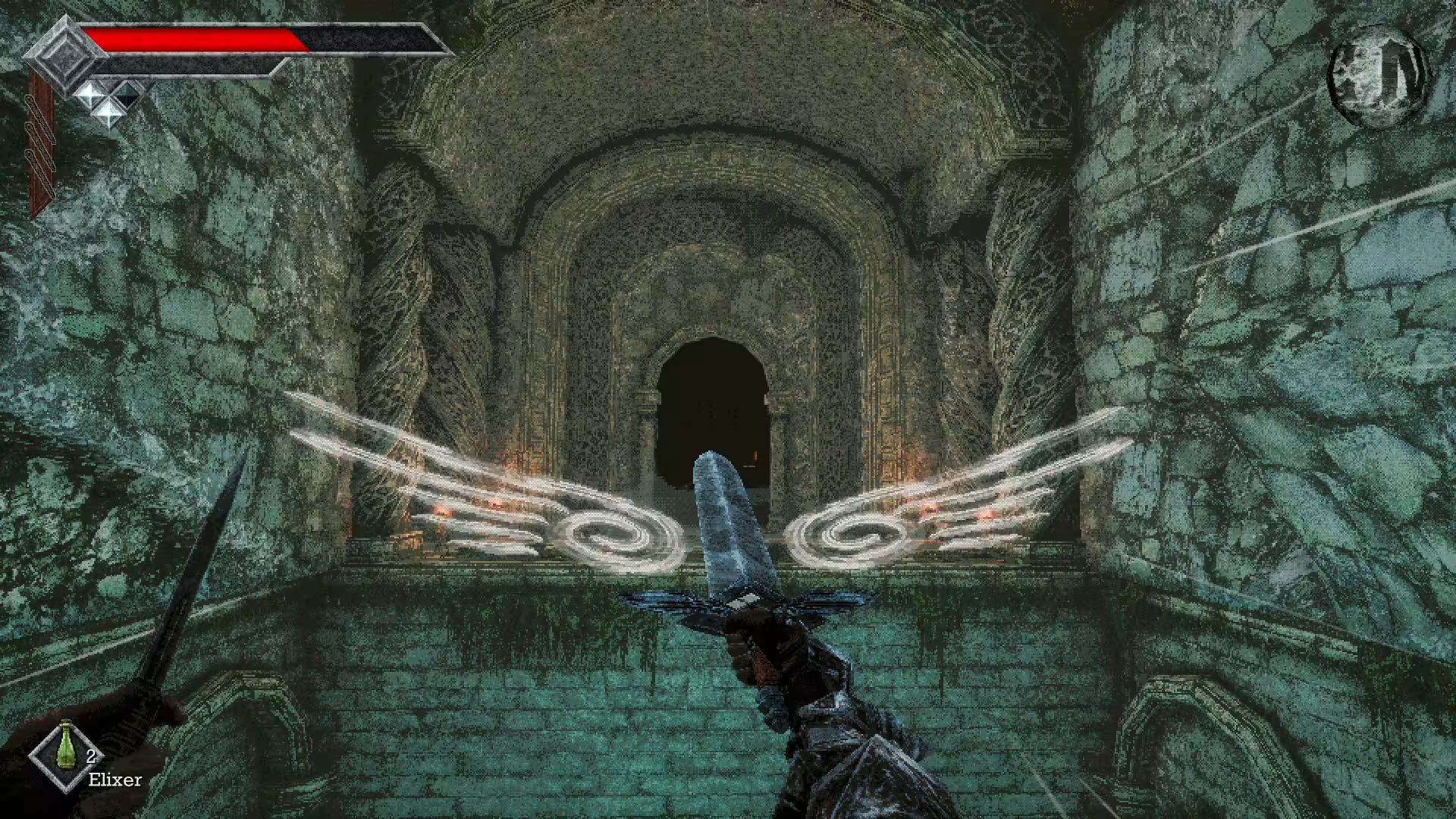
Queen's Domain visuals across PS5, PS5 Pro, Xbox, Nintendo Switch 2, Steam Deck, AYN Thor, and ROG Ally
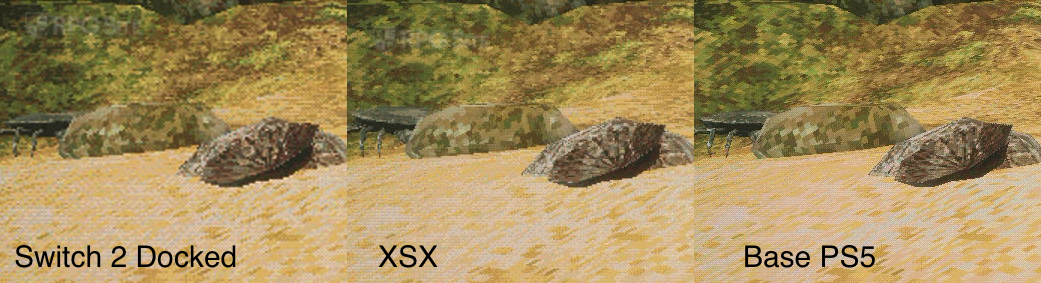
Visually, despite the retro-fantasy aesthetic and how some might think it is light to run, Queen's Domain is a demanding game. This is even more apparent at higher frame rates. While it does scale well and still retains its identity across all platforms even with cuts to resolution, I immediately noticed the Switch 2 image quality was lower than on my other consoles. For my comparison, I disabled the retro resolution option and had the resolution scale on PC set to 100%. When doing 4K capture across PS5, PS5 on PS5 Pro, Xbox Series X, and Switch 2 docked, I also found that the Xbox version on Xbox Series X is lower resolution than the base PS5 version.
The PS5 version on PS5 Pro looks identical to the base PS5 release as well. It didn't have PS5 Pro enhancements listed on the store page, but I wanted to make sure it doesn't look different. I assume the Xbox Series X resolution will be addressed in patches, but right now it is lower than the PS5 version's resolution. The Switch 2 version is the lowest of the bunch as you can see in the comparison image.
When looking at portables, the ROG Ally at native 1080p delivers the best visual experience right now. The Switch 2 has a 1080p HUD, but the actual gameplay is a lot closer to the Steam Deck's 720p native output. Initially, I didn't mind the Switch 2 cuts when it comes to visuals, but the bigger issue is on the performance side.

Note: For the two comparisons above, I used my 4K capture device and cropped portions of the screenshot to show the resolution difference across base PS5, Xbox Series X, and Switch 2 docked.
Queen's Domain performance across PS5, PS5 Pro, Xbox, Nintendo Switch 2, Steam Deck, AYN Thor, and ROG Ally
Queen's Domain targets 60fps on consoles and it has uncapped frame rate support on PC. Based on my time with the opening hours on all platforms, the Switch 2 version has the most variable frame rate in busier areas including boss fights, but the bigger issue early on is animation culling. Enemies not too far away in the distance animate at a much lower frame rate than on other consoles or even PC handhelds where they animate at the full frame rate.
Had the Switch 2 version delivered stable performance with these cuts, it would've been a good enough compromise. Right now, the Switch 2 has cuts to visuals and graphics, but it still doesn't run like it should. I know the Xbox version had some issues on launch day, but it has been patched and now runs as it should.
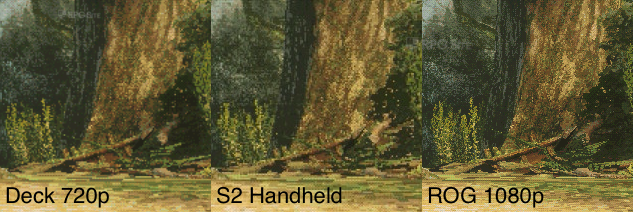
Note: For the comparison above, I used the Steam screenshot functionality on Steam Deck and ROG Ally with the game using native resolution. I used the system screenshot functionality on Switch 2. I cropped the images to show the resolution difference.
The one setting I recommend changing on all platforms (including PC if you use a controller) is look sensitivity (to your liking) and look acceleration (turn this off). It dramatically improves game feel. The other settings in the Control Options can be left as is, or you can play around with the deadzone settings if you have trouble with the responsiveness overall. Right now, the PS5, PS5 Pro, and Xbox Series X deliver a much better experience when it comes to performance on TV.
Moving over to portables, you aren't getting a locked 60fps experience on Steam Deck or Switch 2 right now. The latter feels a lot better handheld than it does docked though. The ROG Ally Z1 Extreme can do above 60fps, but I recommend playing with a 1080p 60fps target for the best portable experience right now. On Steam Deck, the full game is more demanding than the demo so expect a locked 45fps at 90hz experience on Steam Deck OLED or a 40fps at 60hz experience on the Steam Deck LCD if you value stable performance.
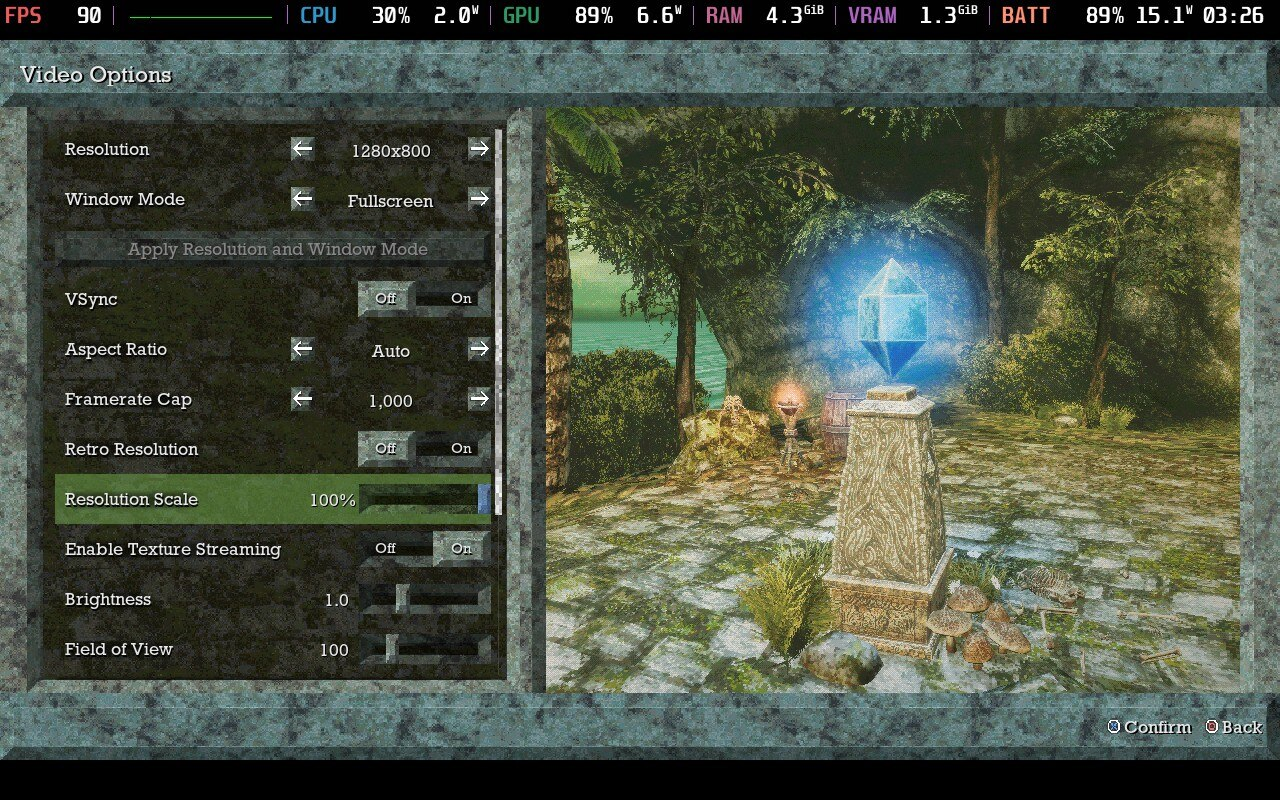
Queen's Domain full game Steam Deck recommended settings
You could always leave it uncapped and play where it drops to the mid to high 50s even early on when you play on Steam Deck. If you don't mind turning the resolution down, I recommend aiming for 80% render scale. The Steam Deck doesn't default to 16:10 so change the aspect ratio to auto.
For AYN Thor, Queen's Domain can deliver a 30fps experience if you play at 1080p with 75% or lower render scale early on. This could change in later parts, but this is what I found on my AYN Thor (Max model) via GameNative. I recommend using a frame limiter on AYN Thor for the most stable experience. If you leave it uncapped, some areas run a lot higher than the more demanding open areas. On ROG Ally, I recommend leaving the game uncapped at 60fps or higher at 1080p when playing at the 25W Turbo Mode on the Z1 Extreme model.
Queen's Domain load times across PS5, PS5 Pro, Xbox, Switch 2, Steam Deck, AYN Thor, and ROG Ally
To test load times, I had Queen's Domain installed to the internal storage on Switch 2, PS5 (and PS5 Pro), Xbox Series X, Steam Deck OLED, ROG Ally Z1 Extreme, and AYN Thor (Max model) through GameNative. In addition to measuring the time taken to load the title screen from the dashboard and loading a save, I also measured the time taken when you hit continue on a game over. You will likely die a lot and given the longer load time on some platforms, this is worth highlighting as well. The results below are in seconds and ranges indicate the upper and lower end of the results across three tests.
| Platform | Dashboard to title | Loading a save | Reload on game over |
| Switch 2 | 13-14 | 22-23 | 19-20 |
| PS5 on PS5 Pro | 9 | 12-13 | 12-14 |
| PS5 | 9-10 | 12-13 | 13-15 |
| Xbox Series X | 13-14 | 16-17 | 13-15 |
| Steam Deck | 14-16 | 14-15 | 13-14 |
| ROG Ally | 10-11 | 12-13 | 10-11 |
| AYN Thor Max | 24-25 | 24-26 | 17-18 |
As you can see, the PS5 version is the fastest with the Switch 2 version and Steam release on AYN Thor the slowest. I hope the Switch 2 load times improve in updates because while this isn't a lot longer than other platforms all things considered, it feels too long while playing. I would love it if all versions see improvements here.
Queen's Domain issues that need addressing
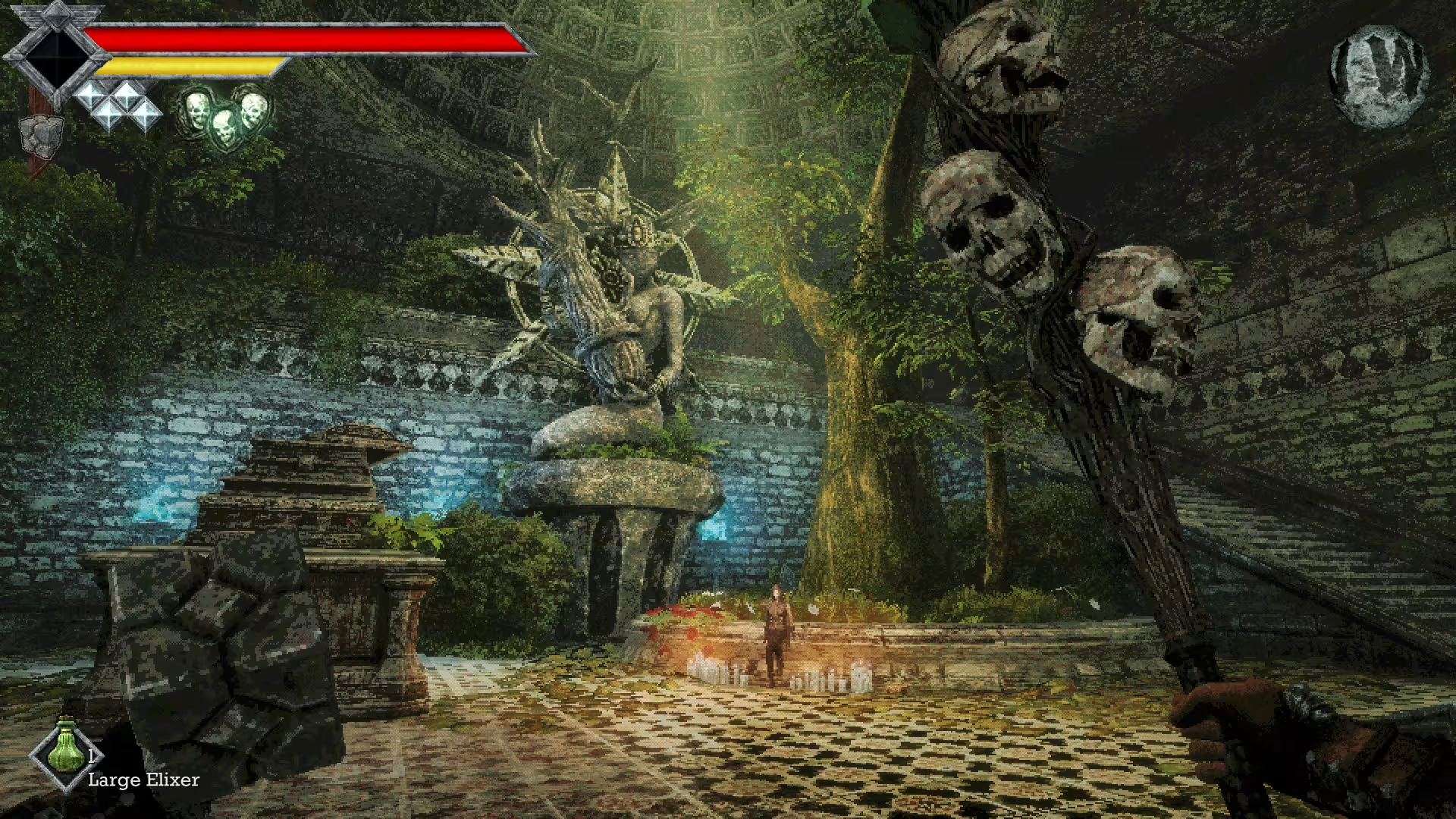
As of this writing, the notable issues I've run into involve some cut-scene glitches on PS5 and Xbox, performance on Switch 2, animation culling on Switch 2, a bug that causes you to load at a random position and not near the save point where you save, Xbox Series X resolution (compared to PS5), and some animations. The developers are already working on patches, but I wanted to mention these because folks have asked me multiple times about comparisons and you likely will get a better experience when you play this after a few patches compared to how things are right now. I want to stress that I still recommend Queen's Domain and I've enjoyed it a ton, but it is definitely a few patches away from being incredible.
Which is the best version of Queen's Domain?
Given the lack of cross save and challenges involved in bringing a feature like that to a game made by a very small team, I think adding Play Anywhere support, if feasible, would be great for those who play in the Xbox ecosystem. I've been focusing on the Steam version because I can play it on multiple devices at home or on the go already. I would likely focus on the Xbox version if it supported Play Anywhere. Since that isn't an option, the PC version followed by the PS5 version is the way to go. The PC version gets updates first and scales well above with higher frame rates. On the console side, the PS5 version is the best right now with the fastest load times and highest resolution.
As for portable play, the Switch 2 version when played handheld isn't as bad as how it feels when docked in some areas, but it needs more optimization given the other issues. The animation culling for enemies happening much closer than other platforms and the long load times also hold it back because it looks quite jarring during gameplay including in the opening area. I recommend playing on a PC handheld if you can since Queen's Domain is excellent even on the Z1 Extreme ROG Ally I have. On Steam Deck, you need to target 45fps if you want a stable experience with good visuals.
I will be updating this as more notable patches arrive on all platforms. Queen's Domain itself is one of the best games I've played in the last few months and I'm not even close to finishing it yet. I can't wait to dig deeper into it through the coming weeks. Queen's Domain is now available on PS5, Xbox Series X|S, Nintendo Switch 2, and PC (Steam).