

Crimson Desert Fast Travel Guide: how to find Abyss Nexus spots
The world of Pywel in Crimson Desert is absolutely massive, and one of the most important things to understand early on is how the fast travel system works. As you progress the main story early on, you'll be shown your first Abyss Nexus fast travel spot in the floating Abyss island region. They are a flat rocky structure with an engraved circular pattern in the middle that you must stand on in order to activate them, but finding them in Pywel is a bit tricky at first, if you're not sure how to spot them from a distance.
This guide will not show you the exact spot of where every single Abyss Nexus fast travel spot is in Pywel. Instead, I'll show you how to spot them, so you're more aware of what to look out for as you traverse throughout Pywel. The tutorial tooltip you receive for fast travel points is a bit vague at first. It merely tells you to rely on either your lantern or Blinding Flash (L1/LB + L2/RB) technique to reveal their location, but doing it won't always tell you where they are if you're too far from them.
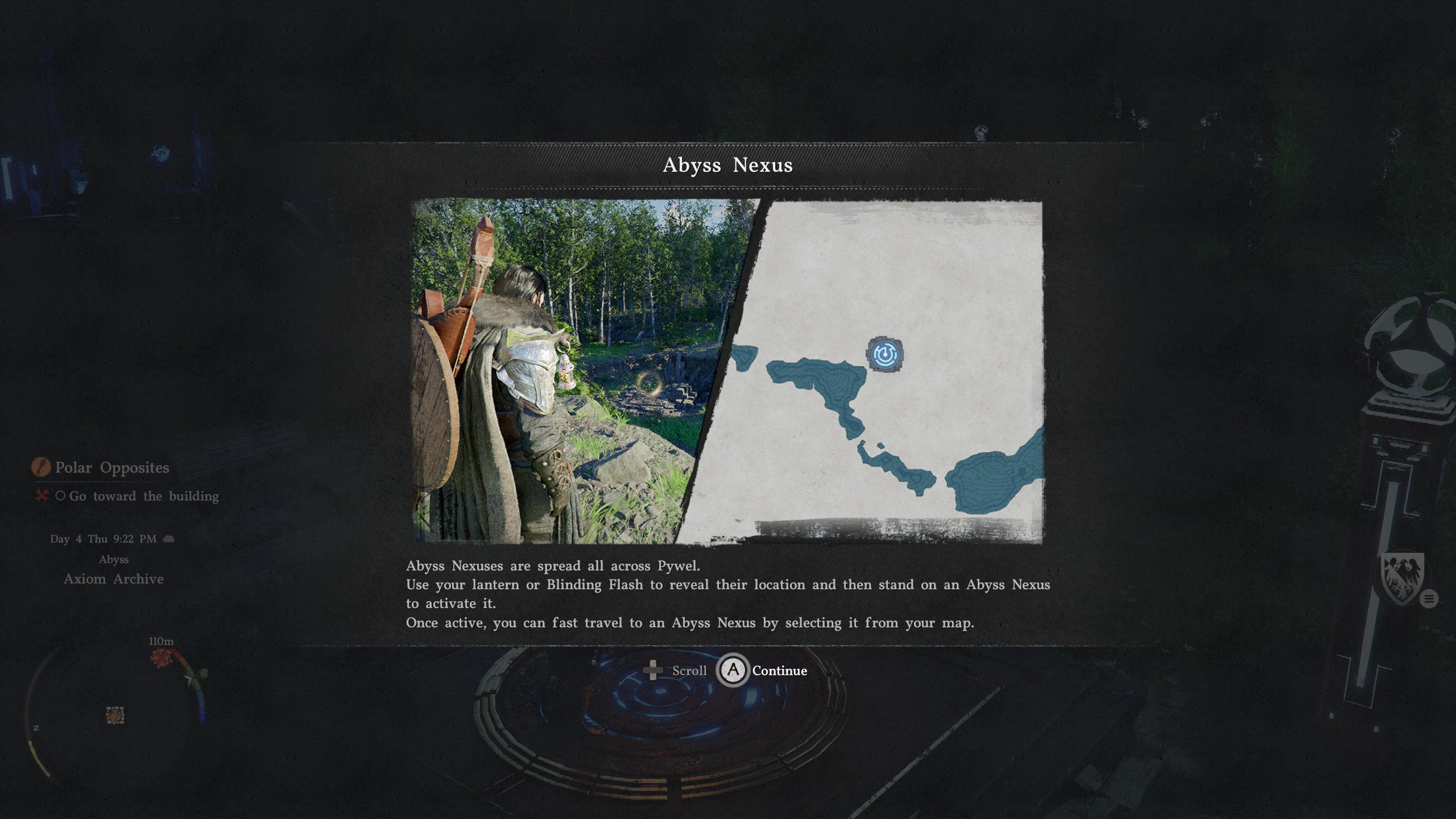
How to find fast travel points in Crimson Desert
As you slowly uncover the gigantic world of Pywel, there are certain areas on your map that will have a gigantic question mark over them.
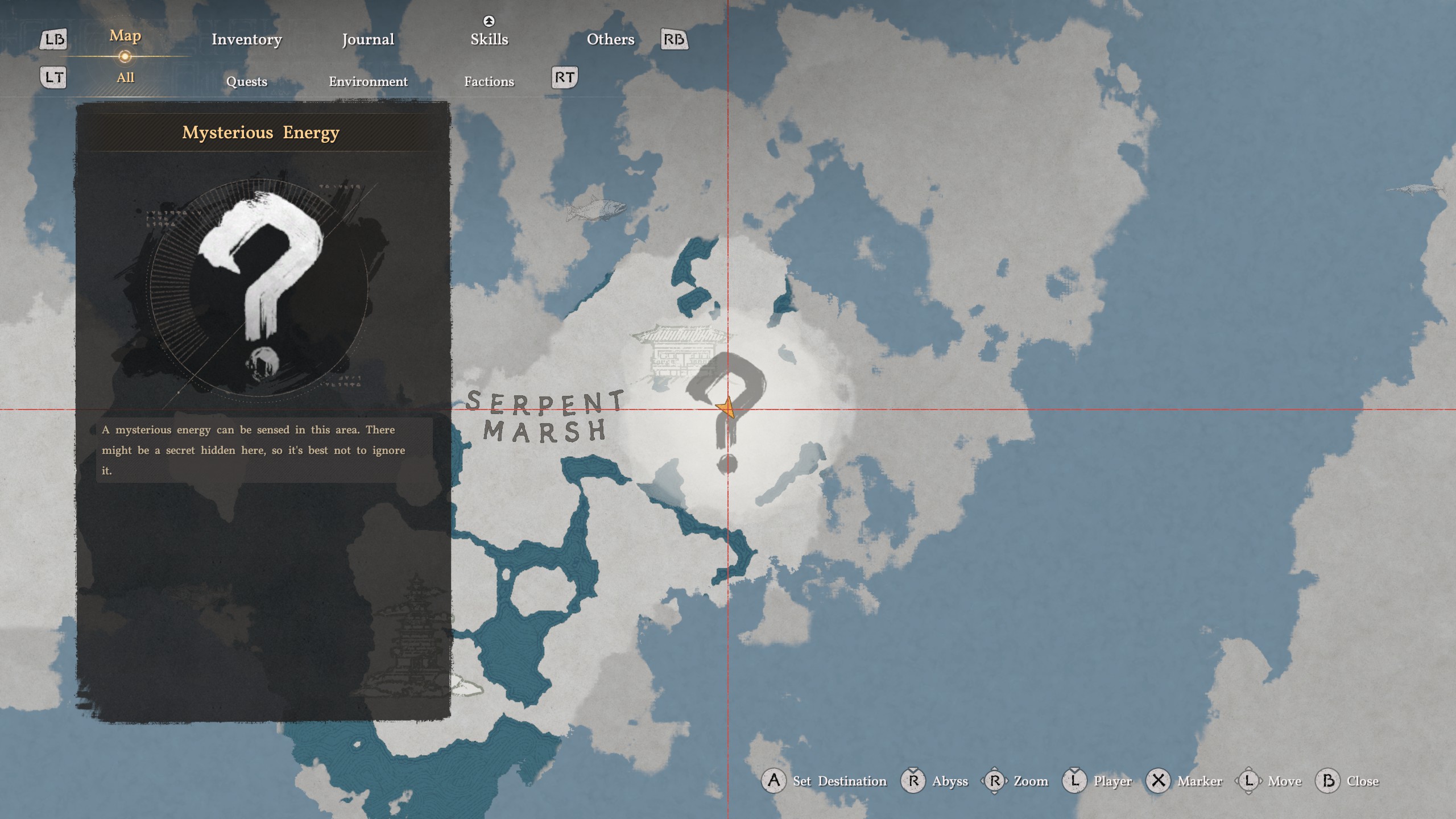
This is your big clue that a fast travel point might be around that area. Try to find a high vantage point that overlooks that question mark region and use Blinding Flash. There should be something glimmering somewhere in there; here's what it looks like.
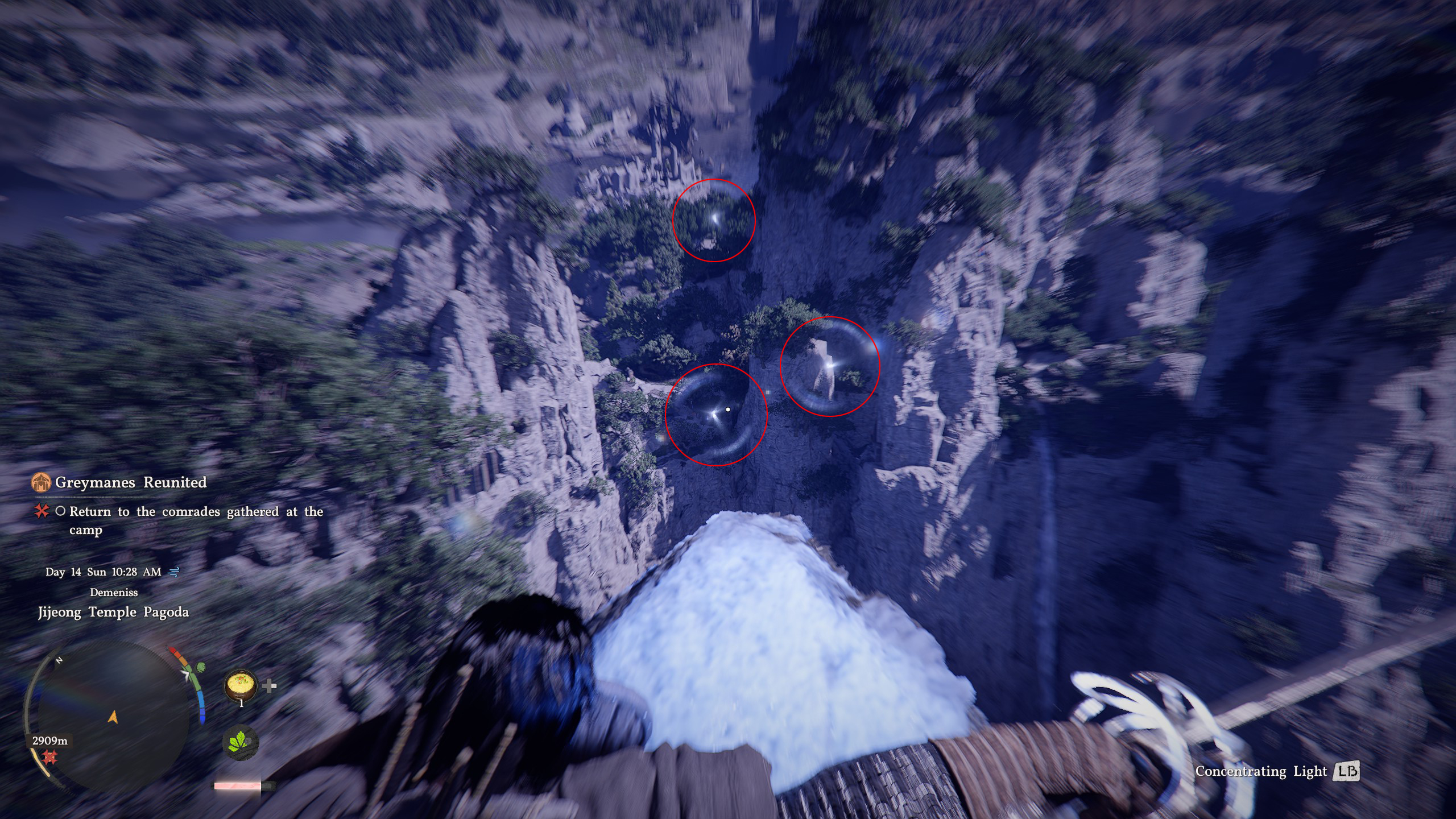
Now in the above example, you'll notice that there are three shining spots. This does not mean that all three of these points of interest will be fast travel spots. These spots can also contain Sealed Abyss Artifacts, or some sort of open world puzzle activity that will reward an Abyss Artifact when it's successfully solved. The only way to confirm if it's an Abyss Nexus fast travel point is to manually traverse to each spot and confirm what it contains.
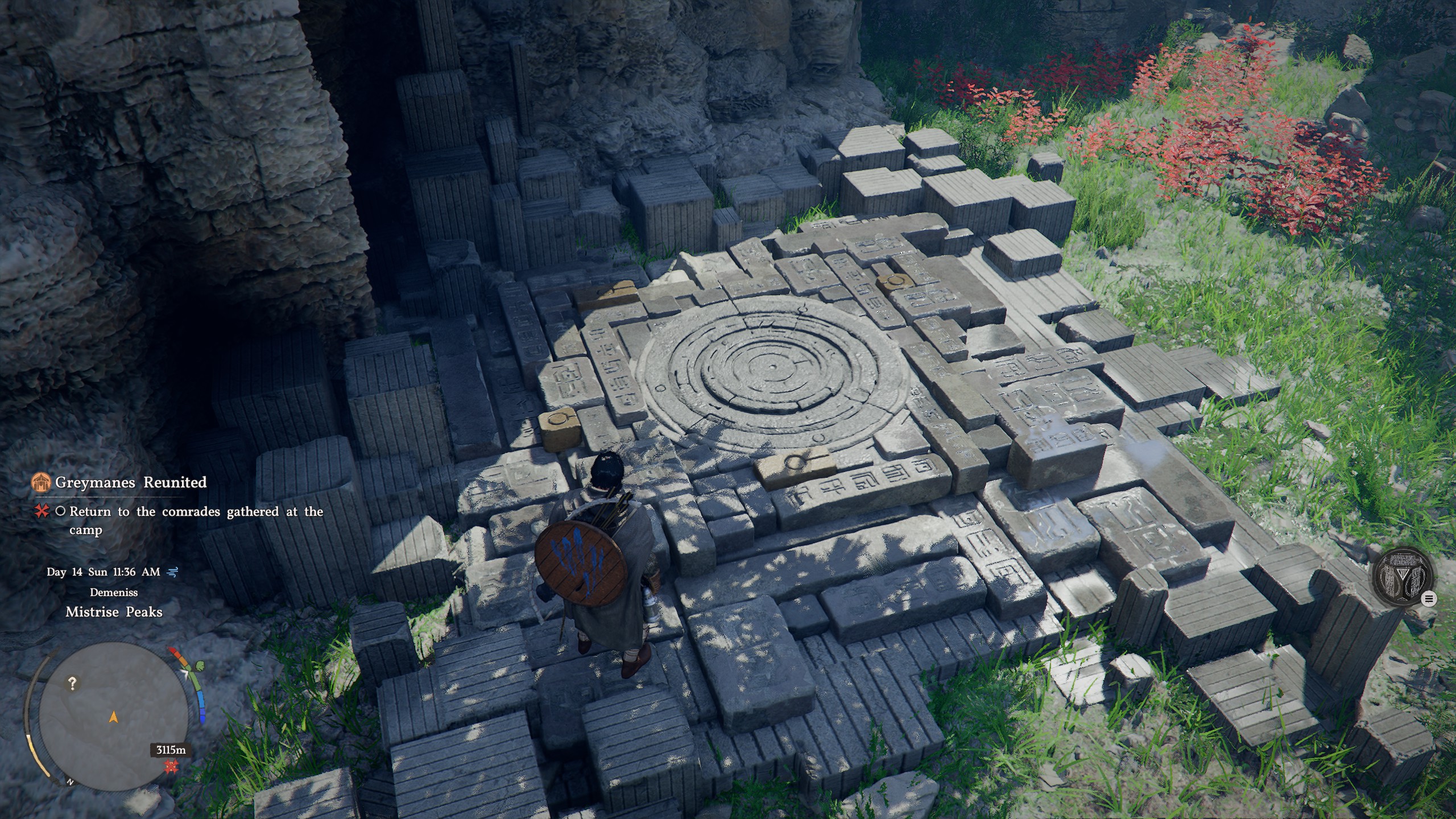
Simply step onto the Abyss Nexus to activate the fast travel function of that spot. Now, you can freely travel back to it at any time by hovering over the fast travel icon and pressing Triangle/Y to go to it instantly. If you do not see the fast travel icon on your map, make sure you select either the 'All' or 'Environment' tab on your map to make it appear.