

Fallout 4 Anniversary Edition Switch 2 Impressions – All 3 Modes Tested Handheld and Docked
Fallout 4 is now available for Nintendo Switch 2 following the game's debut on PS4, Xbox One, and PC and eventual next-gen versions for PS5 and Xbox Series X. The version available on Nintendo Switch 2 is the Anniversary Edition for $59.99 while other platforms also have access to the base game and Game of the Year Edition. I've not had access to Fallout 4 on Switch 2 pre-release, but I wanted to do some comparisons based on the opening hours across platforms. For this, I captured gameplay from the PS5 version, the Switch 2 version docked and handheld, and the PC version played on Steam Deck. I also will be comparing the three different visual modes on Switch 2 including load time comparisons here.
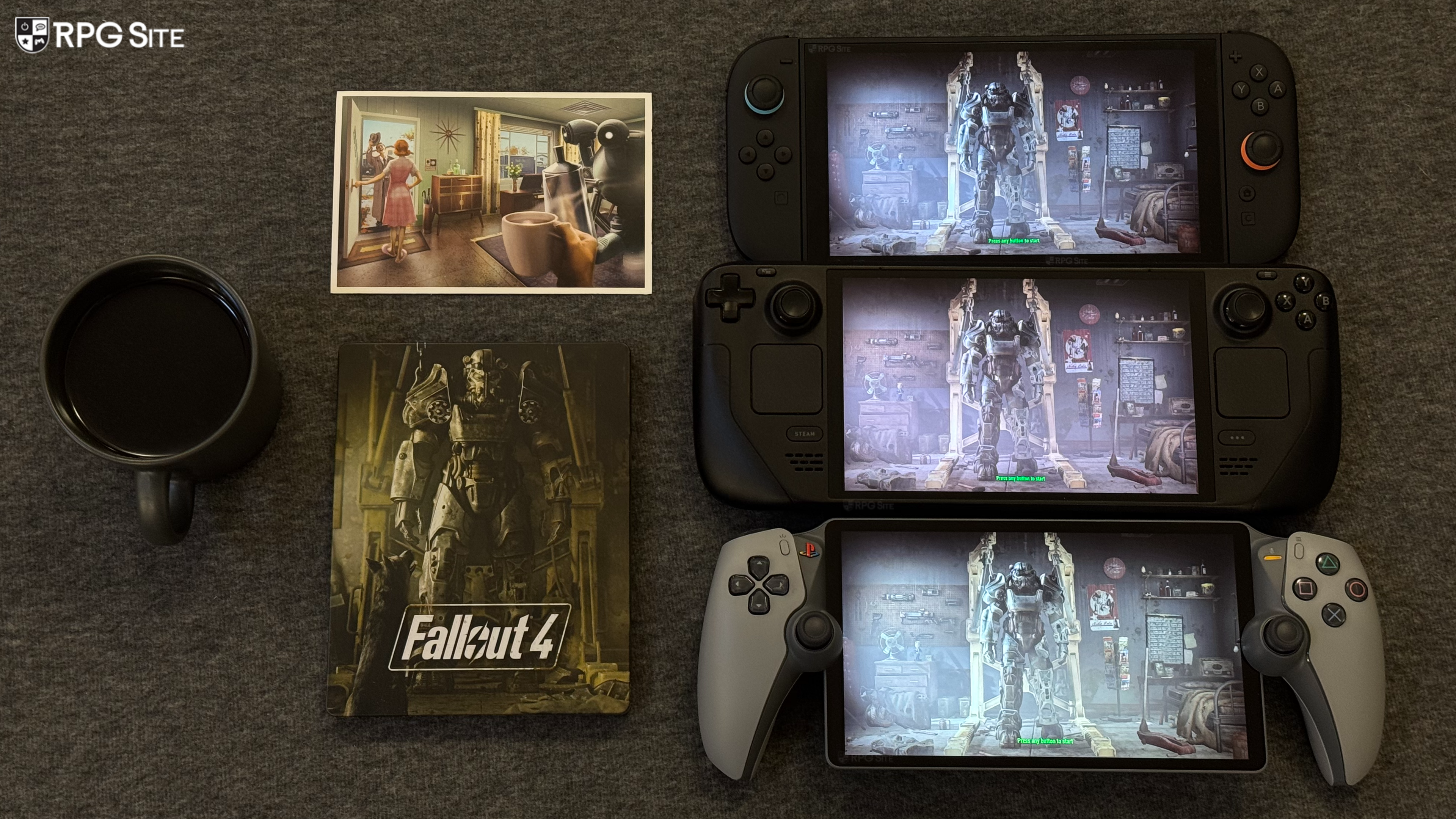
Fallout 4 Nintendo Switch 2 frame rate and control options
Fallout 4 on Switch 2 has no gyro or mouse control options sadly. It has the exact same control options as the PS5 version I tested. When it comes to frame rate options, Fallout 4 runs by default in a 120hz container if your display supports it both docked and handheld. From the title screen before loading your save, you can select 30, 40, or 60 fps as frame rate targets. For the purposes of my comparison with PS5 and Steam Deck, I used the 30fps mode on Switch 2 given it requires reloading the same and I wanted to include more comparison images. I also had the PS5 using the 60fps with prioritize performance and the Steam Deck on the default preset which targets 60fps. Before getting to the other platforms, the Fallout 4 frame rate options affect the overall image quality.
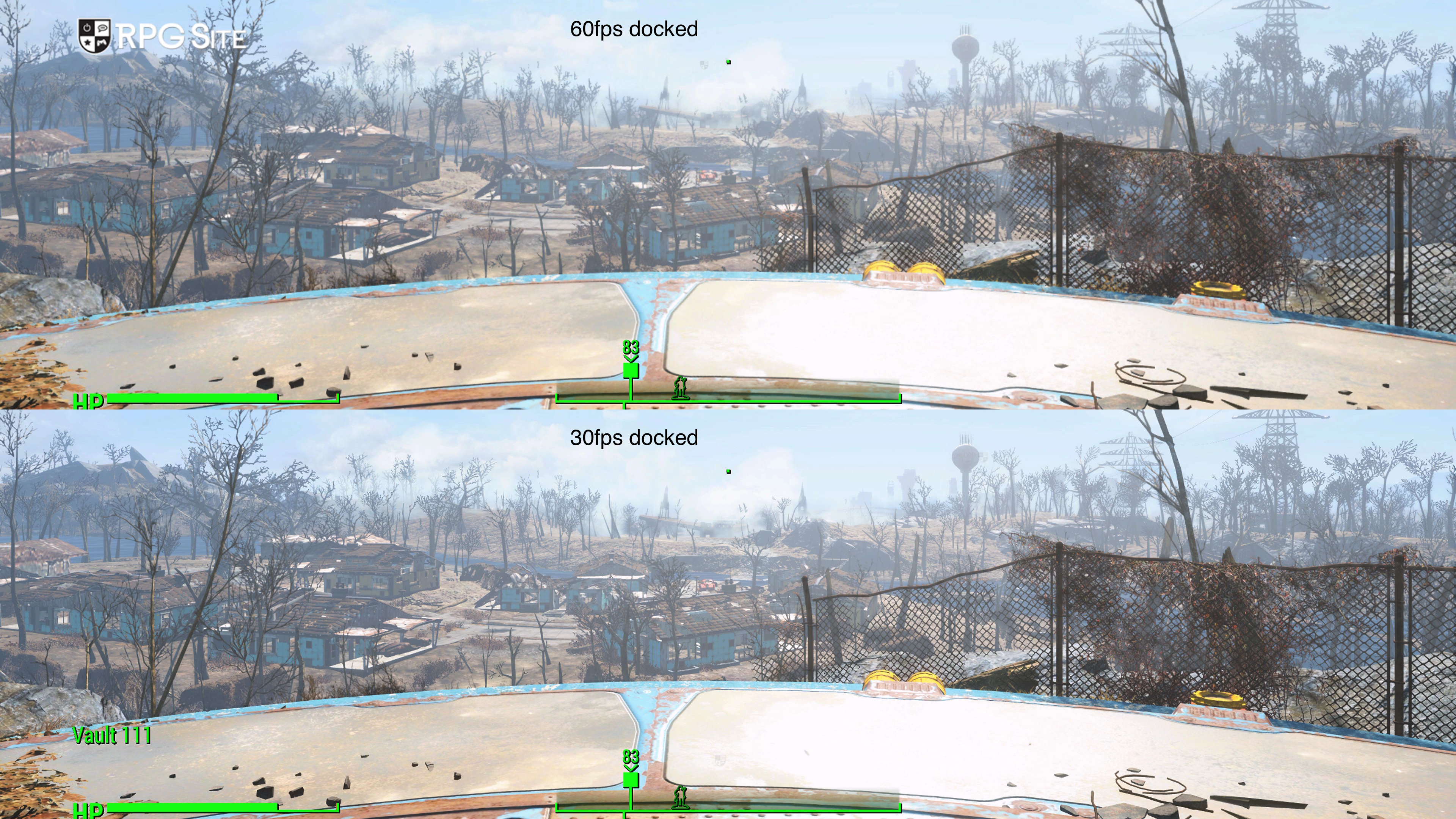
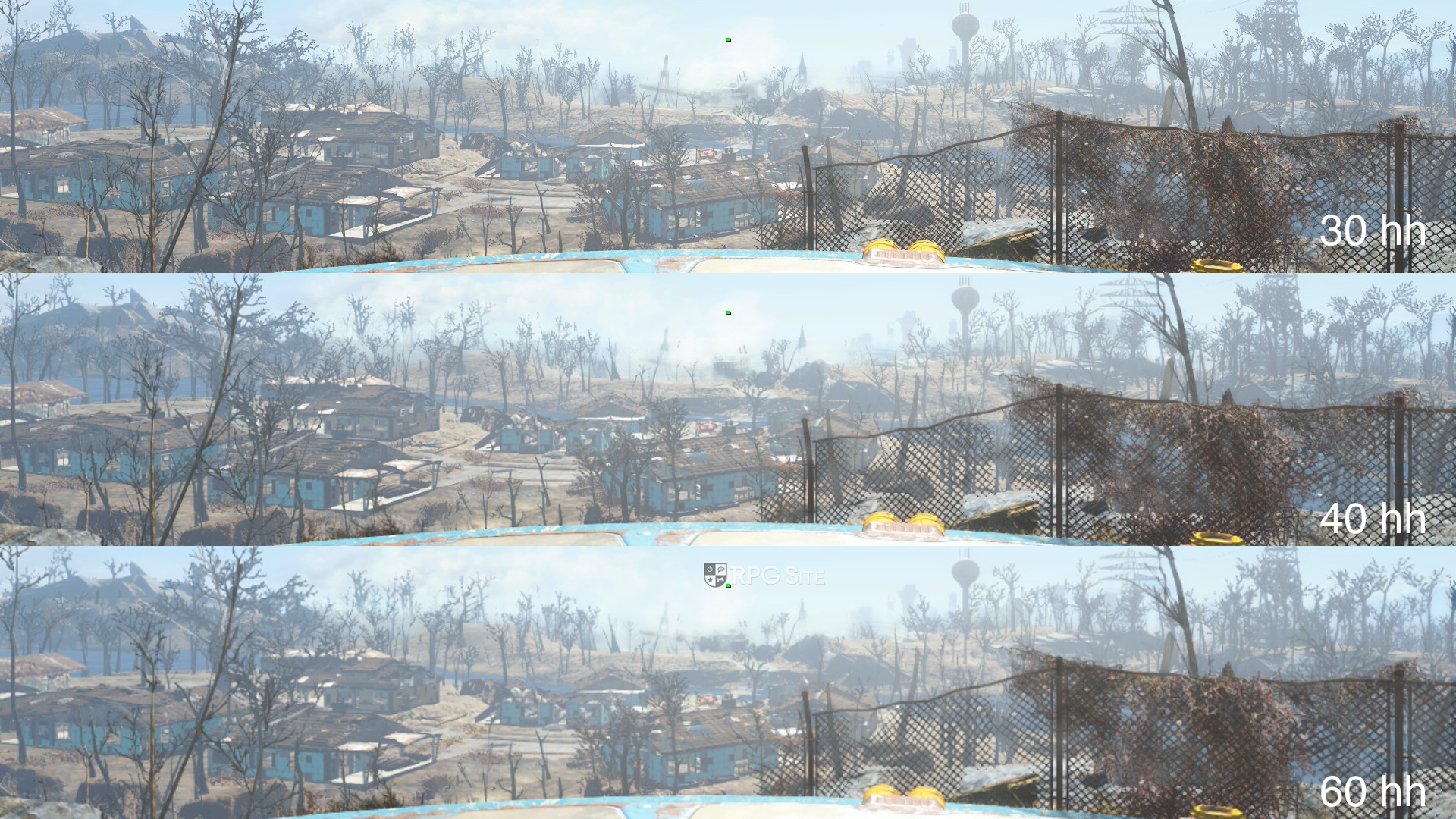
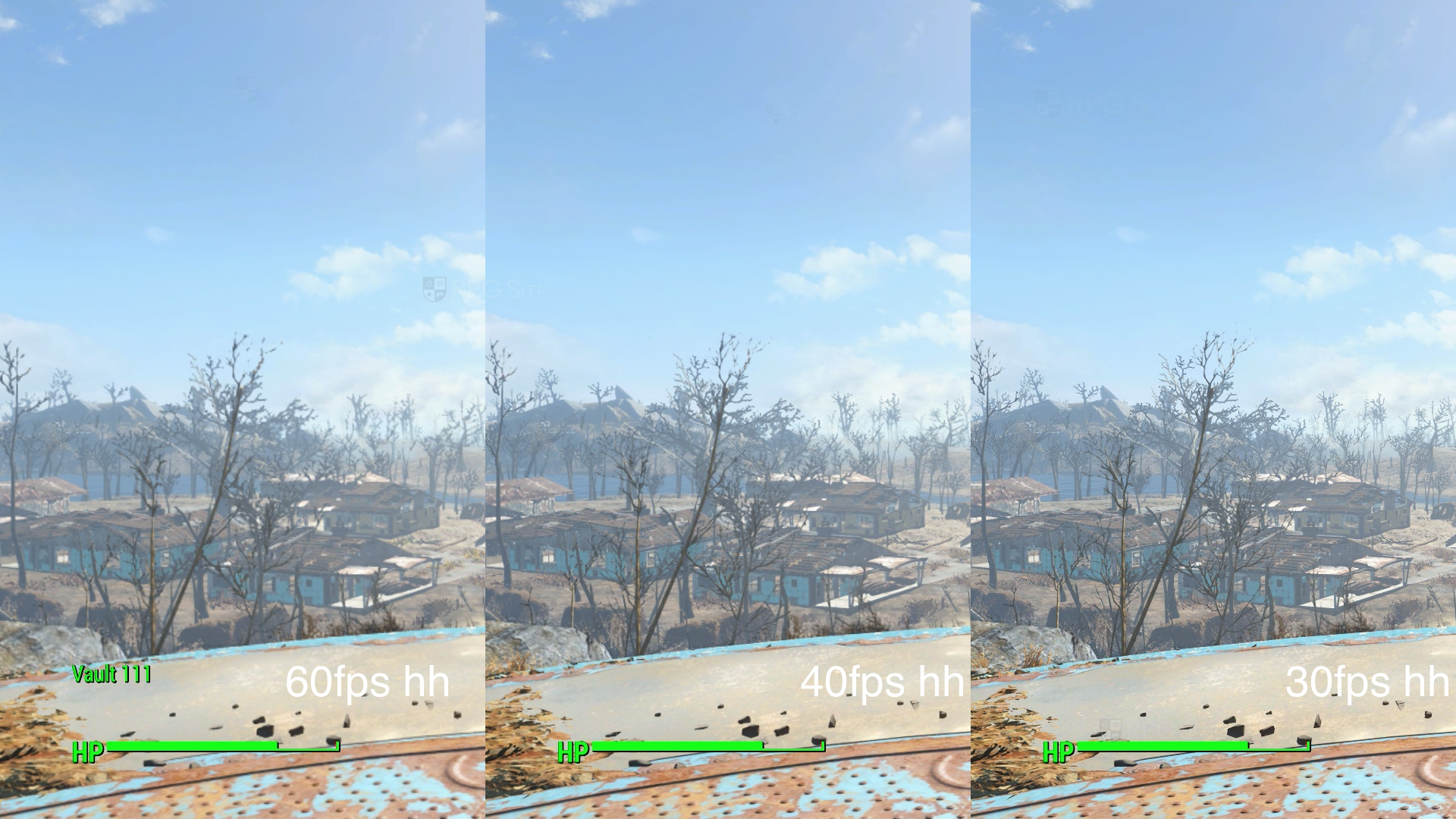
The frame rate targets affect the overall resolution and even the level of detail to some degree as you can see in the three comparison images above. I used 4K capture for the 30fps and 60fps modes docked since I don't have a way to capture 4K at 120fps to use the 40fps mode. For handheld, I used all three modes and the system screenshot functionality to show the differences.
Based on what I've played so far, I would stick to the 40fps mode handheld and the 40 or 30fps mode docked. The 60fps target mode looks too soft for my liking on Switch 2.
Fallout 4 Nintendo Switch 2 vs PS5 visuals and performance
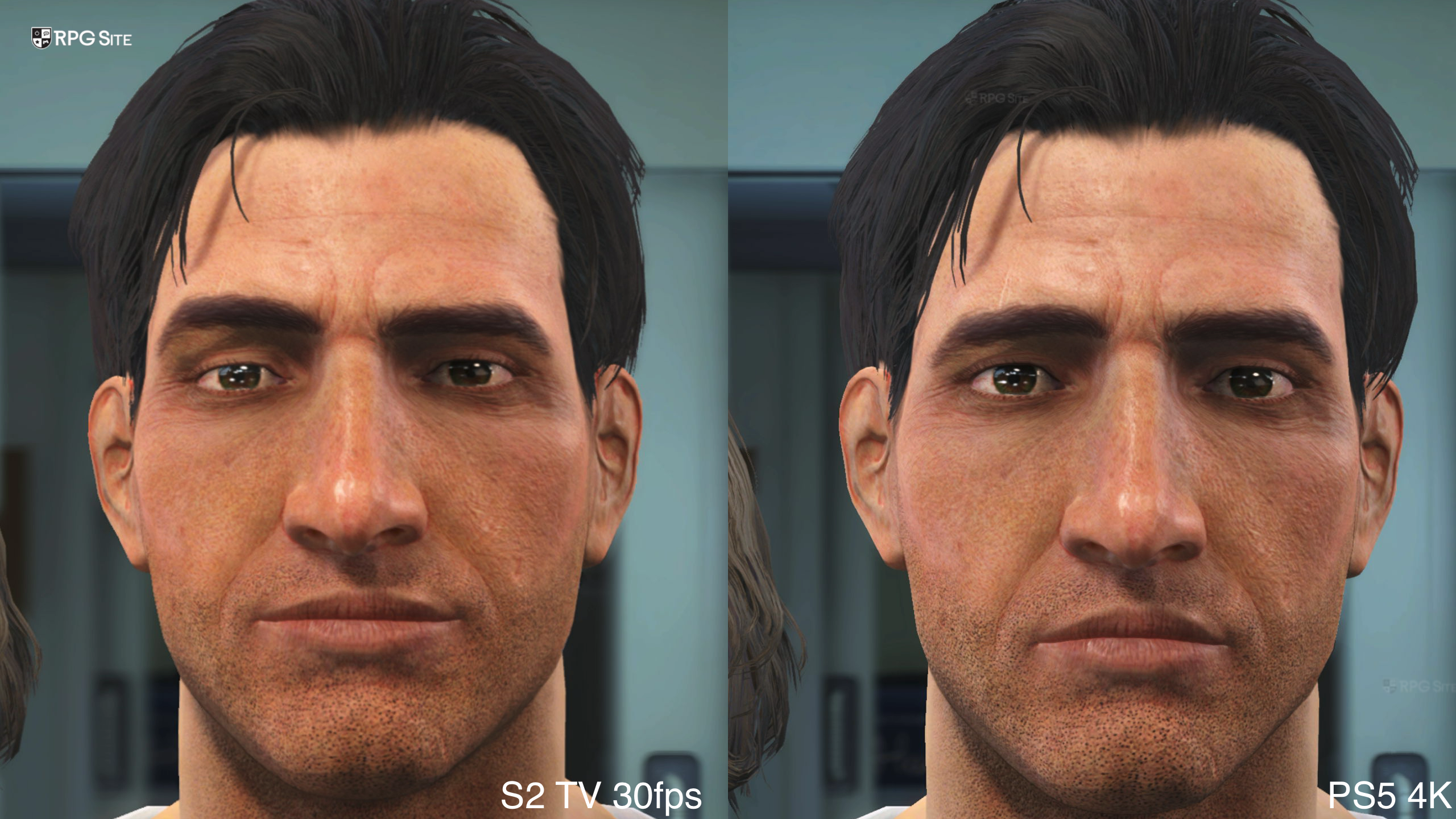
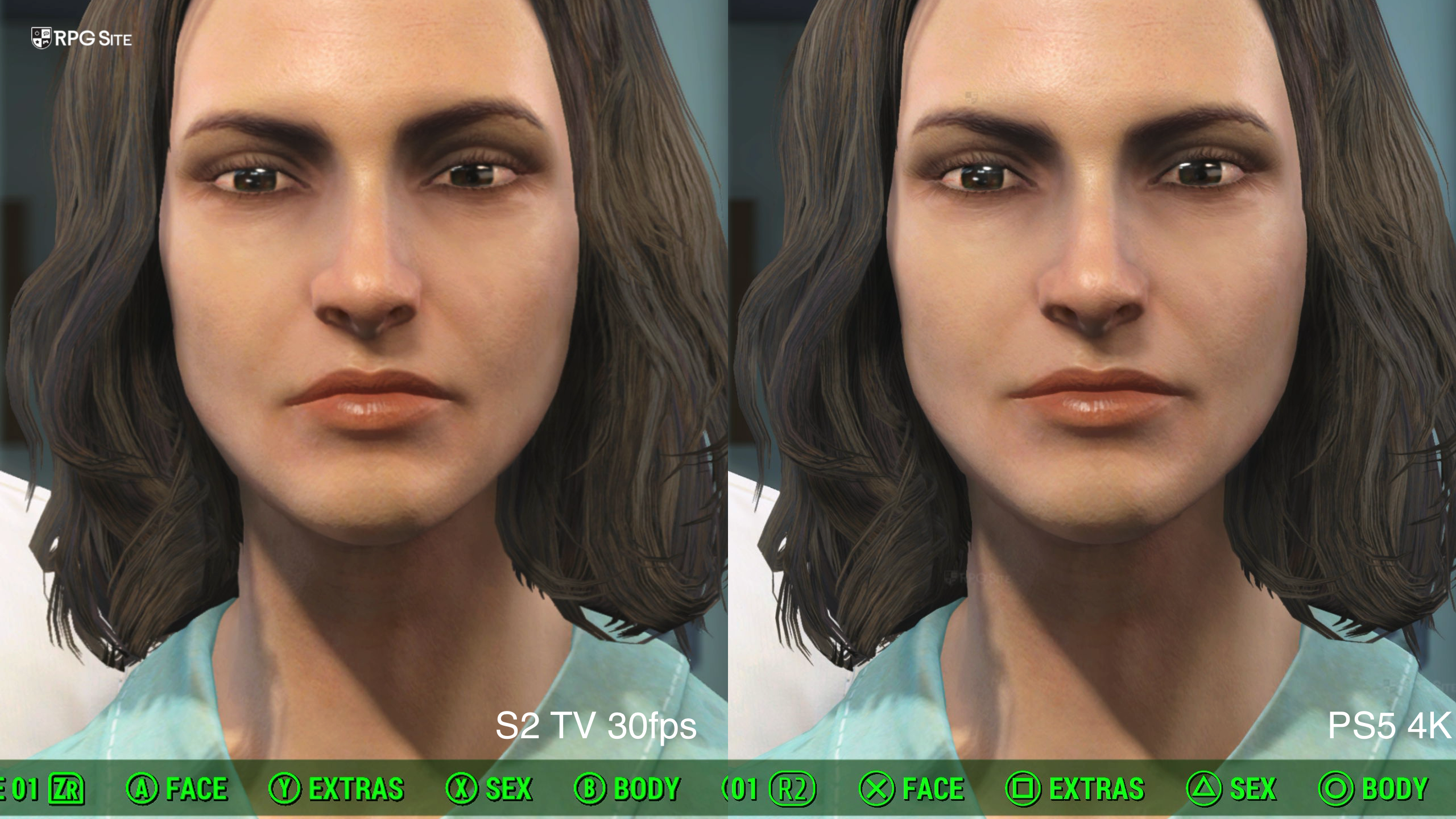
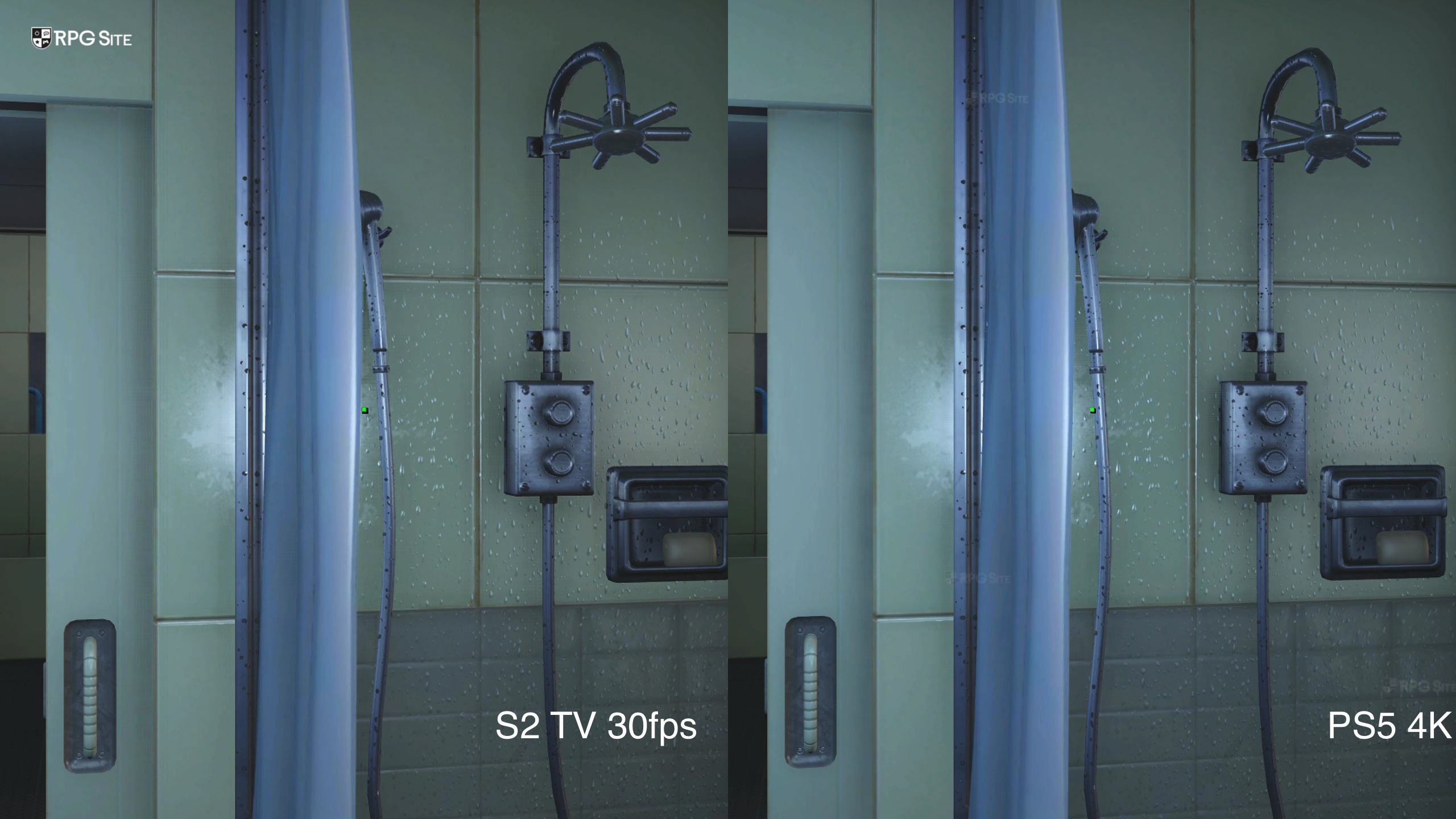
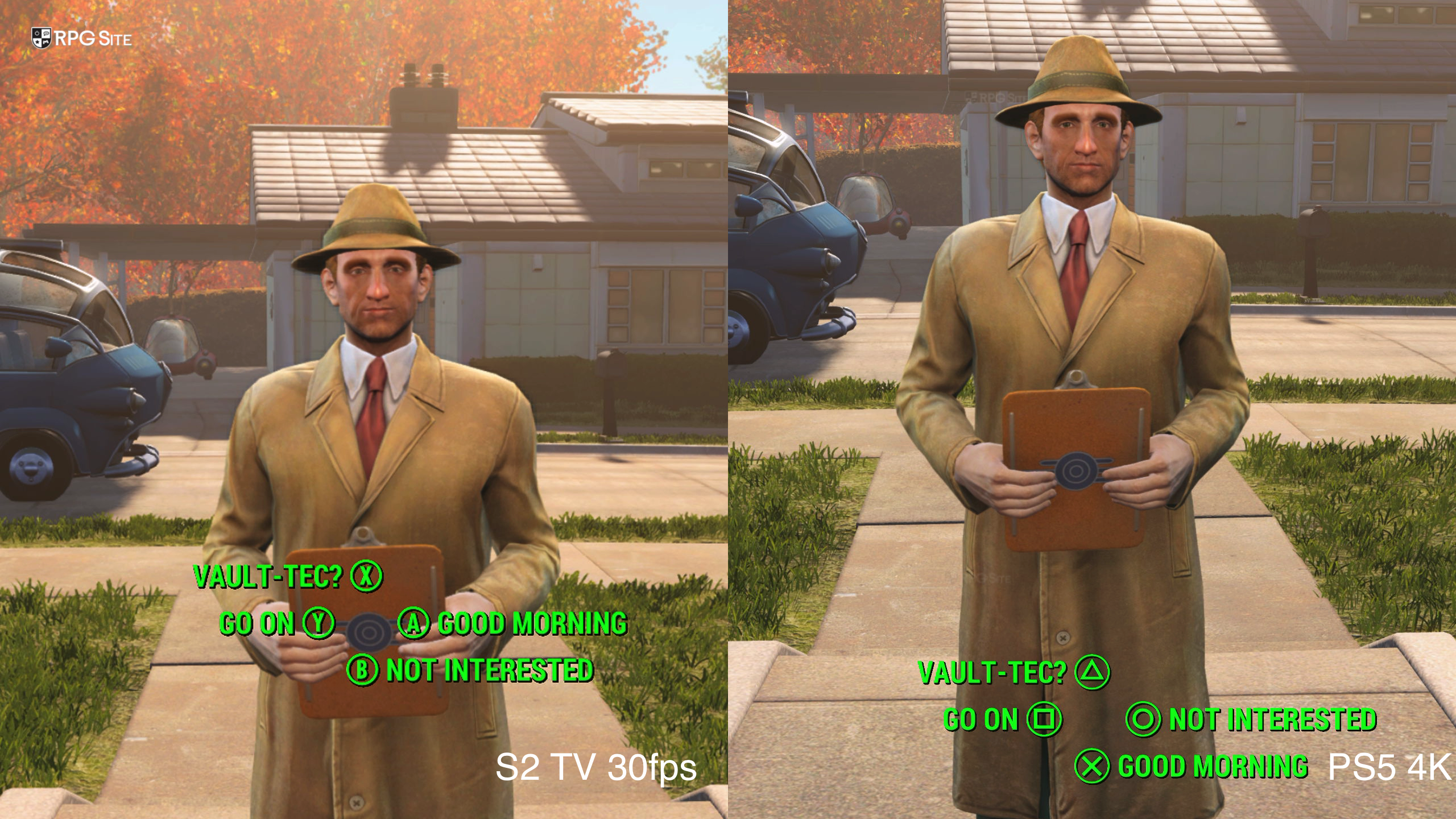
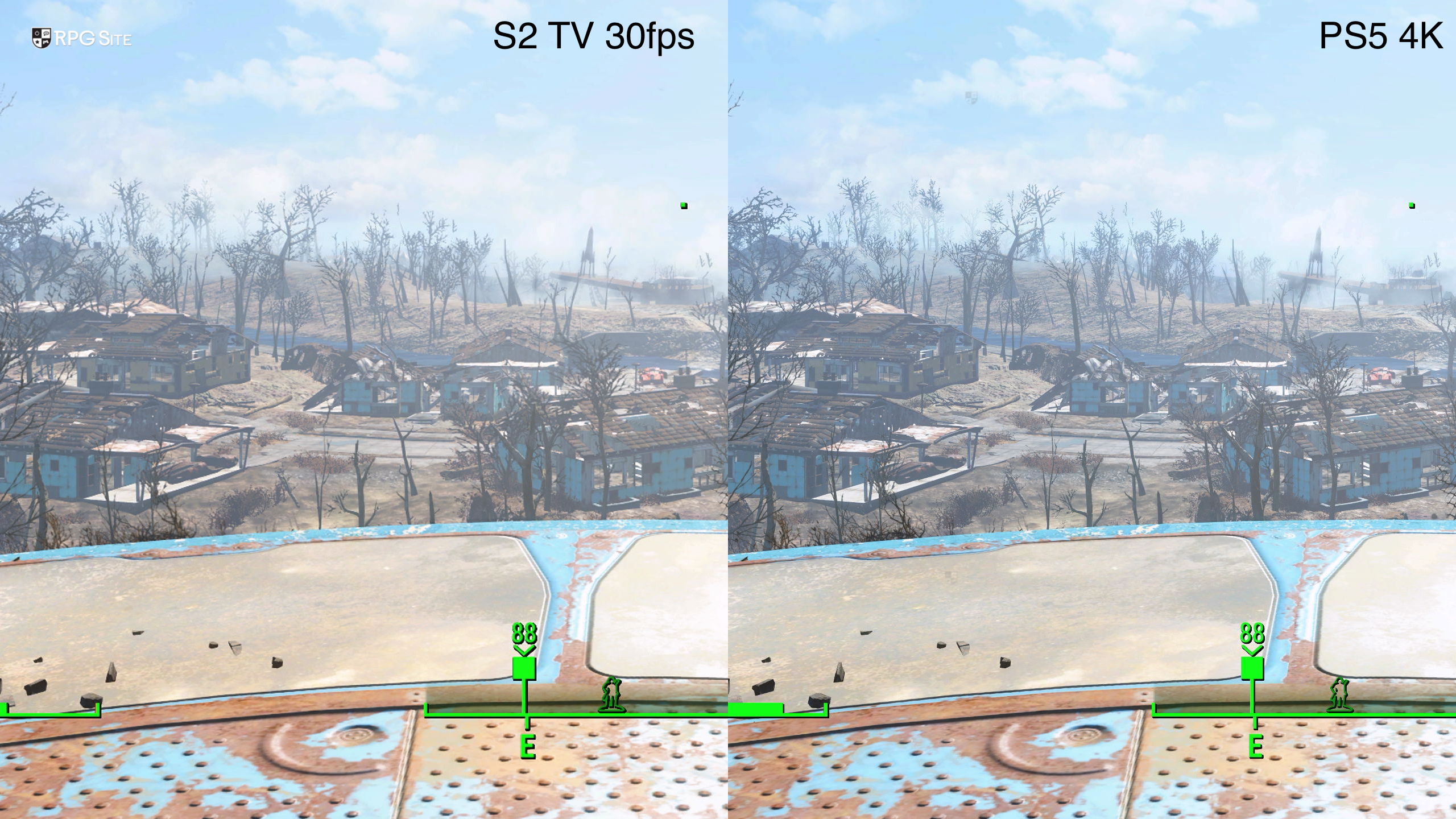
Fallout 4 on Nintendo Switch 2 in its 30fps mode compares favorably to the PS5's 60fps performance mode. When using the Switch 2's 60fps mode, it is a lot softer. I've included some comparisons below from the opening hour:
Fallout 4 Nintendo Switch 2 vs Steam Deck visuals and performance
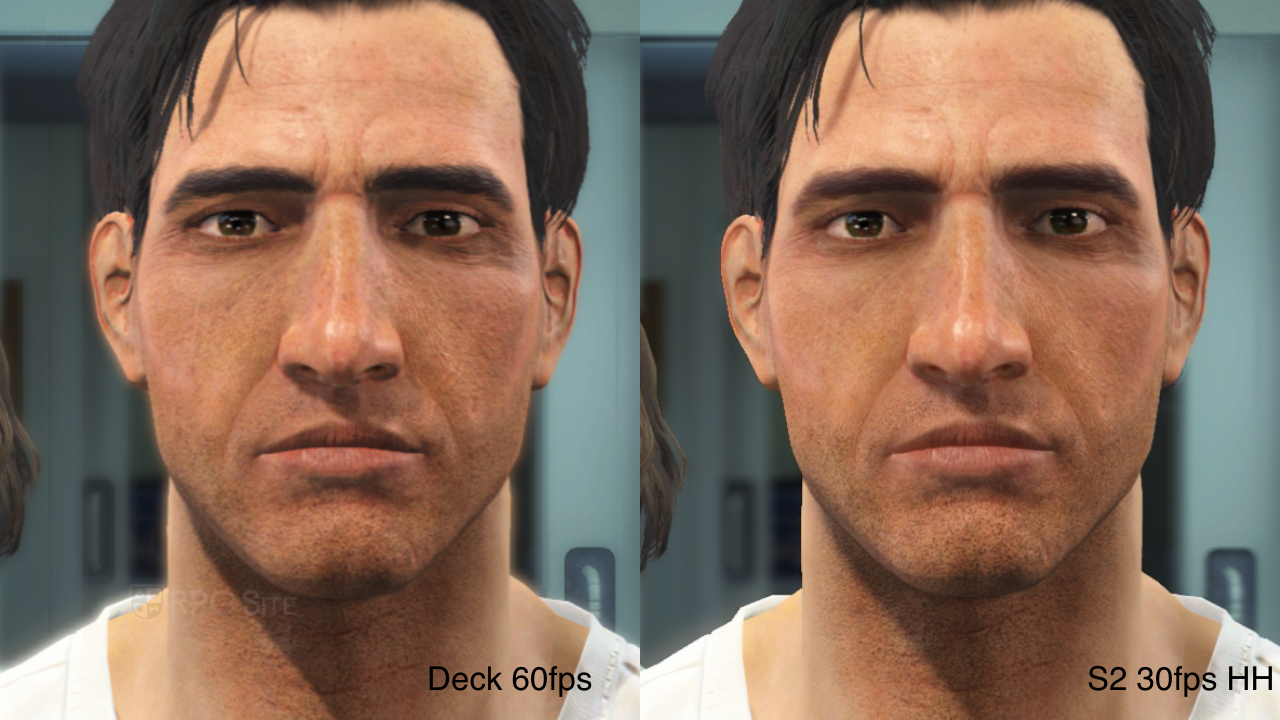
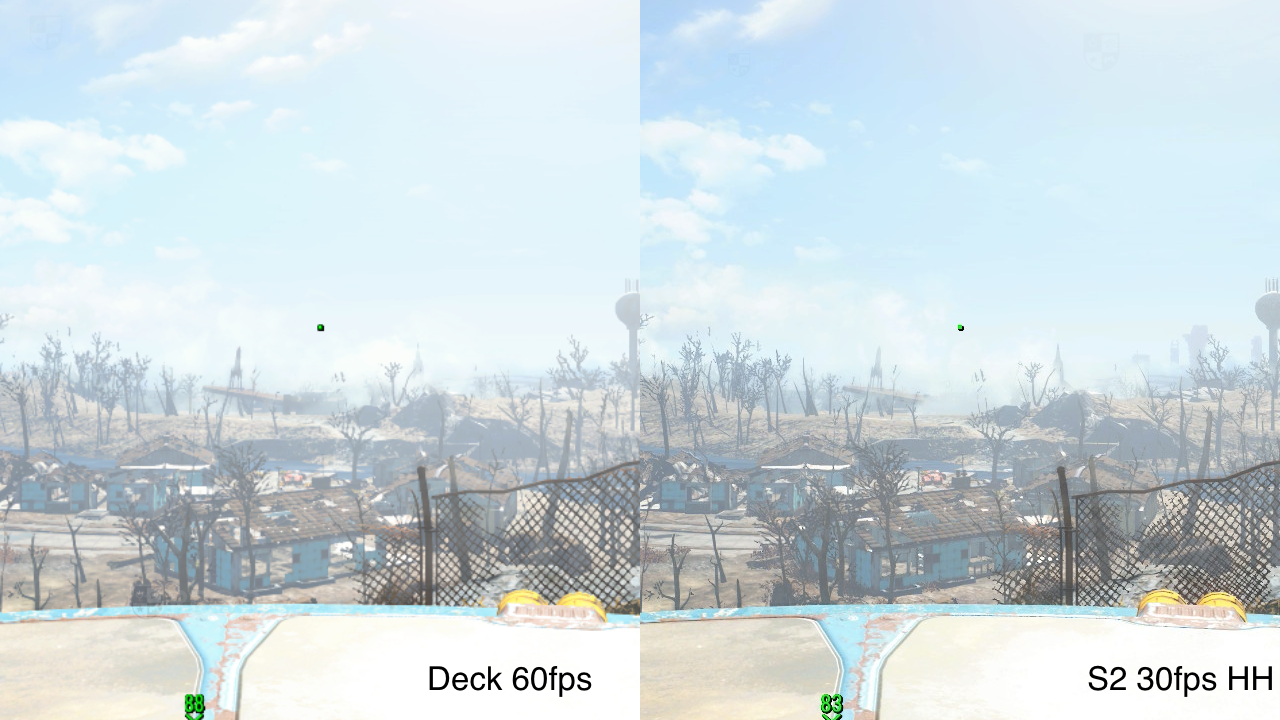
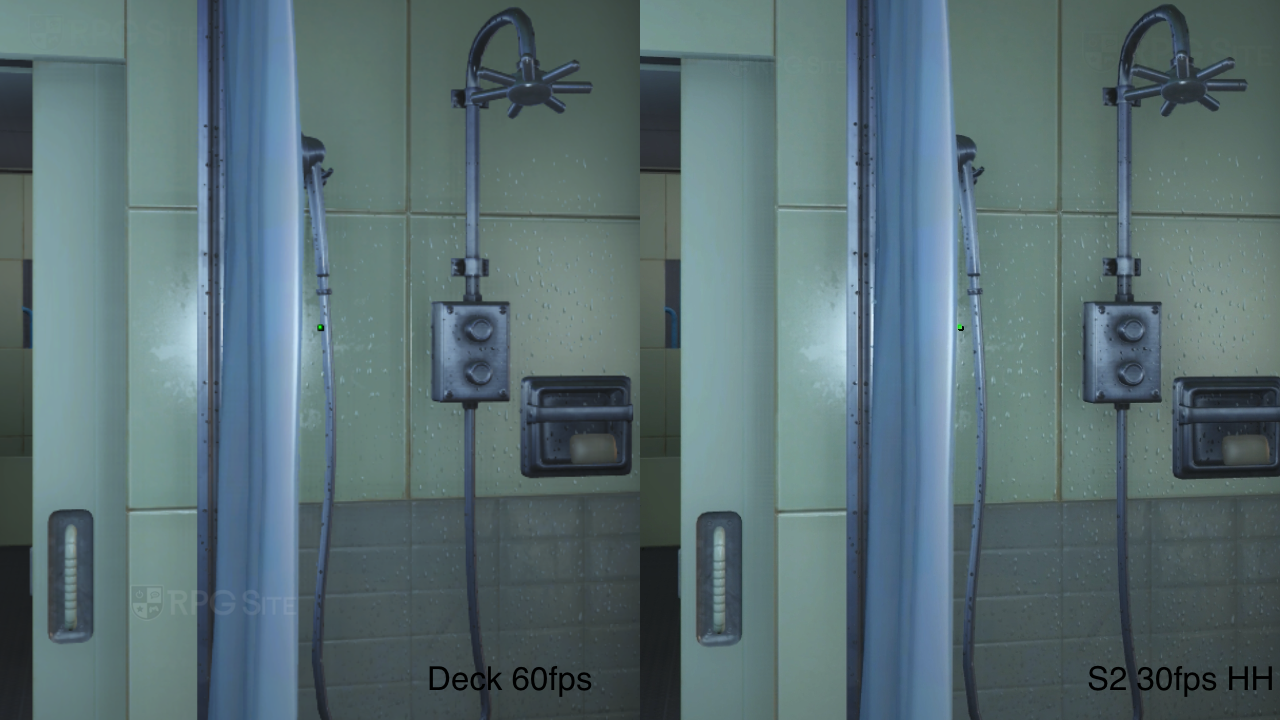
Fallout 4 on Steam Deck is Steam Deck Verified and it locks the graphics options to target 60fps. You cannot change anything unless you use a launch command. I didn't bother changing this and stuck to the default where it held 60fps in the opening hour quite well aside from some minor dips to the high 50s. The Switch 2's 30fps mode is a lot better than the Deck's default and locked 60fps mode, but the Switch 2's 60fps mode ends up softer so far. The Switch 2's 30fps mode also uses some higher visual options like level of detail compared to the default Steam Deck preset. I found the 40fps mode offered the best experience so far on Switch 2. If I wanted to play at 60fps, I would play on Deck over Switch 2.
Fallout 4 load times on Nintendo Switch 2, PS5, and Steam Deck
On the load time side, the Switch 2 version's initial load isn't too long, but loading a save and loading within the game are both longer than other platforms. I had the game installed to the M2 SSD on PS5, internal storage on Switch 2, and the Steam Deck's internal storage. As usual, I mashed confirm to speed up the loading when possible. (Update: This article initially had the Switch 2 test using the Micro SD Express with the results at 14 and 25-26 respectively. I have retested since with Fallout 4 on the internal storage with the updated results reflected below.) The results below are in seconds:
| Platform | Dashboard to title | Loading a save |
| PS5 | 8 | 8 |
| Switch 2 | 14 | 19-20 |
| Steam Deck | 15 | 8 |
Fallout 4 on Nintendo Switch 2 is a much better port than the original announcement trailer led me to believe. While I hope mouse controls and gyro are added in, I also hope to see added optimization like the Skyrim port saw. At least Fallout 4 is a much better port all things considered based on the opening hours I've played. I will be doing more comparisons covering the other modes and even the Steam Deck's custom options when I have a bit more time. I wanted to have some early impressions for the game's launch today.
Fallout 4: Anniversary Edition is now available for Switch 2, PS5, PS4, Xbox, and PC, featuring the base game, six add-ons, over 150 pieces of Creation Club content, and more.