

Which is the best version of Bravely Default? 3DS, Switch 2, Steam Deck, PC, and Xbox compared
Bravely Default Flying Fairy HD Remaster launched a few days ago for PC and Xbox Series consoles following its debut back in June 2025 for the Nintendo Switch 2's launch. Bravely Default Flying Fairy HD Remaster was the first re-release in any form for the 3DS classic for modern platforms. With it now available on multiple platforms, I've been revisiting the Switch 2 remaster following my time with it last year while also checking out the new Steam and Xbox releases. For this feature, I'm going to focus on how Bravely Default Flying Fairy HD Remaster scales across platforms to help you find the best version. I will also cover how it compares to the 3DS original and more just like in my other Square Enix game comparisons like Triangle Strategy, Chrono Trigger, and even the Final Fantasy Pixel Remaster series.
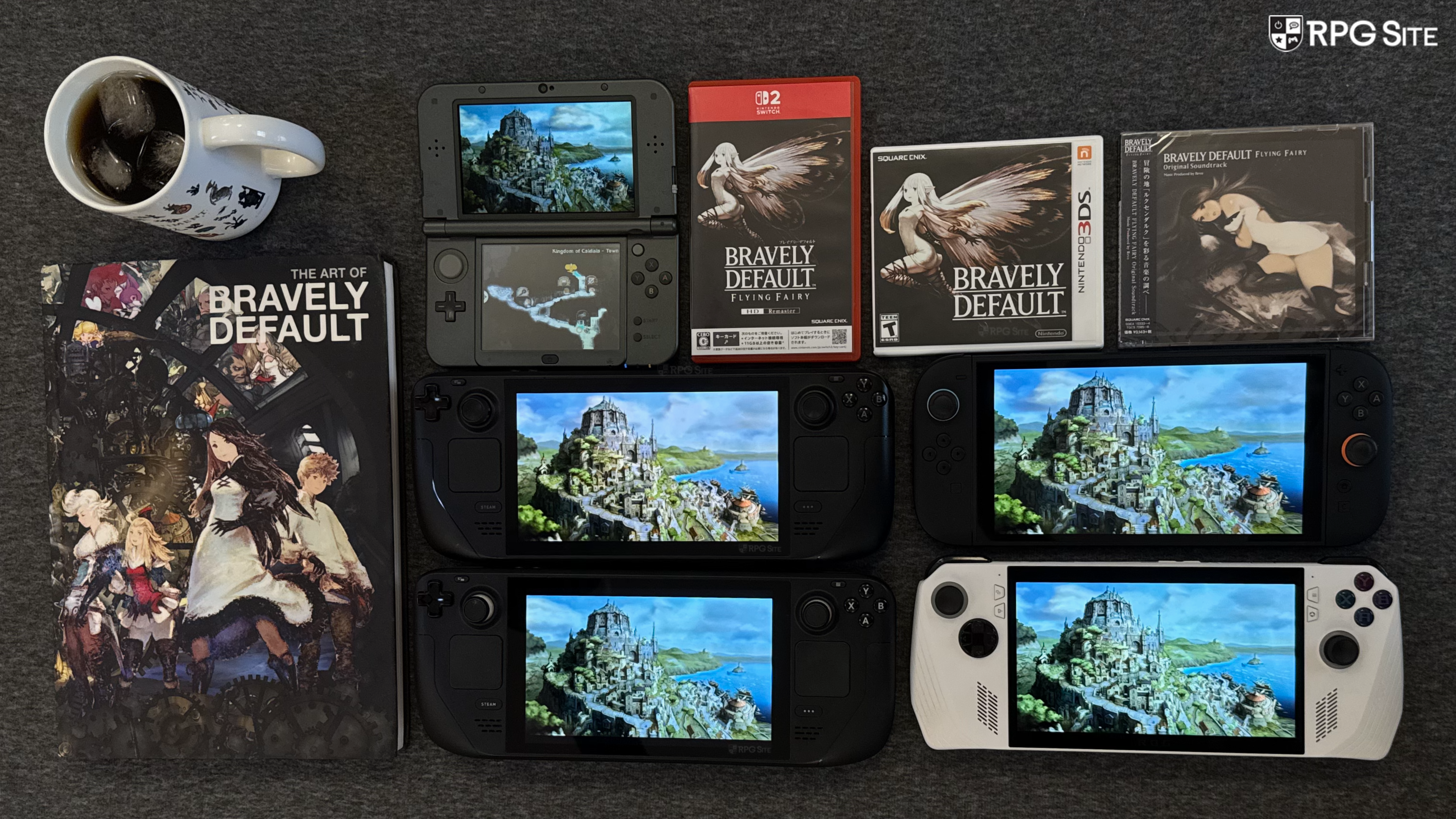
Bravely Default release timeline
Before getting to the versions and other differences, Bravely Default has had an interesting release timeline across platforms from its debut over a decade ago..
- October 2012: Bravely Default Flying Fairy releases on 3DS in Japan.
- December 2013: Bravely Default For the Sequel, an expanded and updated version, releases on 3DS in Japan and this is when Bravely Default makes its debut in the West in EU and AU.
- February 2014: Bravely Default launches in North America on 3DS.
- June 2025: Bravely Default Flying Fairy HD Remaster launches for Nintendo Switch 2 worldwide as the first re-release of the game following its 3DS debut.
- March 2026: Bravely Default Flying Fairy HD Remaster launches on Xbox Series X|S and PC Steam.

Bravely Default feature differences across platforms: Flying Fairy HD Remaster and the 3DS original
Bravely Default Flying Fairy in Japan back in 2012 was the original release. For Bravely Default For the Sequel, which served as the base for the release we got in the West on 3DS, many quality of life features were added including speed-up options, encounter rate toggles, visual improvements, an event viewer, and much more. There were certain character costume and age changes made in the Western release on 3DS. Beyond those options, Bravely Default For the Sequel added new content to tie it into Bravely Second End Layer (a game I hope to see remastered soon) including a new video, the Bravely Second mechanic, and more.
Bravely Default Flying Fairy HD Remaster on Switch 2 was based on the original Bravely Default Flying Fairy or vanilla Japanese release from 2012. This means it cuts almost all references to Bravely Second, but it features some quality of life improvements from For the Sequel (AKA Bravely Default in the West) and new quality of life features exclusive to the HD remaster. These include a fast-forward option, new mini-map options, a new heal all button, UI adjustments for a single screen experience, and a much better online experience. Beyond new features, it also has two mini-games that James wrote about already. There are also some changes to the encounter rate with you not having access to 0% rate or being able to turn it off immediately until you reach Florem and progress the new mini-games enough to earn enough to buy accessories (that unlock the options) using Petal Tokens.
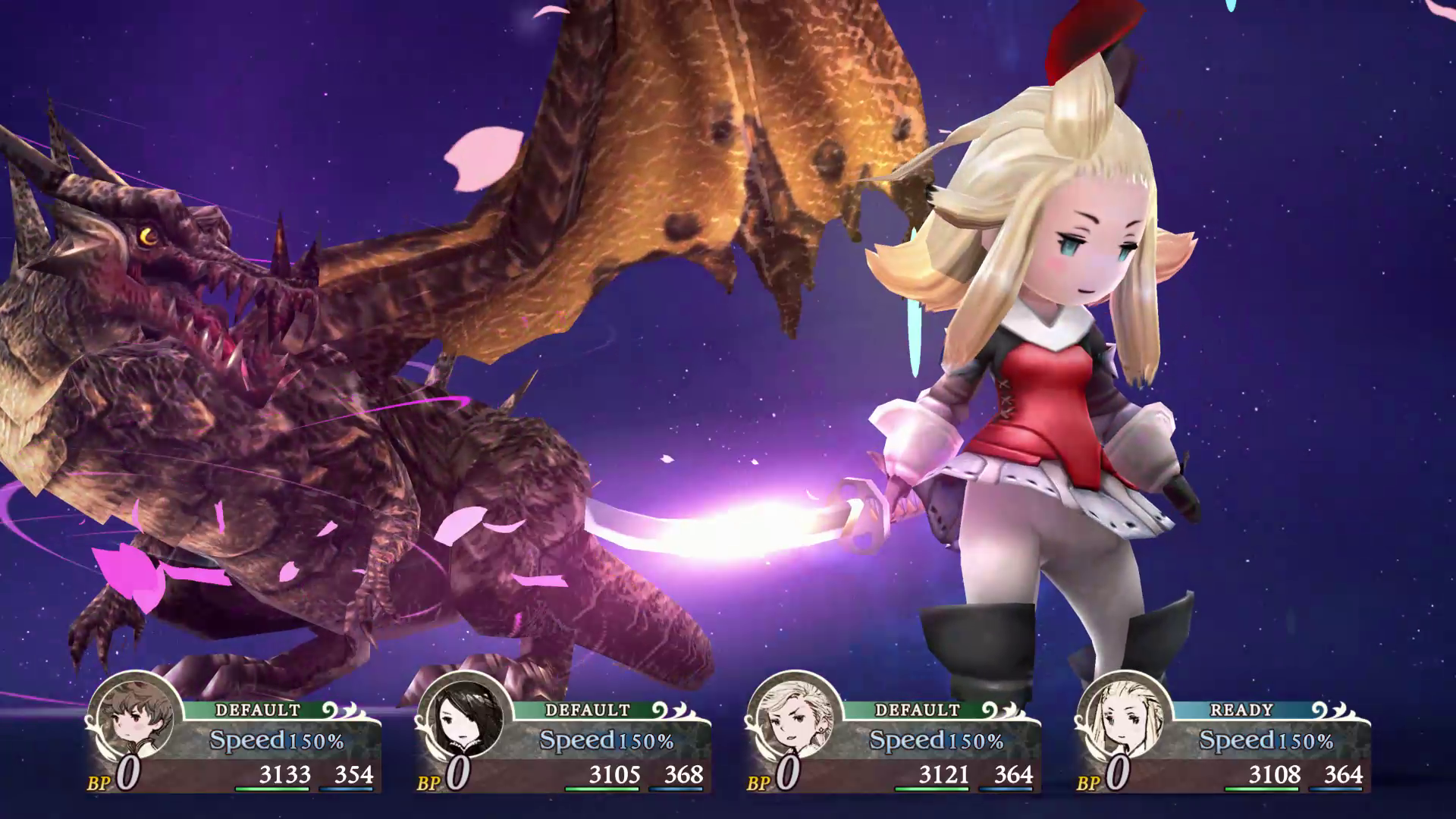
Bravely Default Flying Fairy HD Remaster's Western Switch 2 release retains the character costume and age changes made for the Western 3DS release. The Japanese Switch 2 release features English language support and has no changes made to the character ages or costumes. The Japanese release of Bravely Default Flying Fairy HD Remaster only features Japanese, English, Korean, Simplified Chinese, and Traditional Chinese languages while the Western release features Japanese, French, German, Italian, Spanish, and English. This brings us to the Steam and Xbox versions of Bravely Default Flying Fairy HD Remaster. Both of them appear to be based on the Western Switch 2 release given the wording that mentions "Certain graphics from the original version have been altered for this version."
In terms of features, Bravely Default Flying Fairy HD Remaster is definitely the best version without even considering the visual and performance improvements, but I am disappointed that the Bravely Second content has mostly been removed.
Bravely Default Flying Fairy HD Remaster Switch 2, Xbox, Steam Deck, and PC visual differences
Revisiting Bravely Default on 3DS has been a fantastic experience even after last year's HD remaster on Switch 2. I started a new save on my 3DS and I forgot just how much I missed the 3D effect in games like this alongside having the map and UI on the bottom screen to have less clutter on top during actual exploration and gameplay. Before I go off on a tangent about how amazing the 3DS is for RPGs, let's get back to Bravely Default Flying Fairy HD Remaster.
Bravely Default Flying Fairy HD Remaster delivers a single-screen UI experience, new mini-map options, high resolution visuals which mostly apply to 3D elements and the UI. I didn't really expect new backgrounds, but I will say that the presentation of Bravely Default Flying Fairy HD Remaster balances delivering a modern high resolution experience while retaining the original game's aesthetic. It works well and doesn't feel jarring like some aspects of Bravely Default II do.
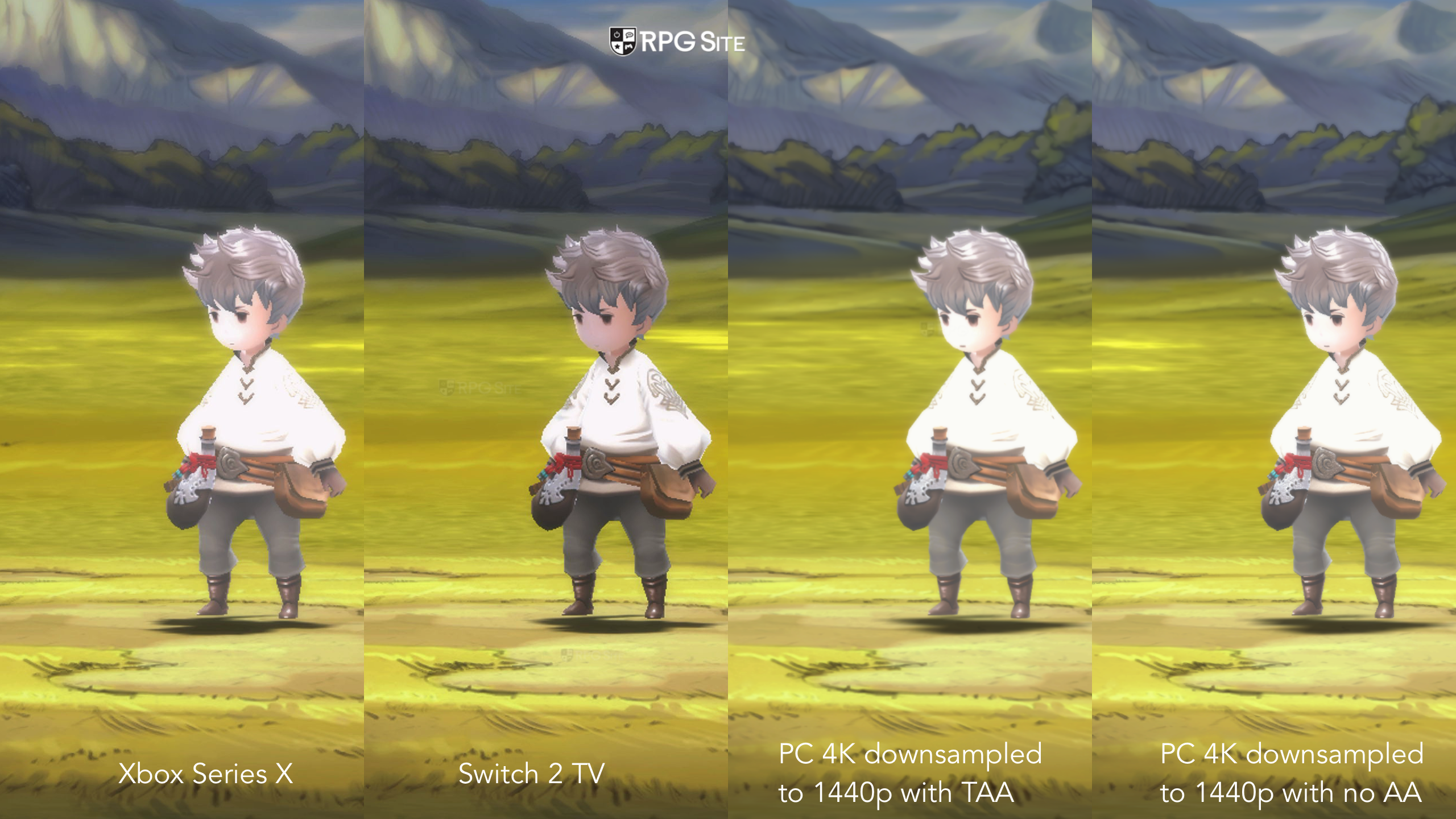
I have no way to capture from 3DS, so my comparisons will focus on the Switch 2, PC version, and Xbox Series X versions of Bravely Default Flying Fairy HD Remaster. As usual, I've done two different comparisons to cover the handheld and TV experiences. When playing on TV or docked, Bravely Default Flying Fairy HD Remaster on Switch 2 and Xbox Series X does not use good anti-aliasing and it also appears to run at about or locked to 1080p (Note that I'm talking about 3D elements and not the UI resolution) in the five different areas I tested when playing Switch 2 docked and my Xbox Series X with both set to outputting at 4K from the system. This results in jagged edges on 3D models and especially in the world map when running around. These aren't as noticeable on the smaller screen on Switch 2 handheld where it appears to be very close if not 1080p throughout.
The PC version has TAA and FXAA options and while the former makes the overall image slightly soft, it is a more stable experience without any shimmering or jagged edges like on both consoles. You can also run the PC version at 4K and downsample if needed resulting in a much better image when playing on a TV or high resolution monitor. I hope Square Enix addresses the console image quality and lack of anti-aliasing since there appears to be a lot of headroom when running Bravely Default Flying Fairy HD Remaster on both Switch 2 and Xbox Series X based on how it is on PC handhelds.
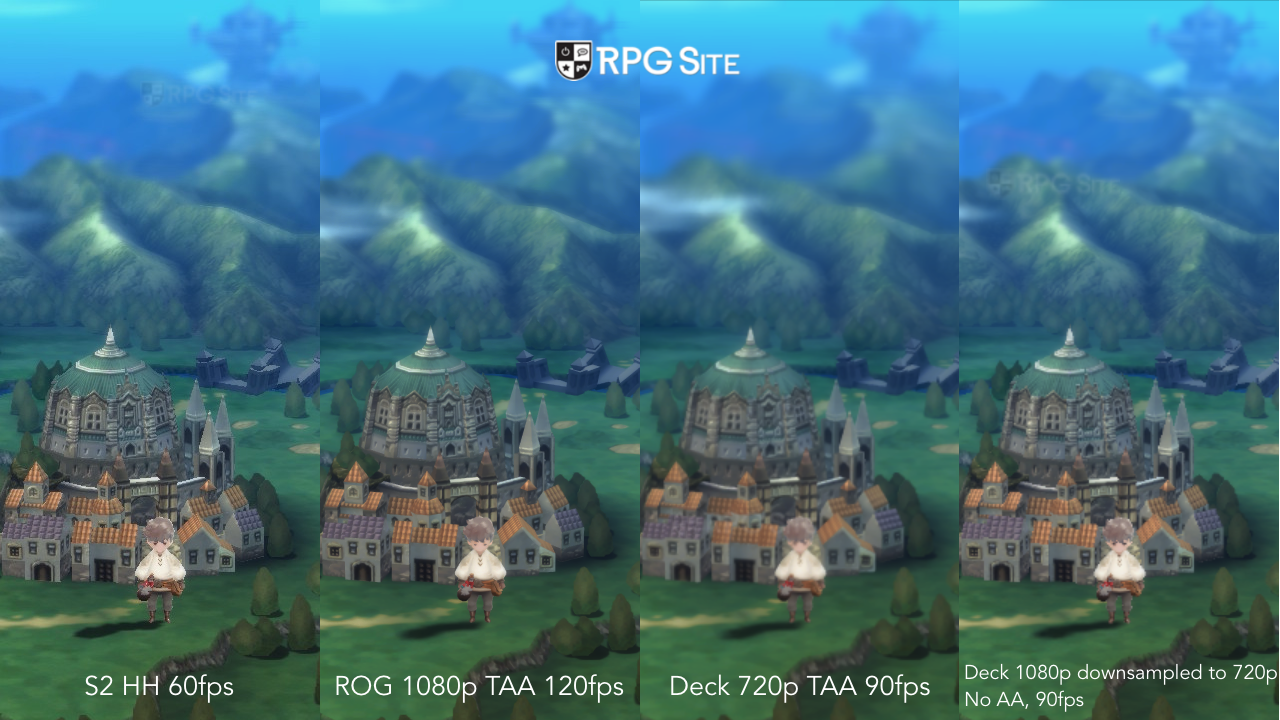
Last year, I thought the Switch 2 experience docked was lacking compared to how good it was handheld (where I spent most of my time with it), but Square Enix should have definitely done better for Xbox Series X and Switch 2 docked. Considering the PC version runs at an uncapped frame rate if you enable that, I basically expected a 4K 120fps experience on Xbox Series X when I first booted it up and the actual game is nowhere near that for the 3D elements.
Moving over to the portable side, Bravely Default Flying Fairy HD Remaster on Switch 2 looks crisp handheld and it matches the ROG Ally experience. Both of these are a higher resolution than playing on Steam Deck with its 800p display where it runs at 720p, but you can of course downsample on Steam Deck and play with anti-aliasing. Since Bravely Default Flying Fairy HD Remaster is a 16:9 game, you have black bars on the top and bottom when playing on Steam Deck. You also have black bars when playing on a 21:9 screen. Hopefully mods or a patch is released to address the aspect ratio in the future.
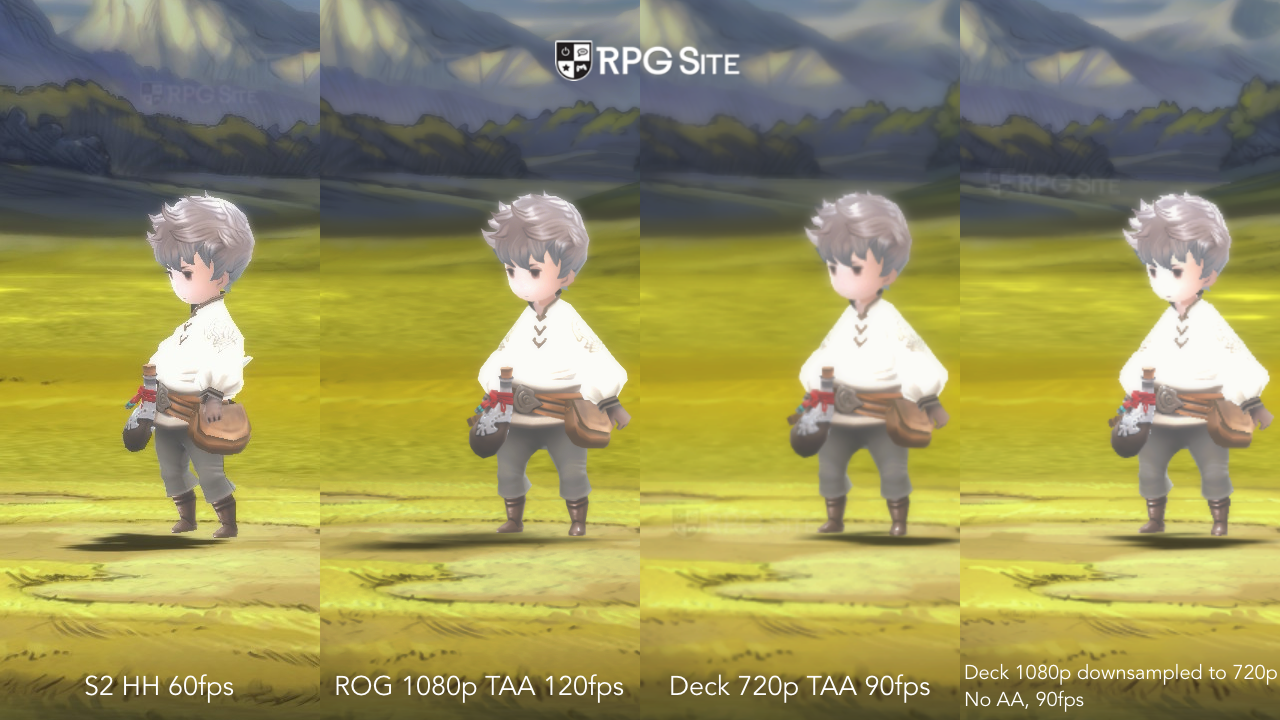
Bravely Default Flying Fairy HD Remaster performance on PC, Xbox, Steam Deck, and Switch 2
Bravely Default had a 30fps target on 3DS and the Switch 2 version doubled the frame rate target to 60fps. The PC version supports uncapped frame rates and can hit 90fps without issue on Steam Deck with it running at well above that at 120fps on ROG Ally. Moving over to the Xbox Series version, it appears to be capped at 60fps regardless of the console's resolution on Xbox Series X. I also made sure to verify this with the console set to 120hz at different resolutions and did a slow motion camera capture measurement to verify this. It is a bit disappointing to not see 120fps support here given how it runs on PC handhelds. While some might argue that you don't need a higher frame rate in a game like this, the Xbox Series X version (and the Switch 2 docked release) just feel lacking given the hardware available and the output resolution for 3D elements. It isn't bad, but just very conservative. I originally thought it would be capped at 60fps on Switch 2 because the remaster was designed around 60fps, but it can do well above that on PC.
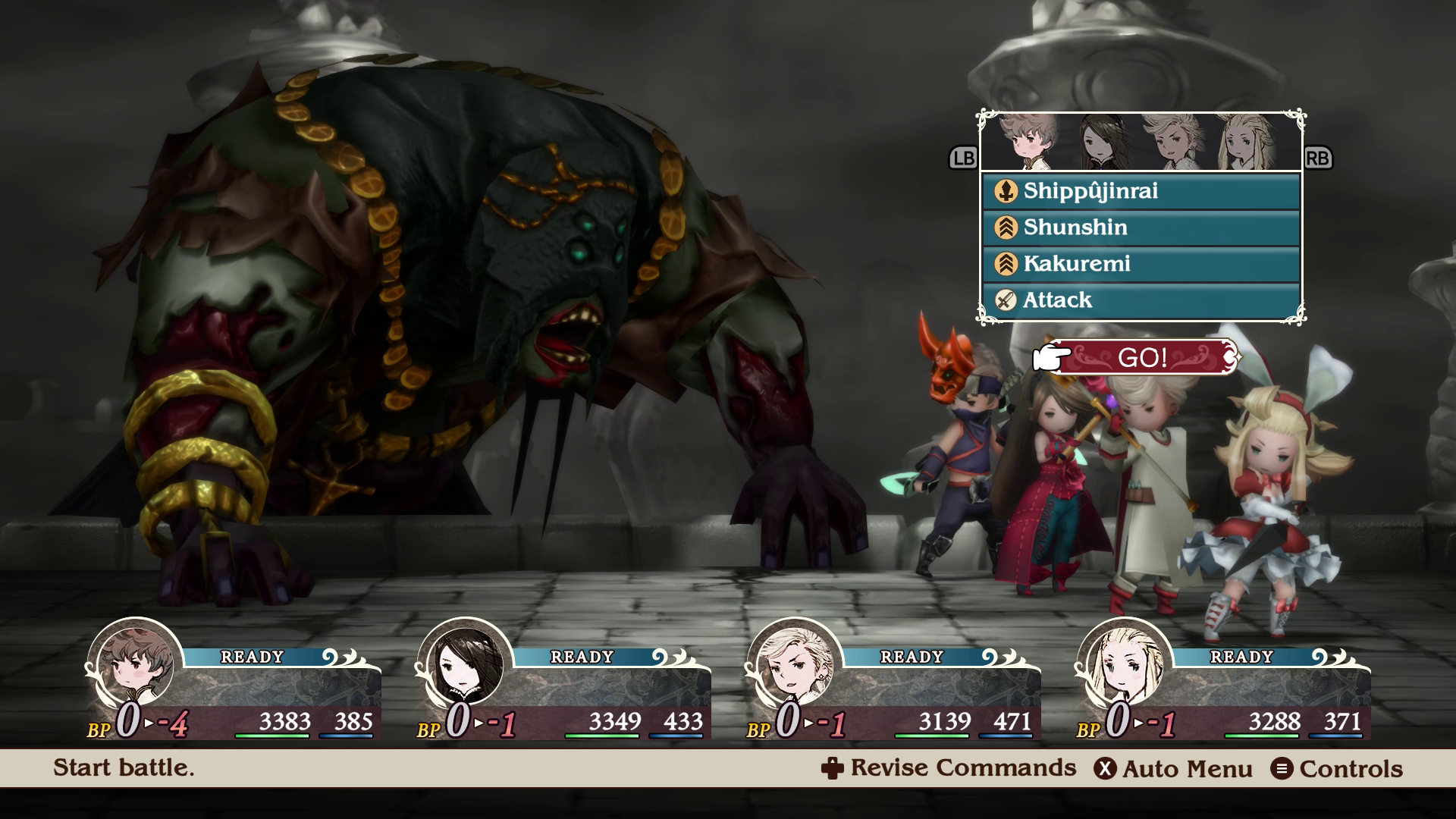
Bravely Default load times across 3DS and the remaster on Switch 2, Steam Deck, PC, and Xbox
To test the load times, I installed Bravely Default Flying Fairy HD Remaster onto the Switch 2 internal storage, the Japanese Key Card version of Bravely Default Flying Fairy HD Remaster onto the Switch 2 internal storage, Bravely Default Flying Fairy HD Remaster for Xbox Series on my Xbox Series X internal storage and ROG Ally internal storage, and finally the Steam version on my ROG Ally and Steam Deck internal storage. I used the physical 3DS cartridge on my New 3DS XL to test as well. I measured the time taken to get to the title screen from the platform dashboard and also the time taken to load an early game save. I mashed confirm to speed up the process. The load times below are all in seconds and are done without network features enabled since those delay loading.
| Platform | Dashboard to title | Loading a save |
| 3DS | 12 | 6 |
| Switch 2 | 22-23 | 3 |
| Steam Deck | 15 | 2 |
| ROG Ally Steam | 15 | 2 |
| ROG Ally Xbox | 22 | 2 |
| Xbox Series X | 11-12 | 3 |
| Switch 2 JP | 22-23 | 3 |
As you can see, Bravely Default Flying Fairy HD Remaster has fast loads within a save on every platform, though the Switch 2 remains a tad slower than other platforms with the Xbox Series X taking as long as that as opposed to matching the Steam and Xbox on PC versions. The Xbox Series X version benefits from the fastest initial load and Quick Resume though. The Xbox on PC version on ROG Ally takes almost as long as the Switch 2 version for the initial load. I want to note that if you have network features enabled in-game, the load times are longer. As for the 3DS original, the initial load is very fast, but the time to load a save and a few sections in-game take a bit longer than other versions.

Which is the best version of Bravely Default Flying Fairy HD Remaster
As usual, I'm going to cover what I think is the best for portable play, the best for docked / TV play, and generally what I consider the best overall here. For playing on TV, both the Xbox Series and Switch 2 versions are basically the same with the Xbox delivering faster load times. The Steam version and the Xbox on PC version deliver a crisper experience across the board here with support for uncapped frame rates. On the console side, both are essentially the same, though you get Quick Resume and achievement support on Xbox while the Switch 2's advantage is in its hybrid nature. One more thing to keep in mind is the Switch 2's mouse controls with the Joy-Con 2 controllers make it the best version to play for the mini-games. The analog sticks don't really feel good in both mini-games. The Switch 2 just having Joy-Con 2 controllers available to remove and use makes it better if you see yourself spending a lot of time with the mini-games.
That brings us to portable play. For portable play, the Switch 2 version is excellent, but the PC version on Steam Deck OLED or ROG Ally is better for a pure portable experience with better screens and performance. If you see yourself playing at home and on the go, the Switch 2 version is fine docked, but it really shines in handheld. The Xbox version is Play Anywhere so if you have access to a ROG Xbox Ally or any PC handheld, you can pick up and continue your progress, but keep in mind that syncing on Xbox across devices is nowhere near as good as Steam let alone the Switch 2 where seamlessly swap between portable and docked play.
Looking at battery life, screen quality, comfort, and performance, my favorite version is actually the Steam Deck OLED since I can dock it and get a 90fps portable experience and play at 1440p 60fps when docked which is higher than both the Switch 2 and Xbox Series X versions so far. If I played on a Steam Deck LCD, the out of the box experience would be better on Switch 2 handheld, but you can downsample from 1080p to get a very crisp image with no almost jagged edges on Steam Deck. This is all very close and I want to stress that you are not getting a bad portable experience on Switch 2 at all, just that it could've been a bit nicer when it comes to image quality.
Which version of Bravely Default Flying Fairy HD Remaster should you buy to play
Everyone has their own priorities for what they want, so I'm going to list the advantages and disadvantages of every single version of Bravely Default Flying Fairy HD Remaster as a conclusion to this feature below:
- Bravely Default Flying Fairy HD Remaster on Nintendo Switch 2: This is the original release of the remaster and it plays and looks great handheld, but it should have targeted a higher resolution when playing docked. That aside, it is great for seamlessly moving between docked and portable play and has no real performance issues. The Switch 2's Joy-Con 2 controllers also were what the mini-games were built for as opposed to the mediocre analog stick implementation for the second mini-game with a controller.
- Bravely Default Flying Fairy HD Remaster on Xbox: If you have access to a PC handheld or play on Xbox Series consoles and PC, the Play Anywhere feature is a big selling point in addition to the Quick Resume feature on Xbox consoles, but the longer initial load times thanks to the syncing hold this version back a bit. I also am a bit disappointed the developers didn't push for 120fps or a higher resolution since it can easily do that on PC handhelds and the Xbox Series consoles should've had a higher frame rate target with better anti-aliasing. It feels like a bare-bones port of the Switch 2 release with some changes to controls rather than a version that scales up based on the hardware capabilities.
- Bravely Default Flying Fairy HD Remaster on Steam: If you play on Steam Deck or PC in general, this is the only version you should consider. It plays fantastic on Steam Deck out of the box at 90fps and can even do well above that on other PC handhelds like the ROG Ally or laptops. The PC port is a bit bare-bones, but it can go well above the console versions.
- Bravely Default on 3DS: Usually, I'd say avoid this, and it is hard to buy it now given prices of the physical release, but the 3DS version of Bravely Default will always be worth experiencing for the content that was cut, the 3D visuals (especially on a New 3DS system), and the dual screen setup. It rules and I'm going to replay it once I finish my Steam Deck playthrough of Bravely Default Flying Fairy HD Remaster
Hopefully this helped you decide where you should get Bravely Default Flying Fairy HD Remaster and if you already own it, gets you to finally play or revisit it. It would be great if this leads to not just a PS5 port of Bravely Default Flying Fairy HD Remaster, but an HD remaster of Bravely Second: End Layer.
Bravely Default is now available on Nintendo 3DS. Bravely Default Flying Fairy HD Remaster is now available for Nintendo Switch 2, Xbox Series X|S, and PC (Steam). You can find our guides on the game here.