

The Witcher 3 Remastered looks fantastic on Steam Deck, but is more demanding to run as expected
The Witcher 3: Wild Hunt - Remastered is out this week and I've had a chance to check out the Steam version pre-release on my Steam Decks to see how it looks and feels compared with the original game also on Steam Deck. Given the big graphics upgrade to foliage, new gameplay changes, adjustments to color grading, and more with an increase in system requirements, I was curious to see how it would run. Note that CD Projekt Red has stated new AMD drivers will be released so I didn't bother testing it on my ROG Ally Z1 Extreme as of this writing. I will revisit this to add more impressions from the PC port, my final The Witcher 3 Remastered Steam Deck recommended settings, and more.
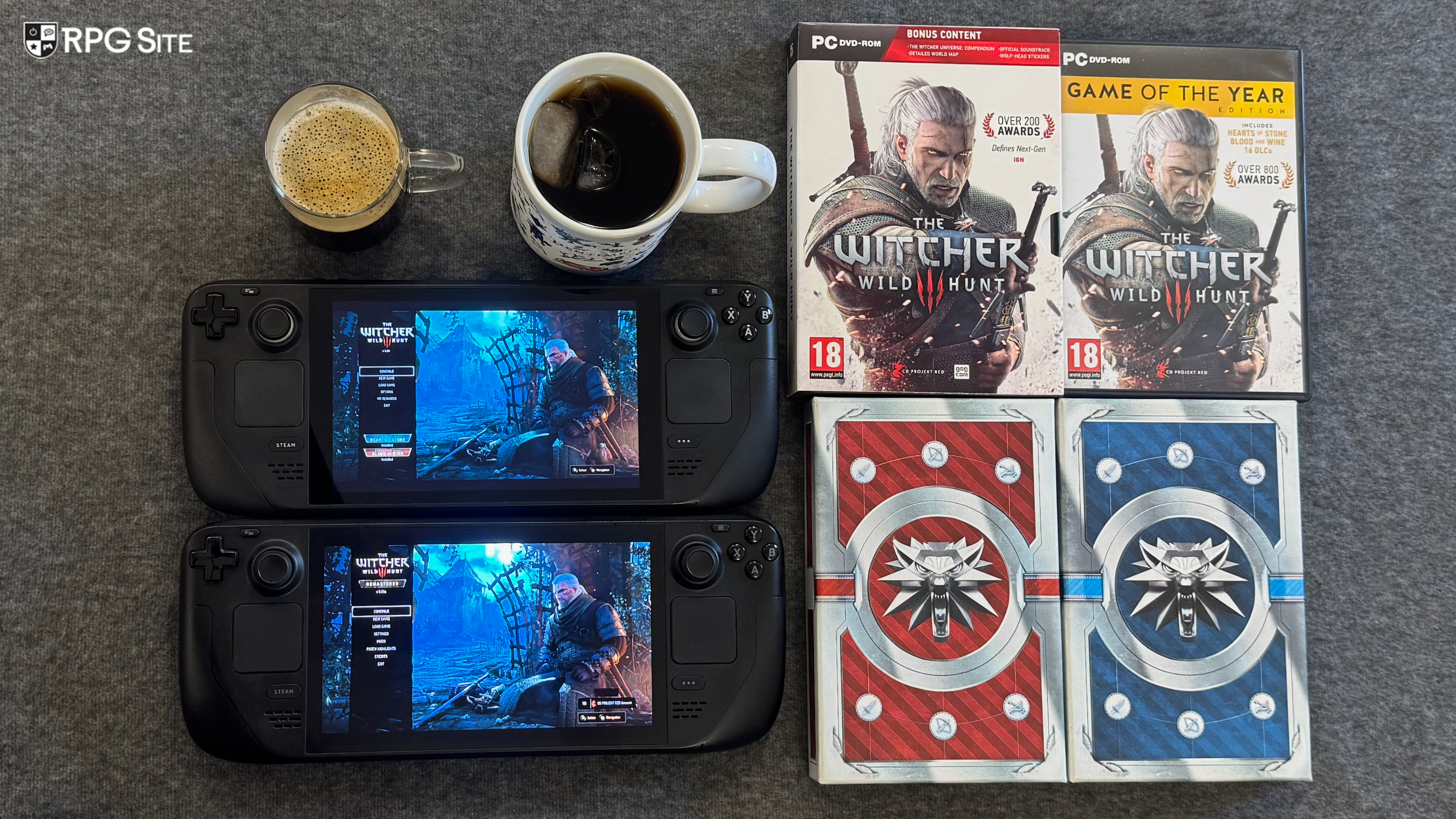
The Witcher 3 Remastered Steam Deck impressions
When I first booted up The Witcher 3 Remastered on Steam Deck, I was annoyed to see the game's launcher still present. After clicking play and loading my most-recent save file, I immediately noticed changes beyond just the visuals. The camera on the horse, general exploration camera, animations during combat, combat itself, the menus, UI fonts, and more have been tweaked or changed in the remaster. You can change the camera positions or angles back using the in-game settings if you prefer the original feel, but this remaster is definitely doing a lot more than I expected out of the box.
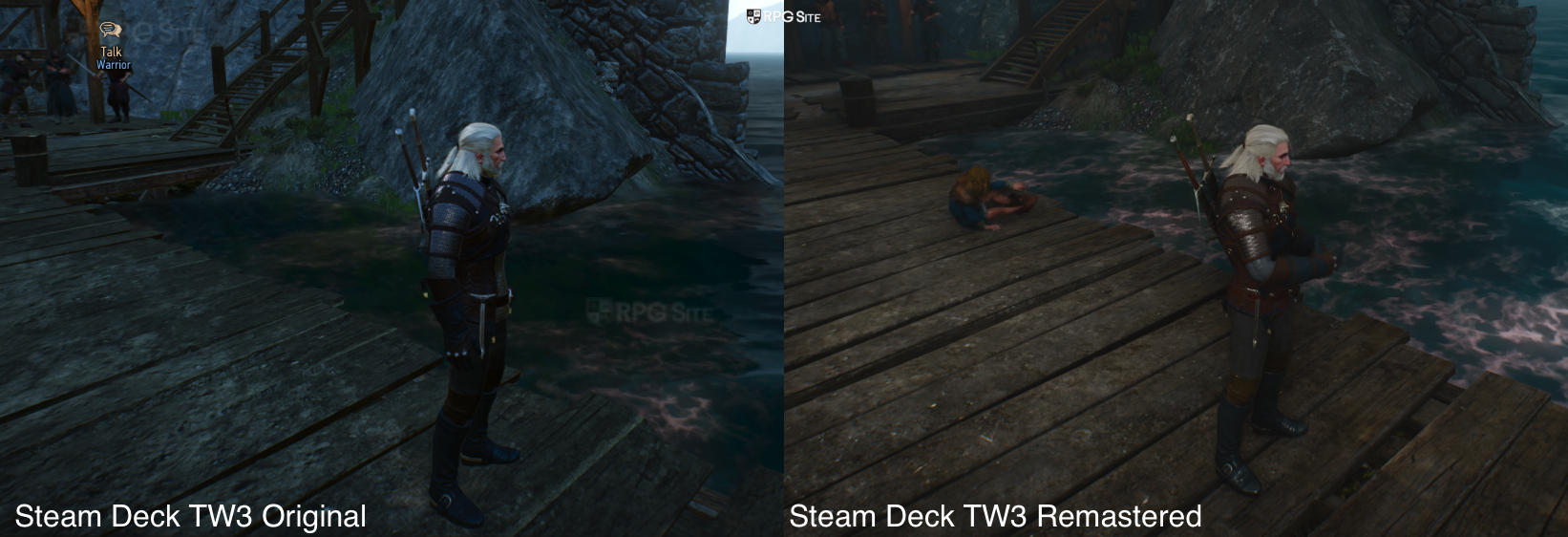
As for the visuals and performance, The Witcher 3 Remastered is more demanding to run and I've noticed a hit of about 5-10fps depending on the location using the same Steam Deck preset in-game as the original game. In fact, I put my LCD Steam Deck on airplane mode and had the original game running side by side with the remaster on my OLED Steam Deck to compare.
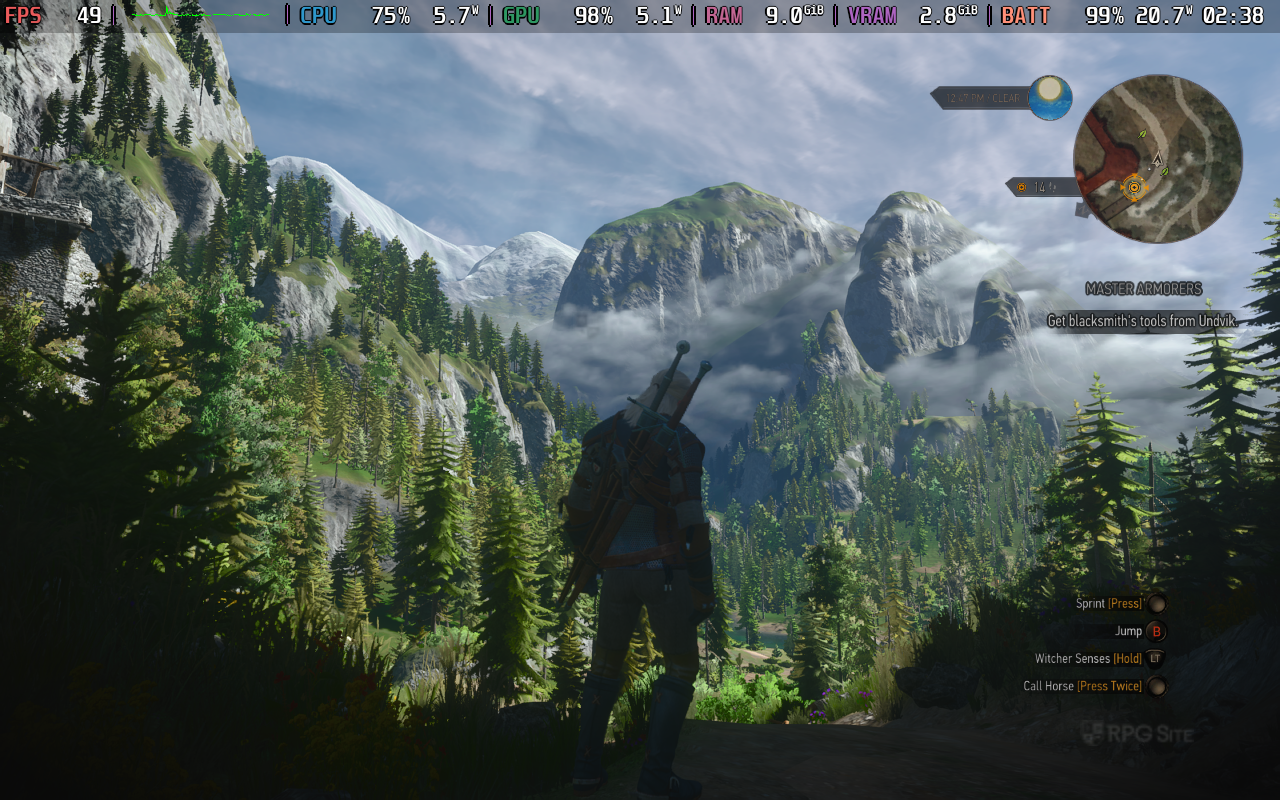
The Witcher 3 was already a 40+fps experience on Steam Deck, it might not seem like a big deal, but you should expect some hiccups in Novigrad right now. Again, CD Projekt Red mentioned AMD drivers so I assume Valve will ship some Proton update for The Witcher 3 Remastered in the future. I did all my testing on Proton Experimental (bleeding edge) this weekend.
I'm not sure what the cause is but sometimes fast travelling or loading a save appears to take far too long. This was random, but a load that took 15 seconds in one test ended up taking around 55 seconds the next time. I imagine this will be fixed for launch, but it was annoying. The Witcher 3 Remastered also has better UI scaling out of the box on Steam Deck so text is more readable and the touch support appears improved for UI navigation.
Aside from the long load times that occur randomly in the build I have, The Witcher 3 Remastered is excellent on Steam Deck and I can't wait to finally finish the DLC with the remaster across Steam Deck, Switch 2, and PS5 Pro over the next few weeks.
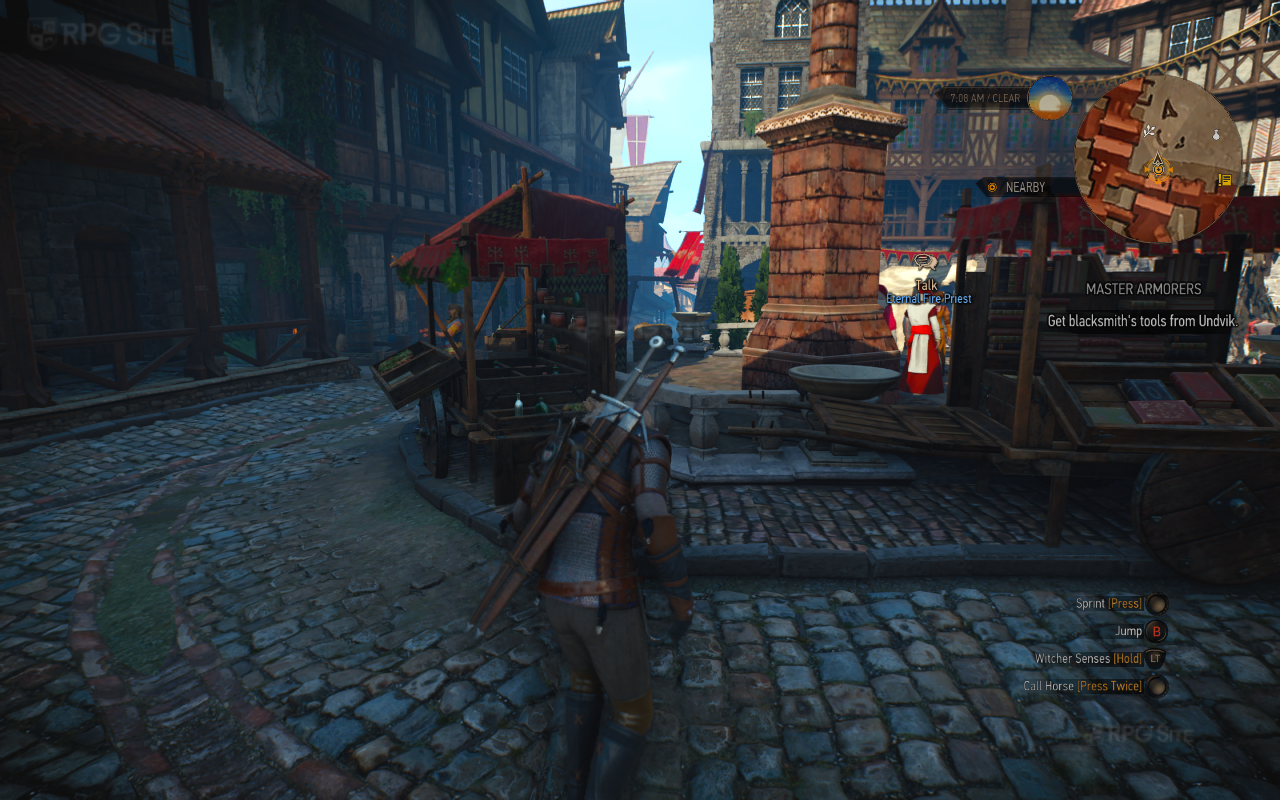
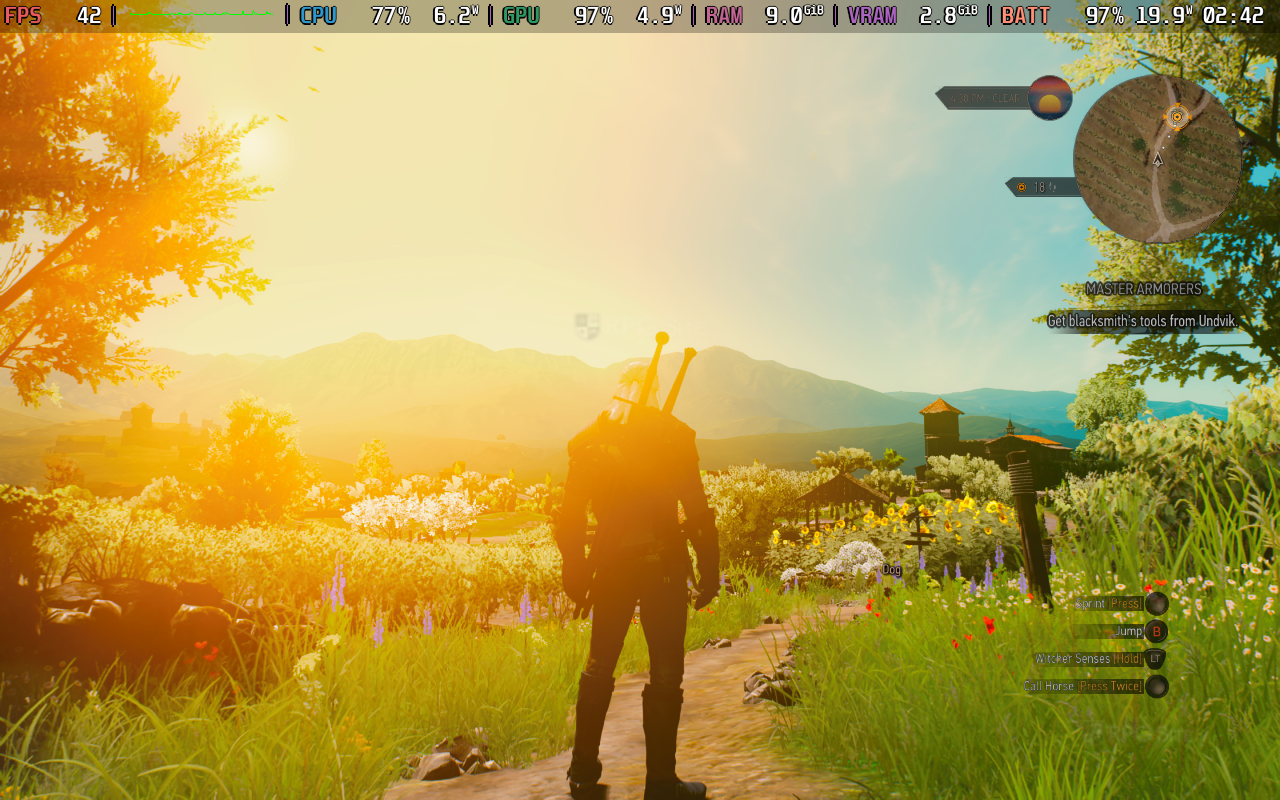
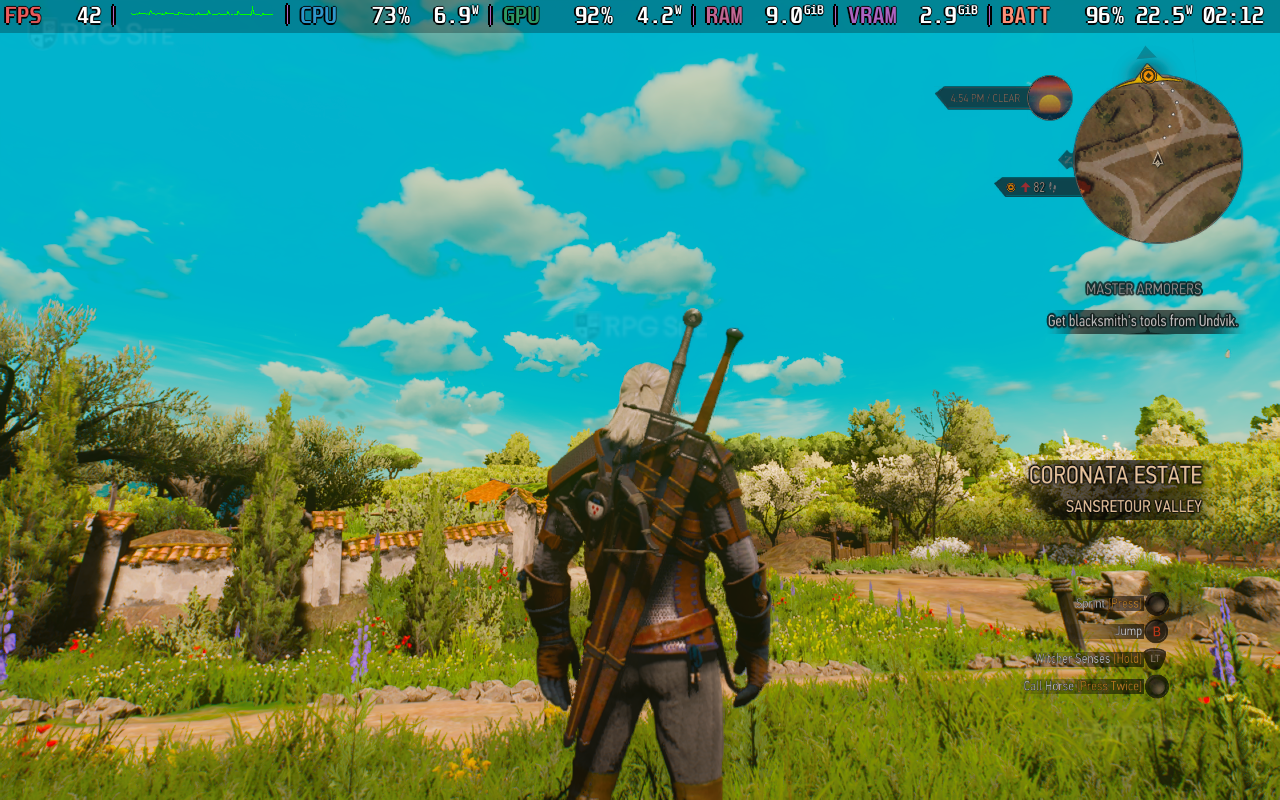
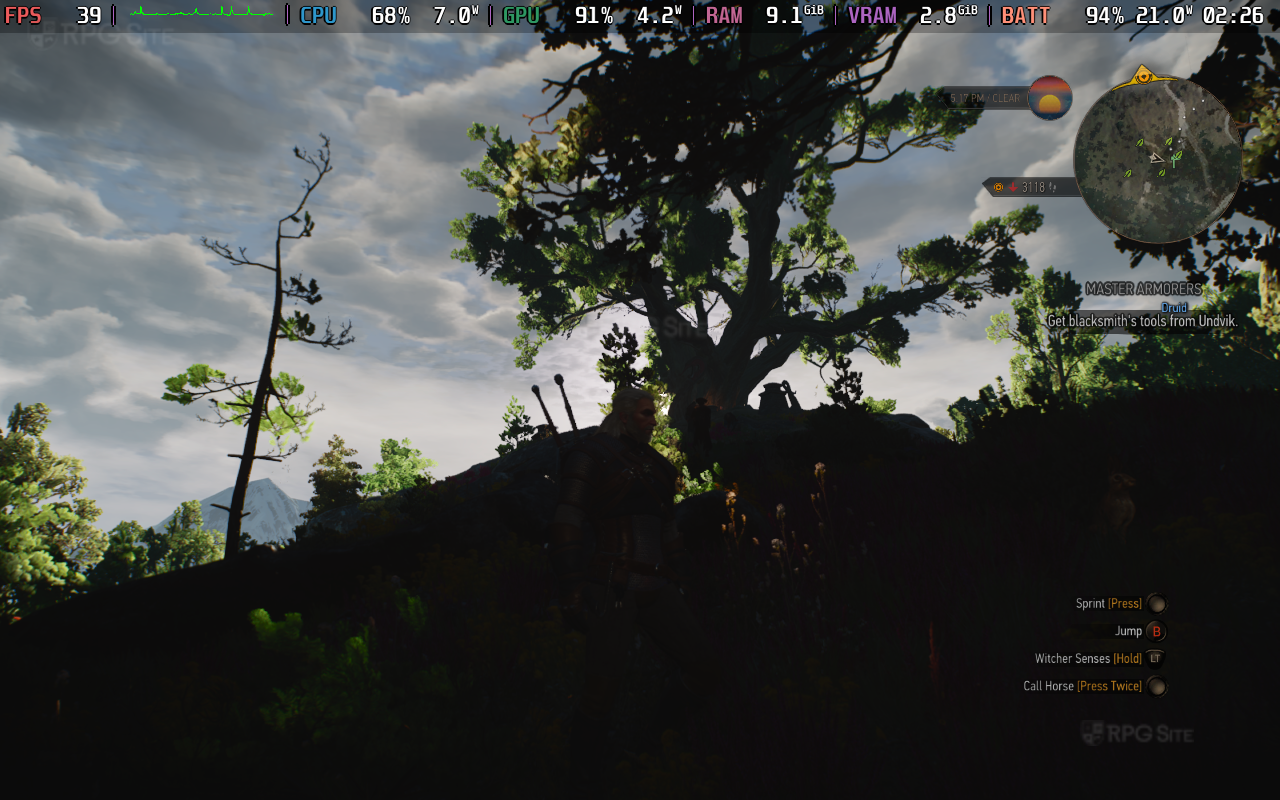
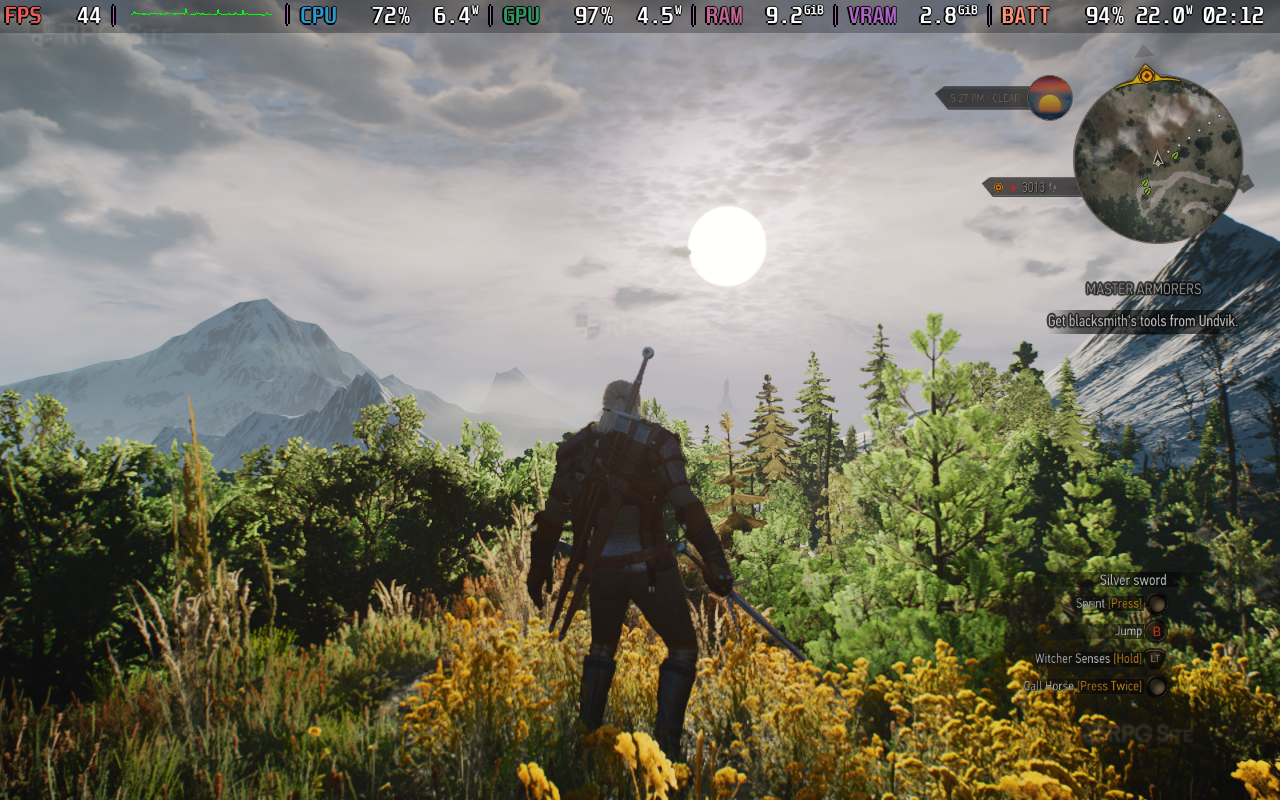
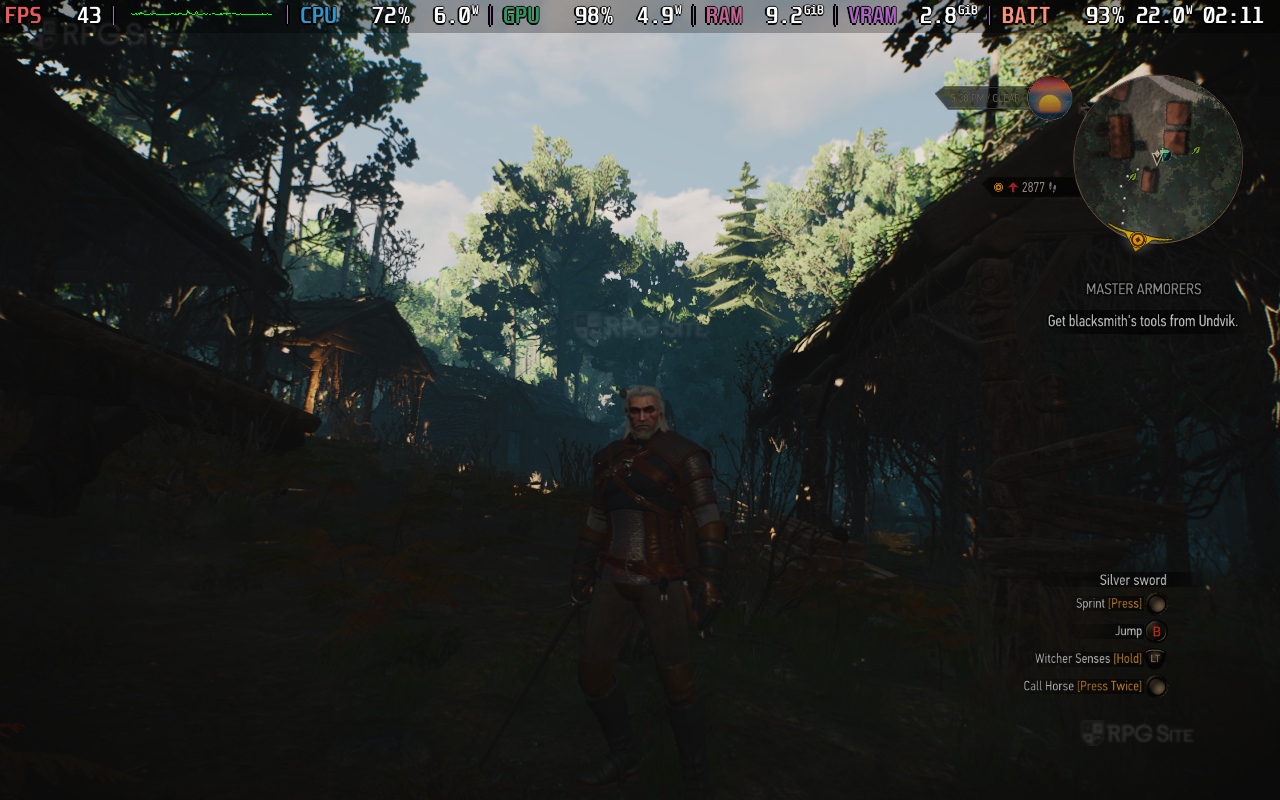
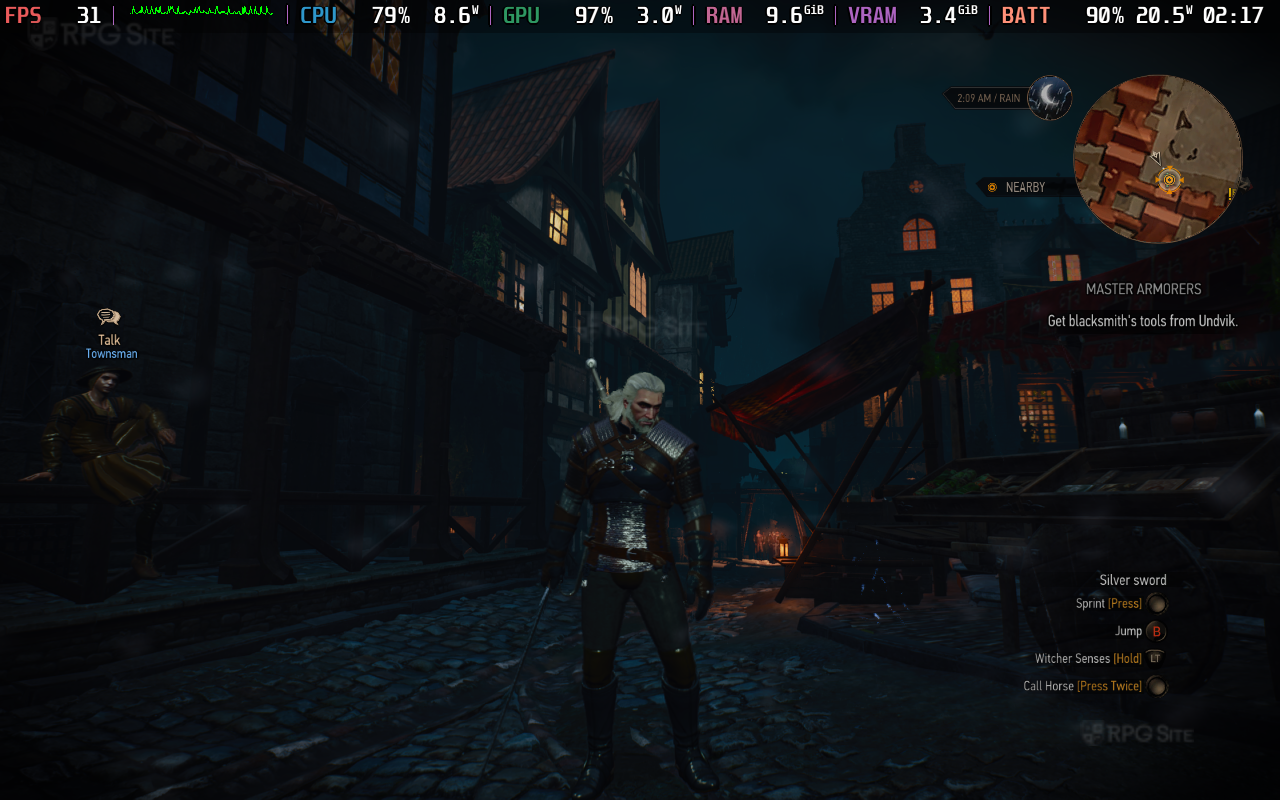
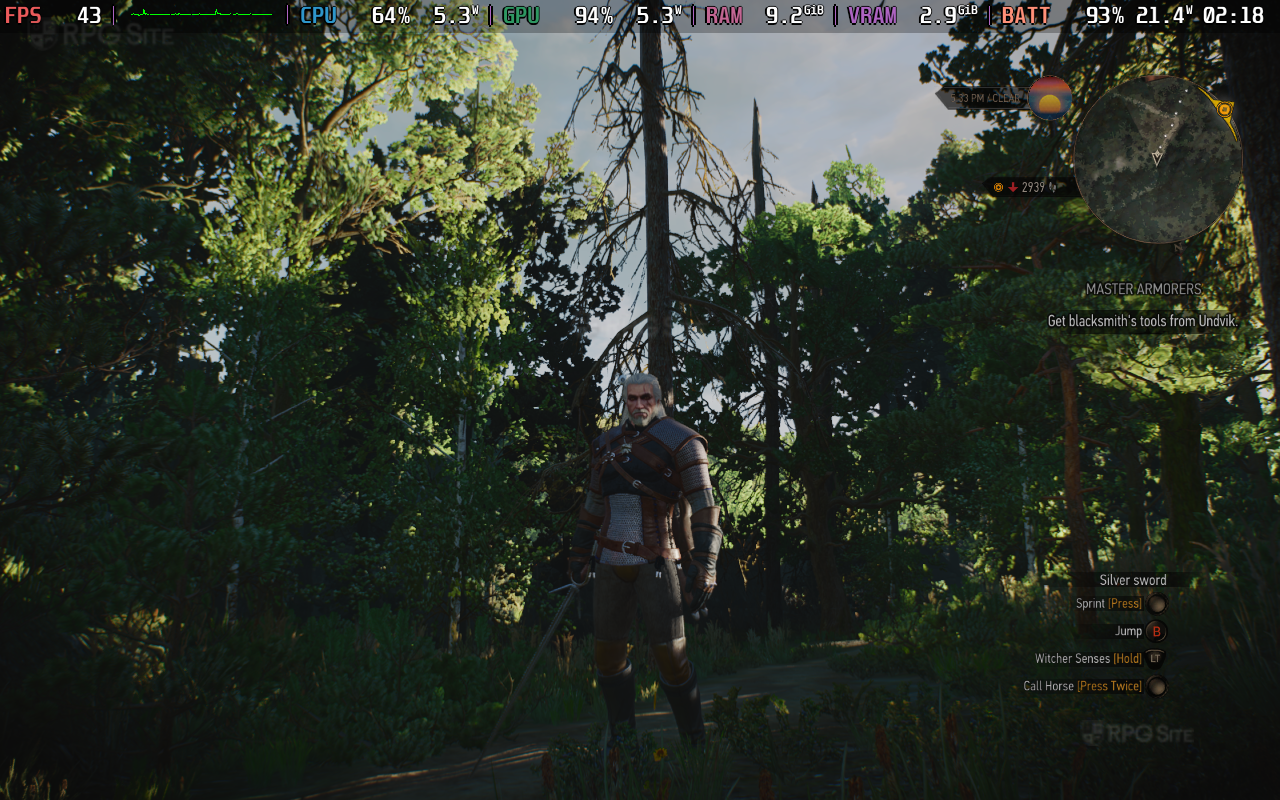
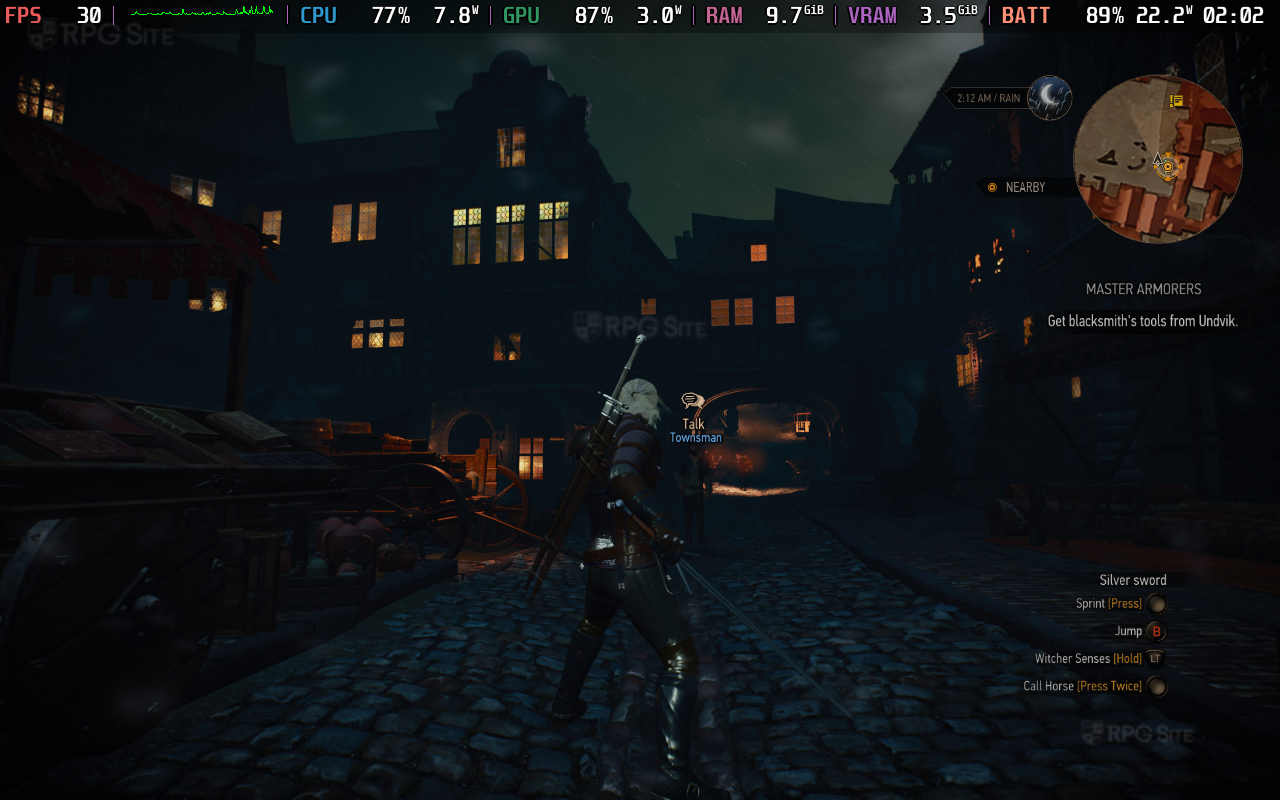
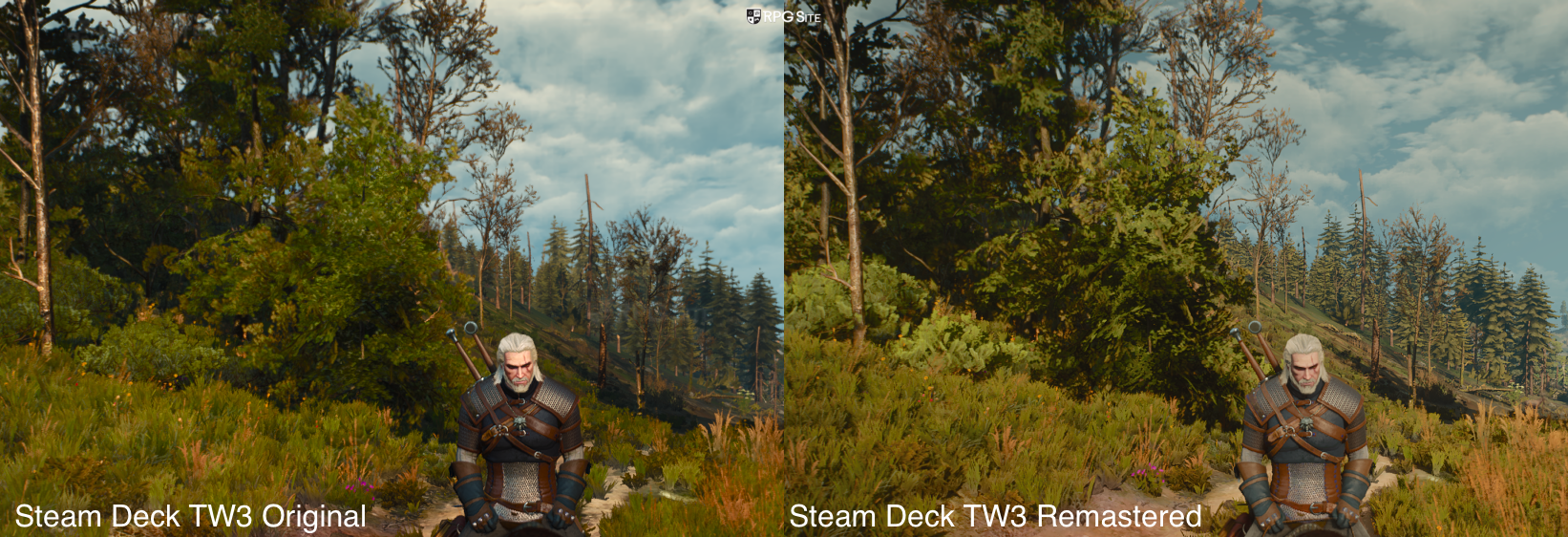
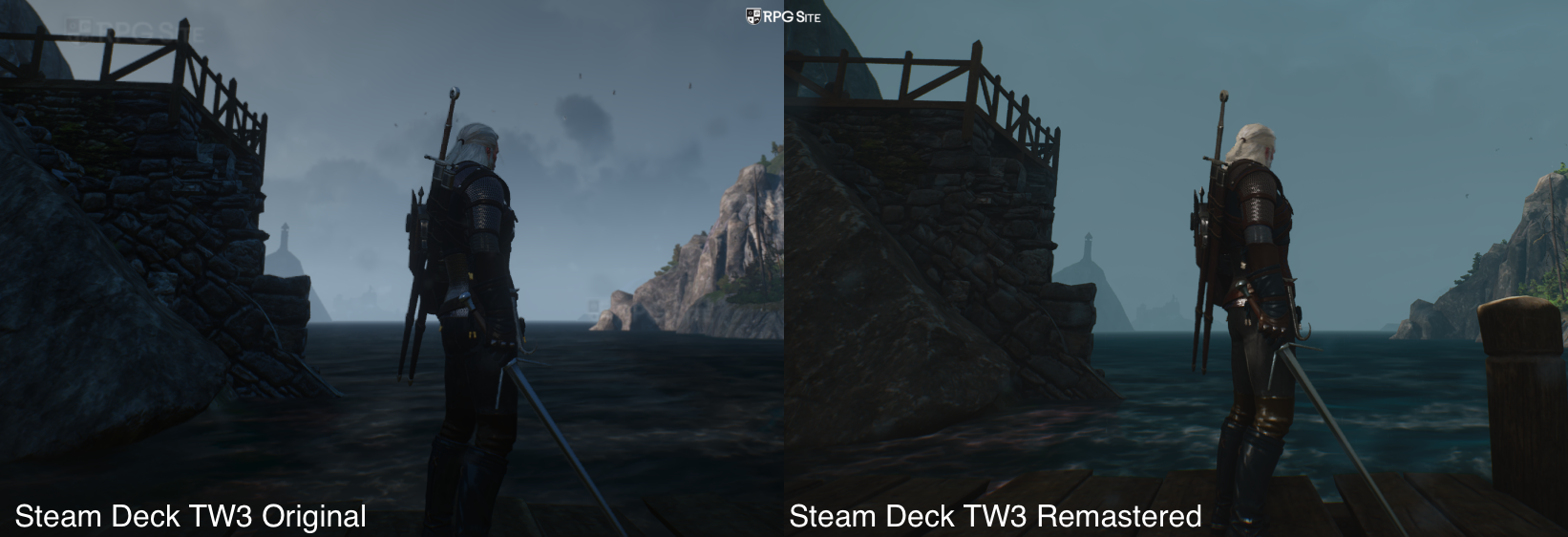
Note: The screenshots above were taken using the Steam Deck's system screenshot functionality. HDR was enabled and the graphics preset was set to Steam Deck.
The Witcher 3 Remastered on Steam Deck vs the original game
Beyond visuals, The Witcher 3 Remastered has a new modern camera distance setting for exploration, and it also defaults to different settings for the camera distance in other areas. After changing these to match the original, it was easier to compare The Witcher 3 Remastered with the original just on Steam Deck. Since the Steam Deck was my go to portable version to revisit The Witcher 3 after finishing it on Switch, I was hopeful to see it deliver a good experience, and while it is noticeably better looking, the performance hit isn't negligible.
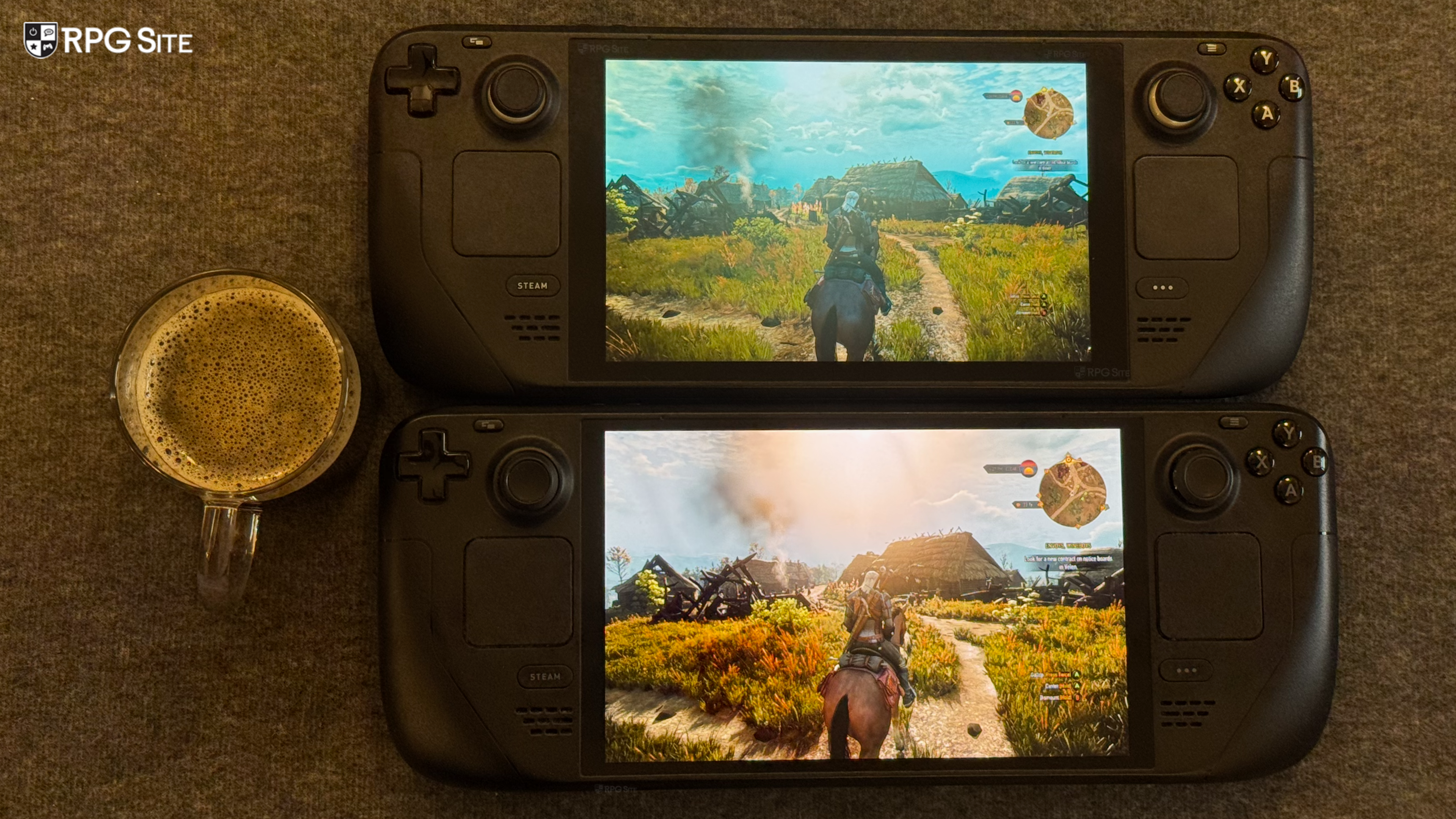
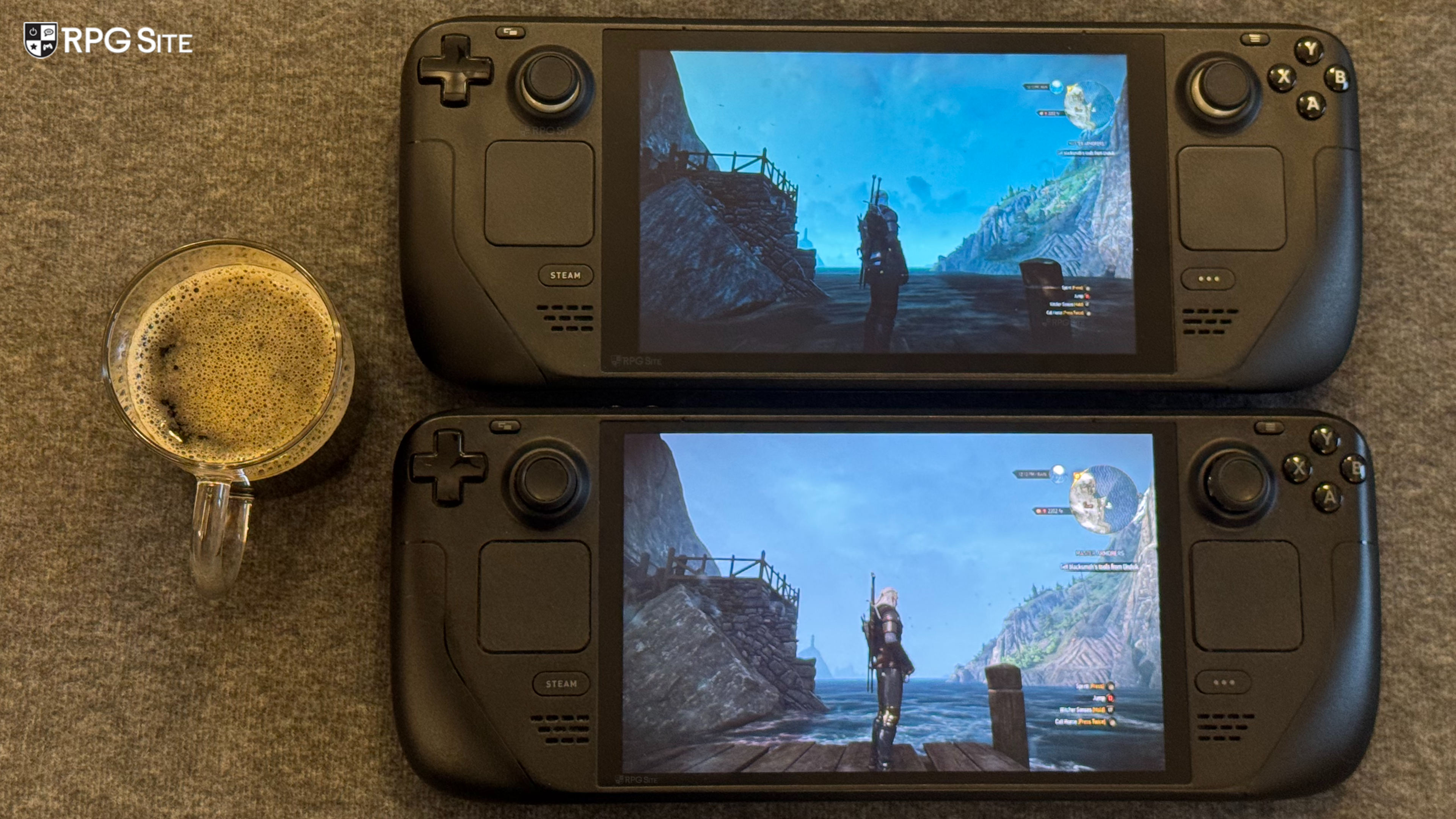
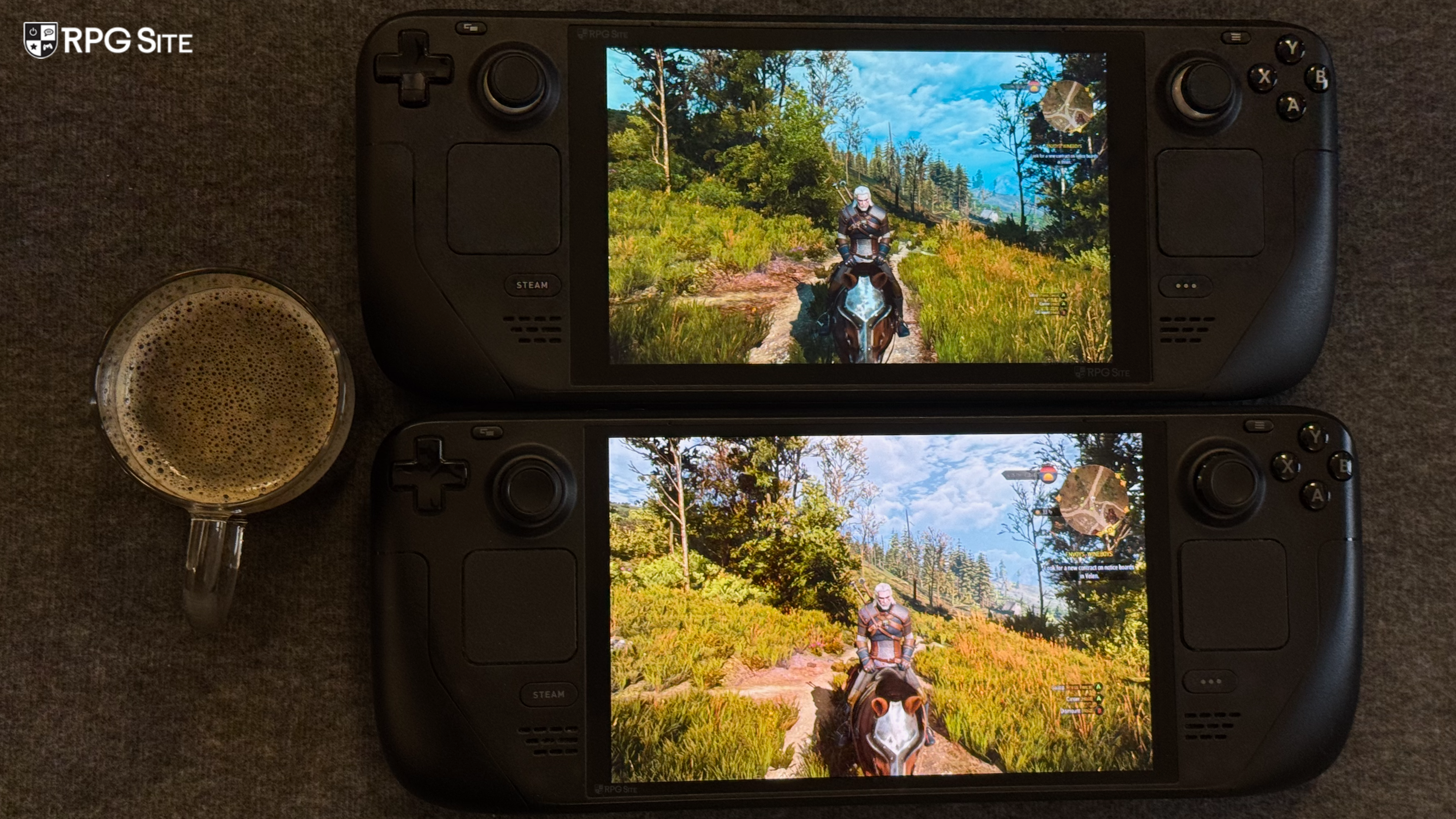
I've included some comparison images below showing The Witcher 3 Remastered vs The Witcher 3 on Steam Deck using the Steam Deck preset in both versions. I tried to get to the exact same positions, time of day, camera angles, and more as well.
The Witcher 3 Remastered Steam Deck recommended settings
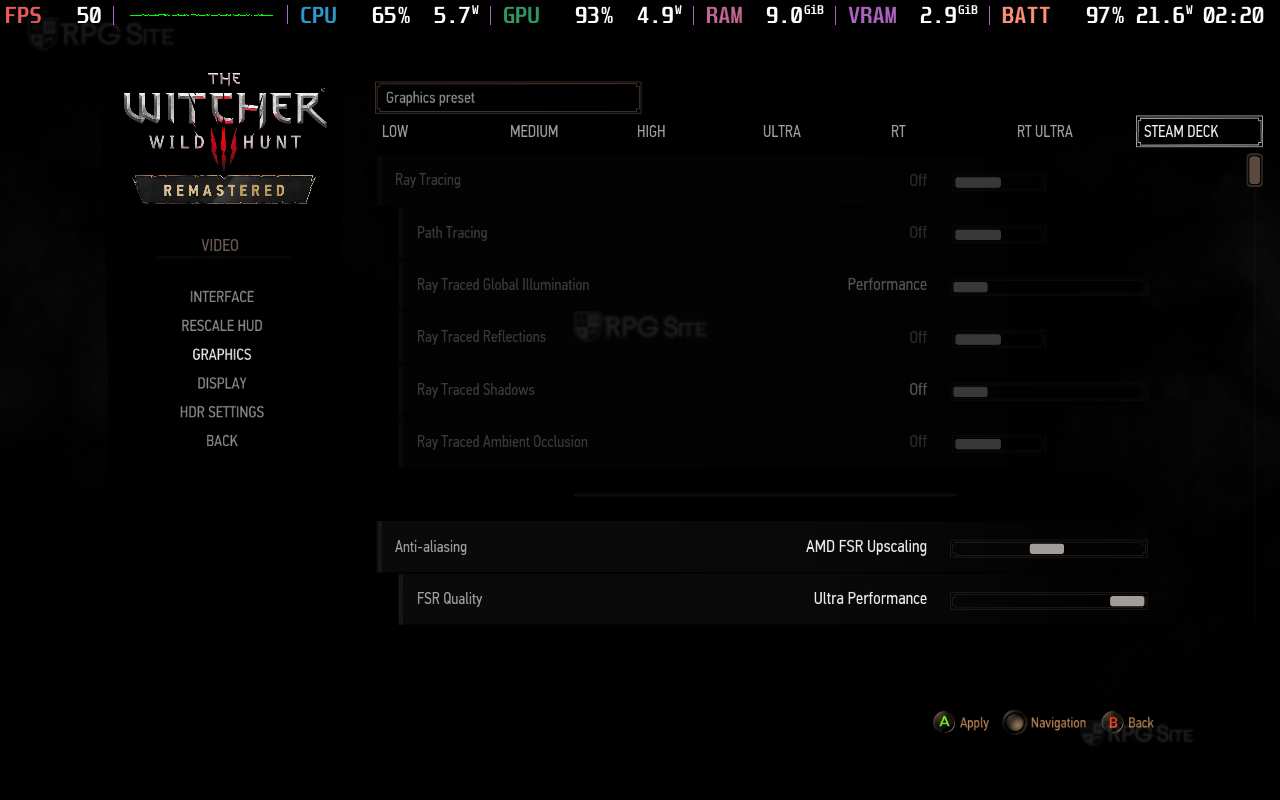
Since the AMD drivers aren't final yet and I assume things will change at launch, my The Witcher 3 Remastered Steam Deck recommended settings based on the current build I have is to use the Steam Deck preset and to leave the upscaling to auto. With this you will get a good visual experience with around 40fps in most parts, but expect 30fps in Novigrad and the like. The major setting you absolutely should disable or tweak is motion blur. It is too strong by default and looks bad.
I'm curious to see how CD Projekt Red patches The Witcher 3 Remastered beyond just optimization or fixes. This is not just a technical upgrade, but one that brings big changes to gameplay and even the aesthetic in parts. I will be revisiting this once we get any driver updates or optimization updates so that I can also cover how it feels on ROG Ally. Until then, The Witcher 3 Remastered did a lot more than I expected, and revisiting it on Deck has reminded me of just how good it is.