

Which is the best version of Final Fantasy VII Rebirth? PS5 Pro, Switch 2, Xbox, Steam Deck, & More Compared
This week, Final Fantasy VII Rebirth launches for Nintendo Switch 2 and Xbox Series consoles. Final Fantasy VII Rebirth was a much-larger scale release compared to Remake with bigger and open zones, a top tier soundtrack (one of the best Square Enix has done in years), and generally offering a lot compared to Remake. Final Fantasy VII Remake had a great conversion on Switch 2 for handheld play, but Rebirth is a game that struggled image quality wise on base PS5. Before the demo released, I was curious to see how it would scale down for Switch 2, and while the demo was not great, I was hopeful for the full game.
I've covered Final Fantasy VII Rebirth on Steam Deck and ROG Ally already, and while it wasn't a good experience there with the PC port being poor in general compared to many of Square Enix's other titles, I decided to hold off on a full comparison until I had access to the complete game on Switch 2 and Xbox Series. Square Enix is also patching the PS5 and Steam versions of Final Fantasy VII Rebirth with the Streamlined Progression feature and the lighting improvements from the PC version on PS5. Since the Steam and PS5 patches are not live, I will be updating this comparison to retest both platforms' load times and also visuals in the case of the PS5 version on base PS5 and PS5 Pro.
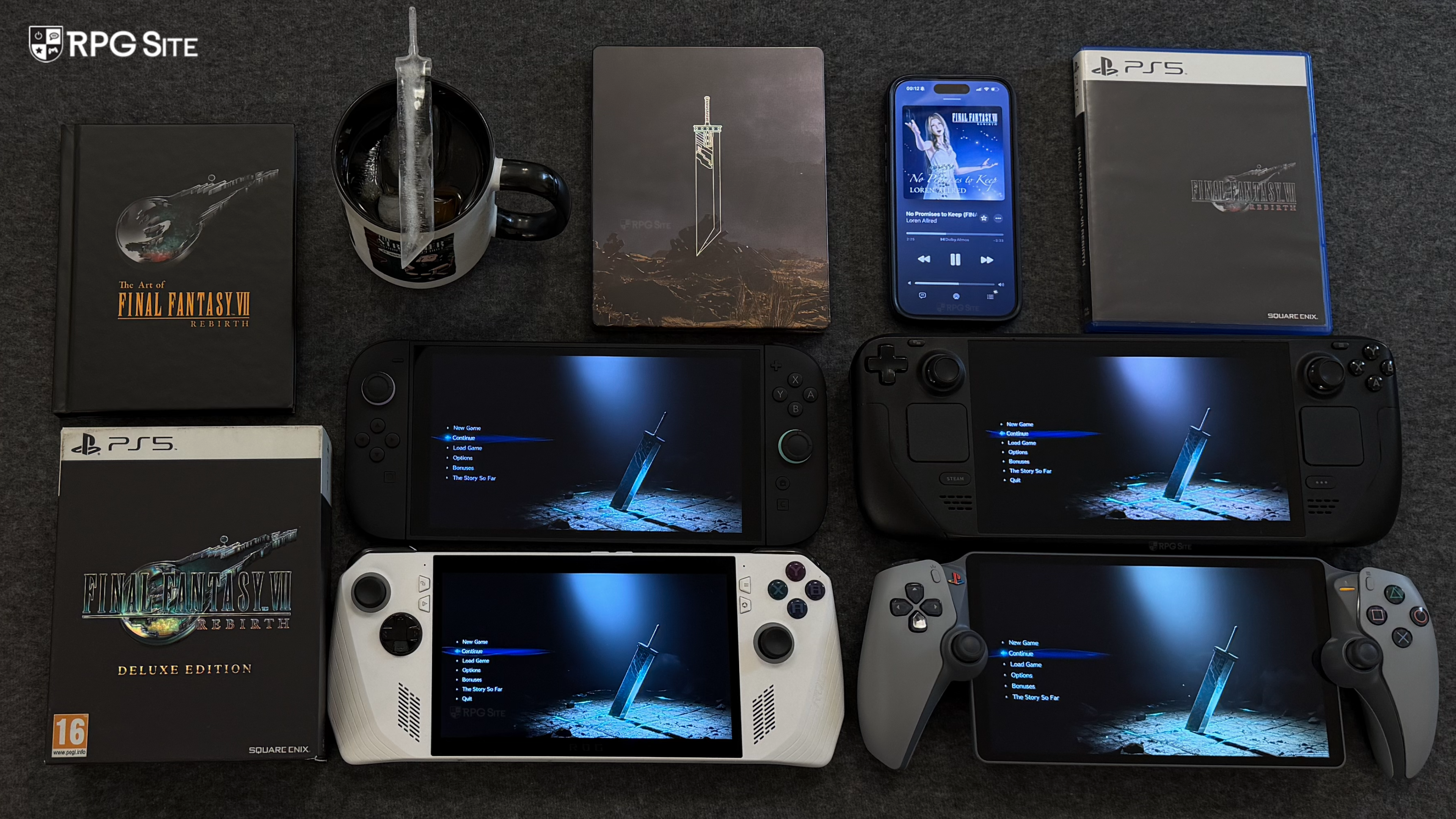
With that out of the way, I will be covering how Final Fantasy VII Rebirth scales across Switch 2 handheld, Switch 2 docked, PS5, PS5 Pro, Steam Deck, ROG Ally, ROG Ally with the Xbox on PC version, and the Xbox version on Xbox Series X. My aim is to help those who have multiple platforms decide where they should play based on their needs and also showcase the differences between versions through load times, visuals, performance impressions, and even feature differences when applicable.
Note: Since the Switch 2 and Xbox patches arrived within the last 24 hours, I had to test those versions again so some of the comparison images had to been done once again and I ended up using early parts of the game. This article has been updated on June 3 to add impressions from the PS5 and Steam patches bringing in improved lighting on PS5 and FSR support on PC.
Final Fantasy VII Rebirth release timeline
Before getting to the versions and other differences, Final Fantasy VII Rebirth has had an interesting release timeline across platforms and versions
- February 2024: Final Fantasy VII Rebirth launches worldwide for PS5.
- November 2024: Final Fantasy VII Rebirth gets PS5 Pro support and delivers a massive improvement over base PS5.
- January 2025: Final Fantasy VII Rebirth launches for PC via Steam delivering an improved port over Final Fantasy VII Remake Intergrade that scales above PS5 with some lighting improvements.
- June 2026: Final Fantasy VII Rebirth launches for Nintendo Switch 2, Xbox Series consoles, and Xbox on PC with Streamlined Progression, some lighting improvements, and all prior udpates included. Final Fantasy VII Rebirth on PS5 and Steam will be patched to bring in Streamlined Progression and also lighting improvements in the case of the PS5 version.

Final Fantasy VII Rebirth feature differences across platforms
While Final Fantasy VII Rebirth's in-game content is the same, there are some platform-specific differences. Note that the Streamlined Progression feature will be patched into the PS5 and Steam versions if it hasn't already happened by the time you read this. Barring that, the PS5 version of Final Fantasy VII Rebirth has faster loading than other platforms and support for PS+ Game Help in addition to Trophies and PS5 Pro Enhancements. It also supports Remote Play.
Final Fantasy VII Rebirth on Xbox is a Play Anywhere title with Quick Resume support on Xbox Series consoles. It has achievement support. The Steam version supports Steam Achievements and is Steam Deck Verified (though it doesn't deserve the rating as far as I'm concerned).
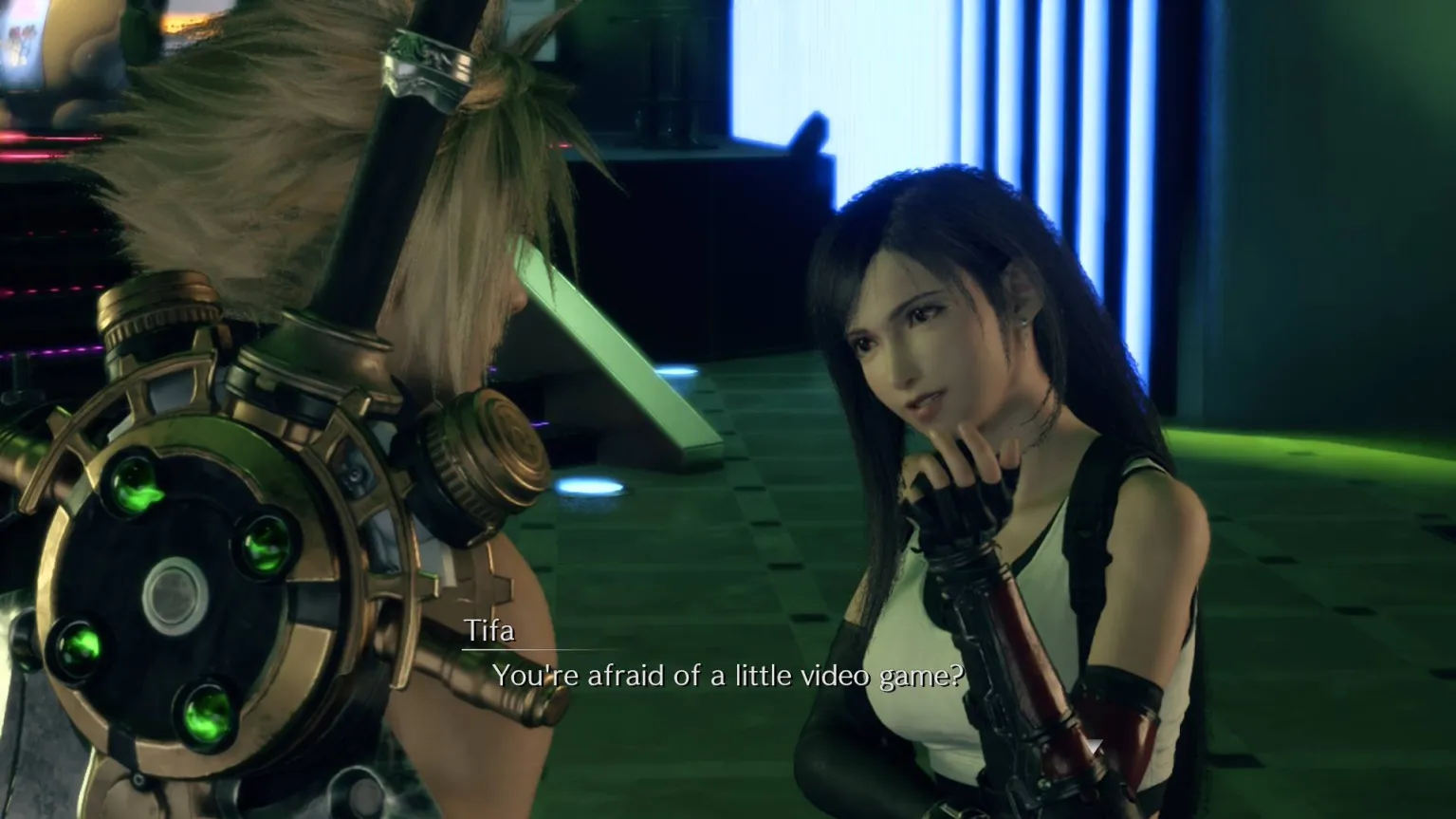
The Switch 2 version of Final Fantasy VII Rebirth lacks achievements given the console doesn't have a systemwide feature for it, but the hybrid nature of the console allows for playing at home and on the go. Obviously basically every Switch 1/2 game support this, but in the case of games like Final Fantasy VII Rebirth or even non RPGs like Star Wars Outlaws, it ends up being the only portable version I'd recommend as you will see later on in this article.
Final Fantasy VII Rebirth's PS5 version followed by Switch 2 deliver the best rumble as well. While the Xbox version has reactive rumble for cut-scenes, interations, and other aspects of gameplay, it is basic rumble while the PS5 has best implementation of the lot, followed by Switch 2. The Switch 2 HD rumble implementation is a lot better than how rumble feels on Xbox controllers and massively improved over the lacking haptics on Steam Deck.
Final Fantasy VII Rebirth PS5 visual issues at launch
Before getting to the visual and performance differences across consoles and PC, it is worth going over the state of Final Fantasy VII Rebirth at launch on base PS5 for context. The original PS5 version suffered from low quality textures in the open world, shorter draw distance than expected given the hardware, some lighting issues, and some of Remake's own quirks like NPC model quality, but more pronounced given the increase in number here. This isn't to say that Final Fantasy VII Rebirth was poor across the board, because it has superlative cut-scene direction and combat animations, in addition to the model quality for the main cast and general area design. It is an inconsistent technical experience visually.
My biggest problems back at launch were the poor post-processing in the performance mode that made the game look too blurry, the draw distance for certain things, and ghosting. I ended up spending time in the 60fps mode over remote play and using the 30fps mode when playing on my TV or monitor. It felt like a big step down in image quality compared to Remake.
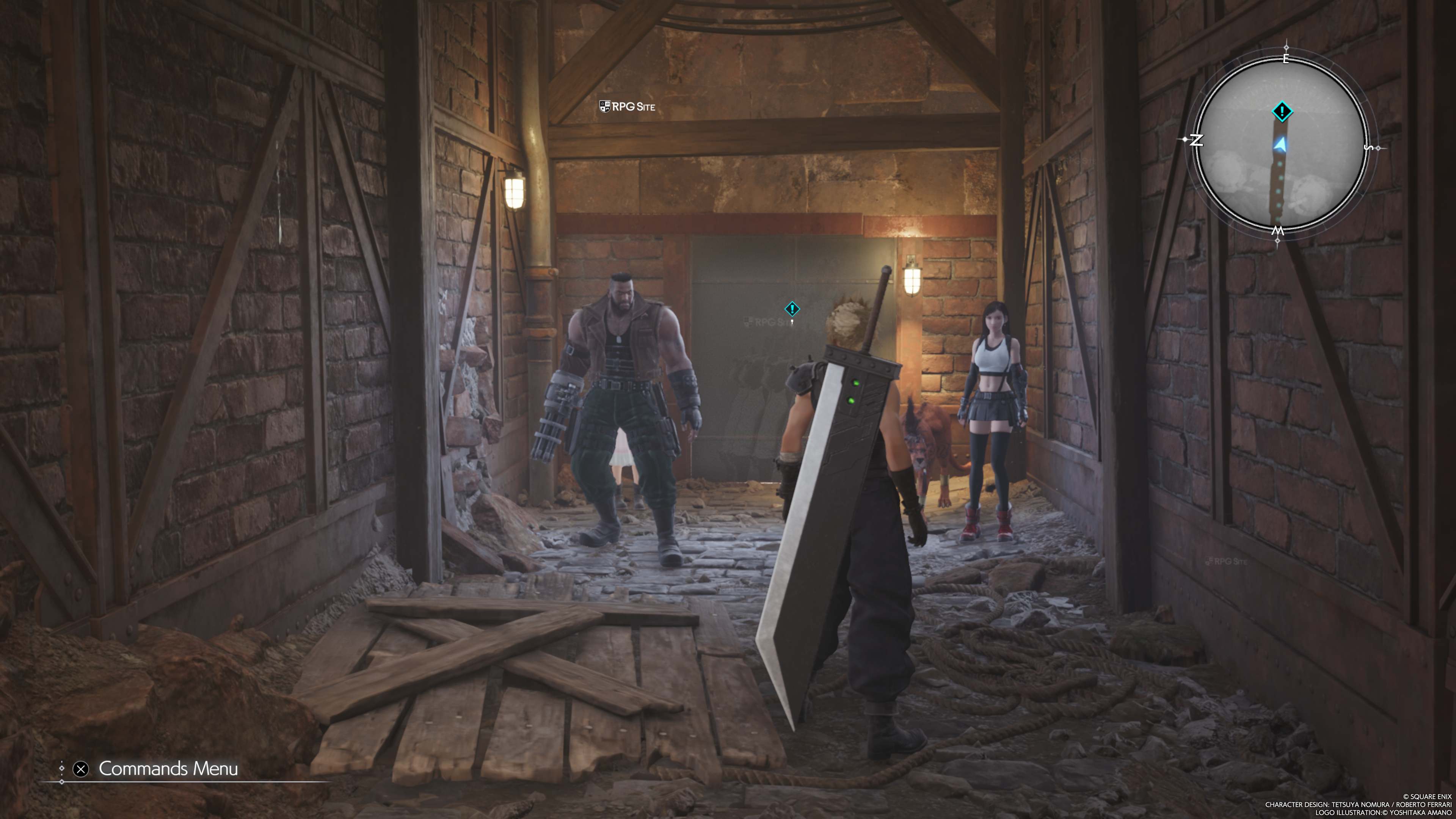
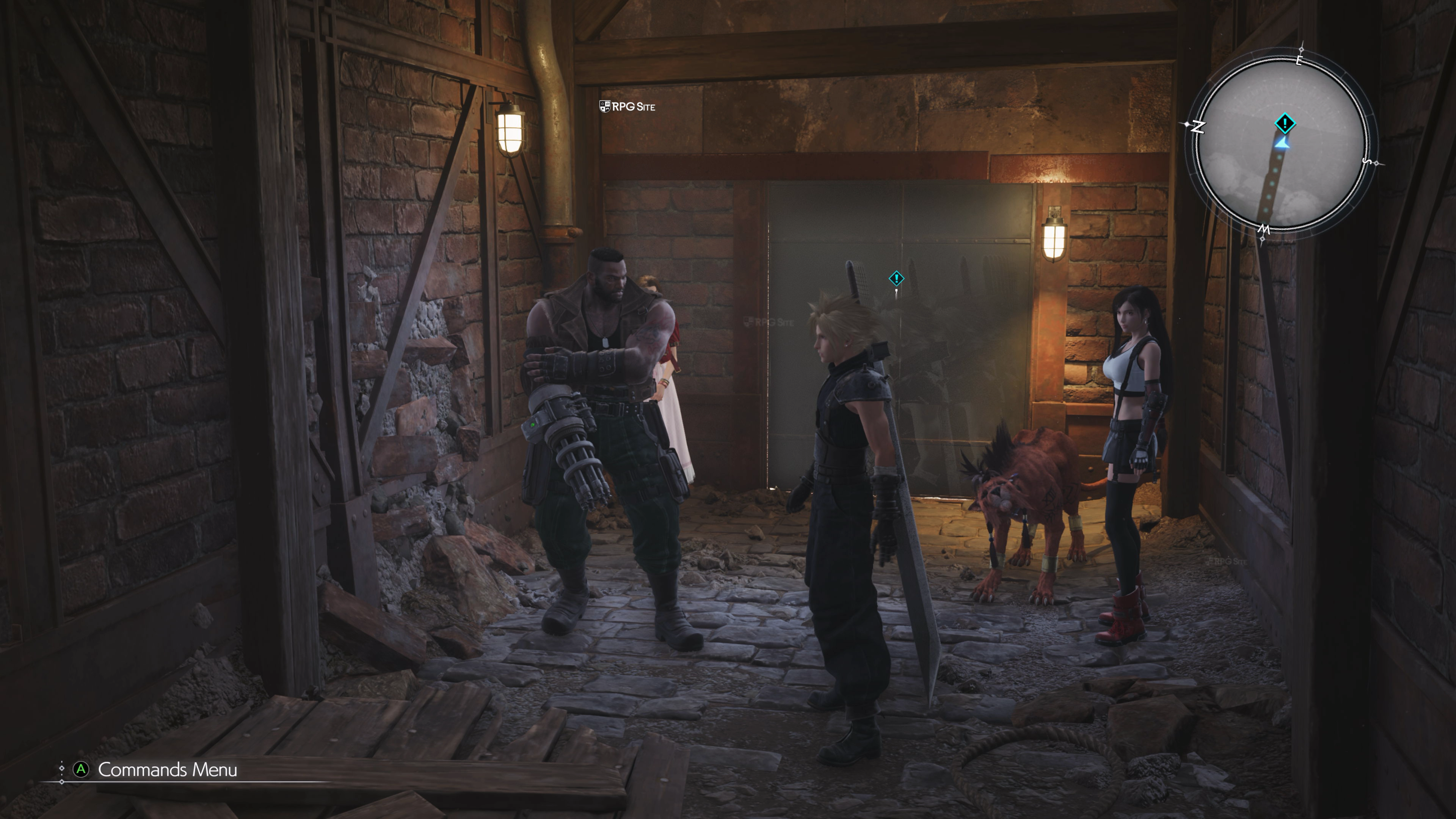
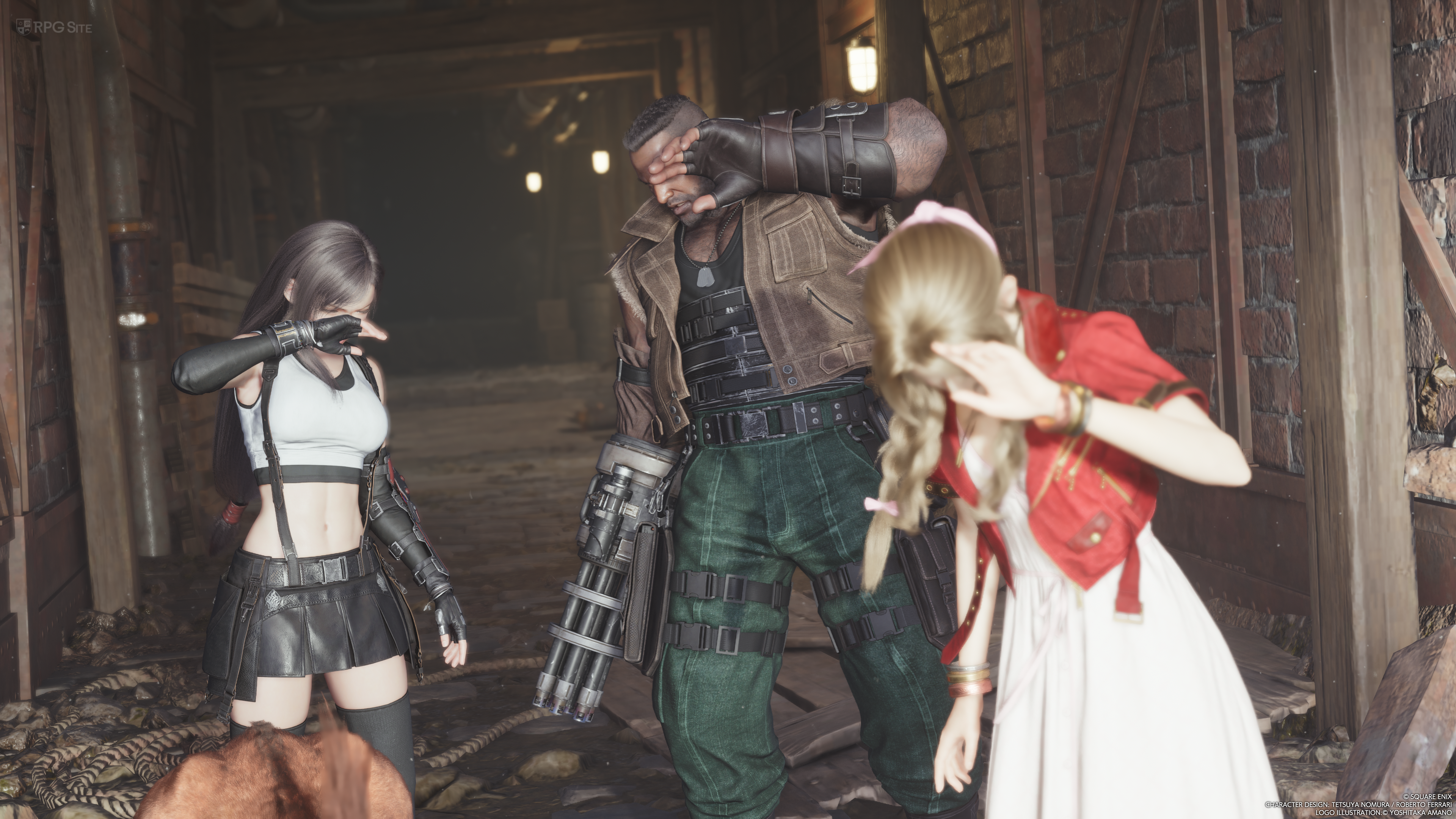
Note: The images above showcase ghosting on base PS5 and Xbox Series X present in the performance and graphics modes in this location where it is very noticeable during camera movement.
I recently bought a PS5 Pro and Rebirth's PS5 Pro enhancements are a massive upgrade over the blurry PS5 60fps mode. In fact, with the new PSSR upgrade, Final Fantasy VII Rebirth's Versatility Mode (Pro mode) on PS5 Pro looks a lot better than the Quality mode on PS5. Alongside the level of detail issues it still has some low quality textures in the open world and when zoomed in, but it is basically a night and day improvement over the performance mode on base PS5.
While I don't think major improvements will be done for the game on PS5, I hope the team can improve the cascade for shadows and just the general level of detail to make it look more natural during movement instead of it feeling like a literal radius around Cloud after which stuff pops into view as things look in parts now.
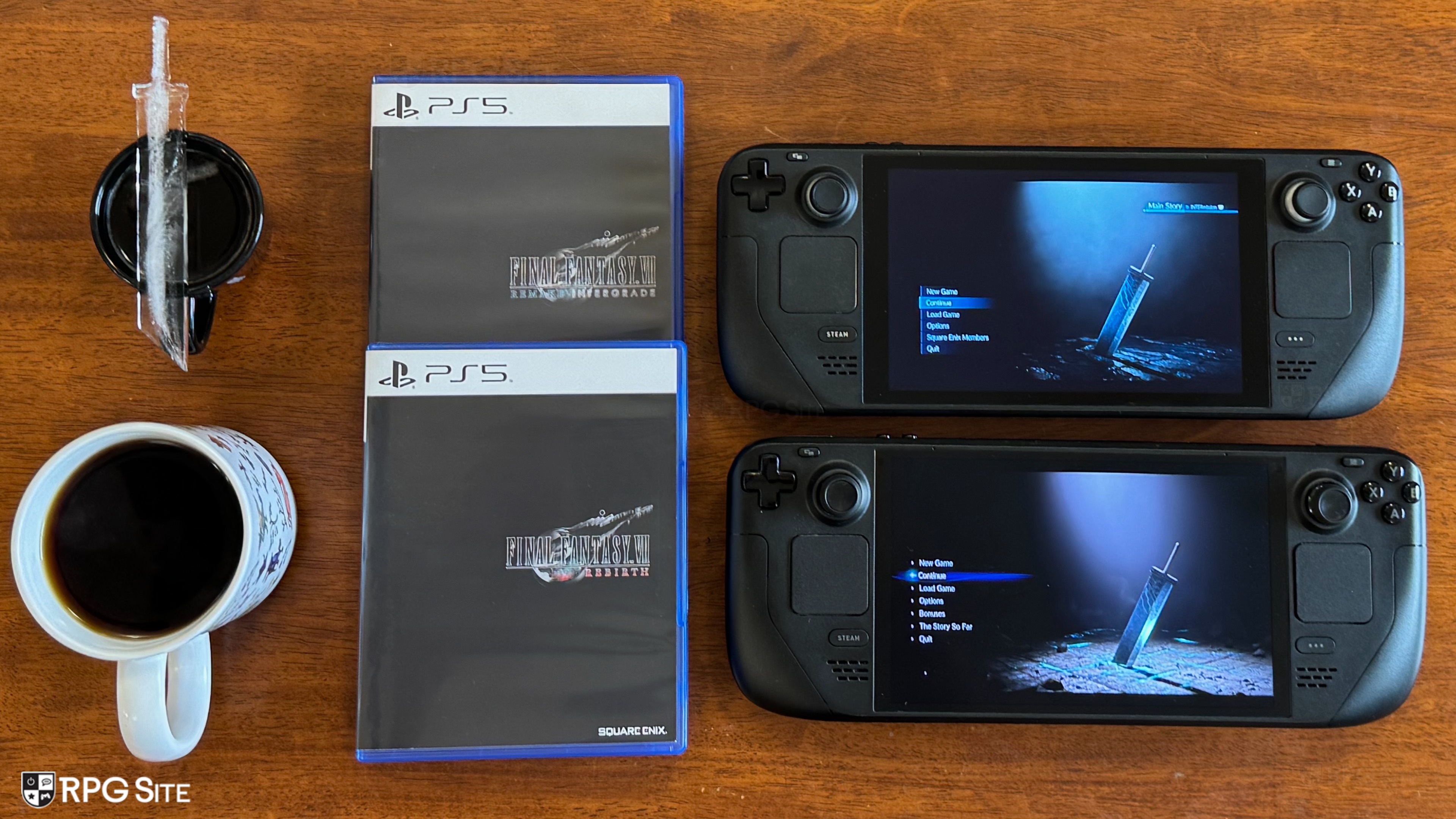
Final Fantasy VII Rebirth PC port issues still present today
Final Fantasy VII Remake was a mediocre experience on PC that could be brute-forced to some degree. It still suffers from stuttering during gameplay, almost no notable graphics options, and didn't deliver a notable improvement over the PS5 version, which remains super-polished. In fact, the PC port's issues on Windows handhelds made me prefer replaying on Switch 2 over the ROG Ally. The PC version also lacked basic support for different aspect ratios and upscaling techniques. Some of these got sorted via mods, but the port remains in the same bare-bones state it was initially.
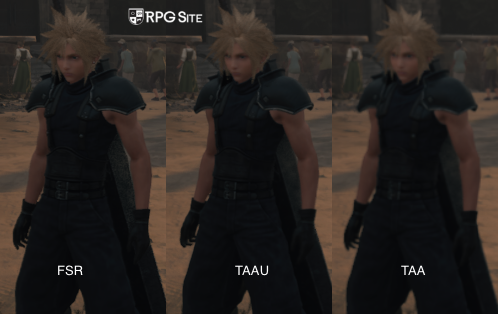
Final Fantasy VII Rebirth on PC has a lot more visual options (a good start), DLSS support, improved lighting (a notable, but not major improvement), and improved draw distance (addressing one of the biggest issues with the PS5 version, but it isn't perfect like a PH3 PC port). All versions suffer from stuttering even now, though DLSS upscaling is a huge improvement over the other TAAU and TAA solutions. Final Fantasy VII Rebirth now has FSR support which helps a lot compared to the blurry TAA solution included. Final Fantasy VII Rebirth also shipped without and still does not have ultrawide support, something Final Fantasy XV, XII, and XIV have on PC. While it isn't something I have the hardware to test, Final Fantasy VII Rebirth on PC is also capped at 120fps. It does not support 144hz.
When it comes to upscaling, most games today let you select presets like Quality, Performance, Ultra Performance, or Native. Final Fantasy VII Rebirth lets you set the upper and lower bounds for the dynamic resolution and this is a kind of convoluted way to get a similar result. Setting both to 100% should be native (DLAA) as an example.
Just like Final Fantasy VII Rebirth's visuals in general, the PC port is inconsistent with improvemenets over Remake in some ways, but also some basic features missing and some issues more pronounced here than in Remake given the scope. While a bare-bones port with improvements over Final Fantasy VII Remake Intergrade is sadly expected (based on pre-release promotion) but a step in the right direction, the stuttering issues hold it back.
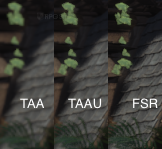
Final Fantasy VII Rebirth's FSR update helps quite a bit even on Steam Deck. You can find a comparison images below:
Final Fantasy VII Rebirth Switch 2 full game improvements over the demo build
Final Fantasy VII Rebirth's full game was updated 1 day prior to embargo to version 1.0.2. I retested the opening hours on the latest update and compared it with the 1.0.0 demo build and there are some notable improvements, but a lot of issues still remain. The most notable one is the level of detail or draw distance for some objects or props in the environment. I've included a comparison of the plates loading in the opening hour. This was very noticeable as that specific set of dishes loaded very close to Cloud. Unfortunately, NPC draw distance is still an issue, but I'm glad that the draw distance for objects like this has been improved. Props to Square Enix for that (no pun intended).
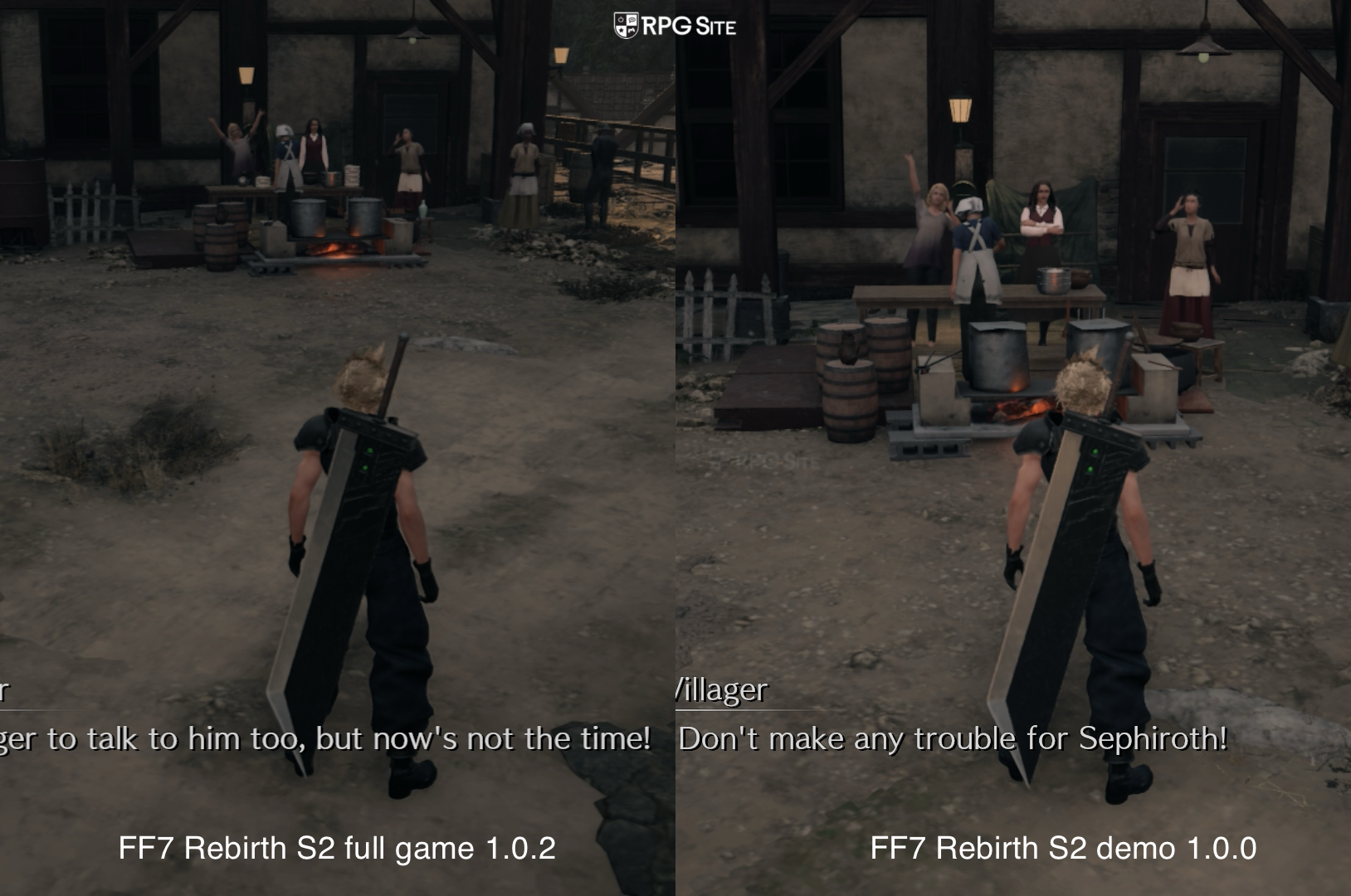
I didn't expect to see anything fixed for launch since the review build we got access to was already at 1.0.1 and you usually do not see major improvements when a demo build lets you transfer save data to the final game on console. This is good to see and I hope they can work on the NPC draw detail as well.
Final Fantasy VII Rebirth visuals and performance differences across PS5, Xbox, Switch 2, PC, and PS5 Pro
I covered the PS5 visuals above, but what about performance? I haven't finished Final Fantasy VII Rebirth on PS5, but it was a great experience at 60fps with some drops in busier areas. There were no major drops in the dozens of hours I played. The 30fps mode on the other hand felt super stable and was my preferred way to play Final Fantasy VII Rebirth on base PS5. I still think base PS5 only delivers a good experience (all things considered) in Final Fantasy VII Rebirth using said 30fps quality mode. It unfortunately still has ghosting though.
This brings us to Xbox Series X. The Final Fantasy VII Rebirth Xbox demo had some performance issues on Xbox Series X in its 60fps modes, but those didn't bother me as much as the hitching during camera movement or during traversal in some areas. Unfortunately, even with the latest update that arrived less than a day prior to embargo (and tested again 5 hours before this article was published), Final Fantasy VII Rebirth on Xbox Series X has issues in its 60fps modes. Performance isn't stable enough and the hitching bothered me too much. Just like base PS5, I will stick to the 30fps mode here. That felt good enough, though it still had ghosting like the base PS5 version.
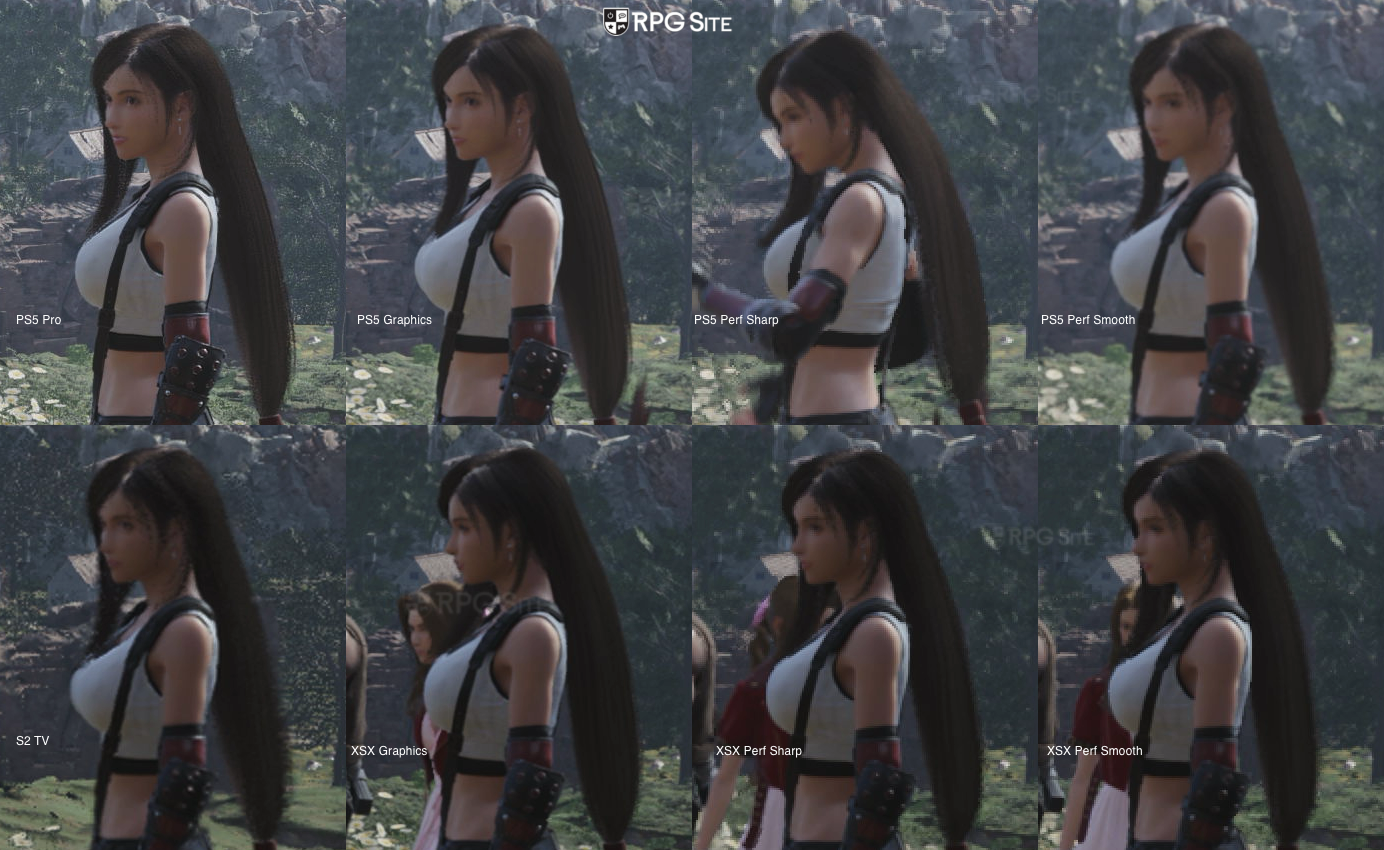
Note: For the comparison above, I used 4K capture from all the platforms listed in those specific modes. I cropped the image to show the differences for character model quality and textures across all versions when played on TV or docked.
Final Fantasy VII Rebirth on PS5 Pro was already a massively improved visual experience over the base PS5, but with PSSR 2 (upgraded PSSR), it delivers the best possible console version and a huge improvement even over the PS5's quality mode. Final Fantasy VII Rebirth on PS5 still has draw distance issues like every console version (to a lesser degree here though in some cases), but it is the best way to play this unless you have a high end PC with an Nvidia card and are willing to mod the game heavily. I want to note that there is none of the ghosting present on base PS5 and Series X here, but some locations can have minor flickering in the distance on certain objects.
I say mod the game heavily because Final Fantasy VII Rebirth suffers from stuttering and hitching like I covered above even on high end systems. There is no way around this unless you mod and are willing to tolerate it. Final Fantasy VII Rebirth on PC handhelds still suffers from this issue and it is even present on Steam Deck, though less than the constant hitching on ROG Ally in any open areas. In fact, Final Fantasy VII Rebirth on ROG Ally Z1 Extreme even in its 25W Turbo Mode running at 720p with a 33% render scale and the lowest possible settings has hitching. I do not recommend playing this natively on that ROG Ally right now. If you play on Steam Deck, you will get a blurrier experience than Switch 2, but with better draw distance and textures in many places.
Speaking of textures, Final Fantasy VII Rebirth is a very inconsistent game with its textures. Some of them look good, but others look like they are out of a game a generation or two ago. The issue is more the inconsistency. You also see this with NPCs and main character models where the former look out of place aside from some cut-scenes.
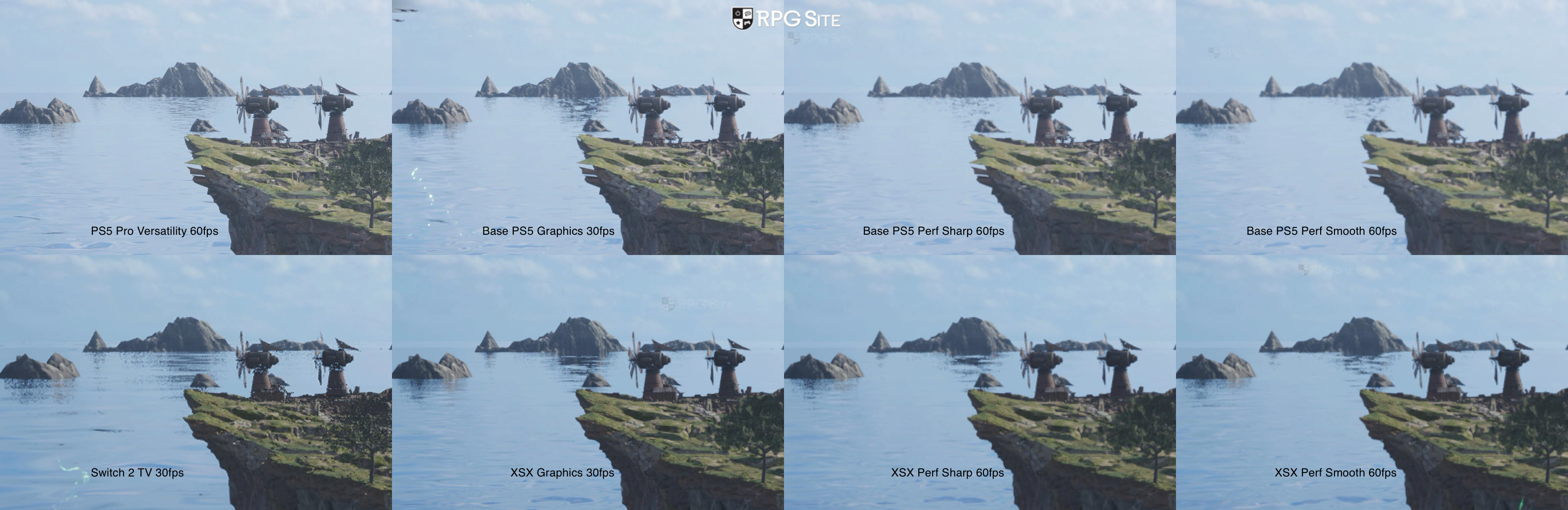
Note: For the comparison above, I used 4K capture from all the platforms listed in those specific modes. I cropped the image to show the differences for distant details, foliage, and textures across all versions when played on TV or docked.
The most notable version as far as I'm concerned is Final Fantasy VII Rebirth on Switch 2. This port is a tale of two halves. Final Fantasy VII Rebirth docked on Switch 2 delivers a solid visual experience all things considered, but the draw distance is cut back quite a bit alongside cuts to foliage, object density, object geometry and more. Given how Final Fantasy VII Rebirth played on PS5 in the 60fps mode and how poor it is on PC handhelds, I expected much worse on Switch 2, but I would say it is not bad docked, though keep in mind the visual cutbacks. Performance is sadly not great with dips below 30fps often in some areas. You'd think it would hold up better with such a huge reduction in draw distance and other cuts, but it is not a solid 30fps experience.
Handheld mode in Final Fantasy VII Rebirth was a bit too compromised for my liking before the day one patch. While DLSS helps quite a bit with image quality and clarity compared to the Steam Deck, the draw distance and other settings are cut down to what appears lower than the lowest settings on PC. I don't think I've played a game with the draw distance issues in Final Fantasy VII Rebirth handheld on Switch 2 in many years. It bothered me more than the dozens of hours I spent with Dragon's Dogma on Switch and even over a hundred hours of The Witcher 3 there. Performance, while not perfect, didn't bother me as much as I thought it would after the patches.
One last thing I want to cover about Final Fantasy VII Rebirth on Switch 2 is the NPC load times. I say load times because it sometimes takes 10 or 15 seconds for a shopkeeper to load in a specific town and you are basically staring at empty space until they load in if you want to buy something. It is very jarring. I hope the team can optimize the game so that at least the shopkeepers and points of interest load in quicker than the fluff characters in the scene.
Right now, I can recommend Final Fantasy VII Rebirth on Switch 2 handheld as the only handheld version I can tolerate. It can be very good, but it also suffers thanks to the aforementioned technical issues. This is a good way to experience some of the open zone activities and side content. I would recommend playing the main story docked if you can.
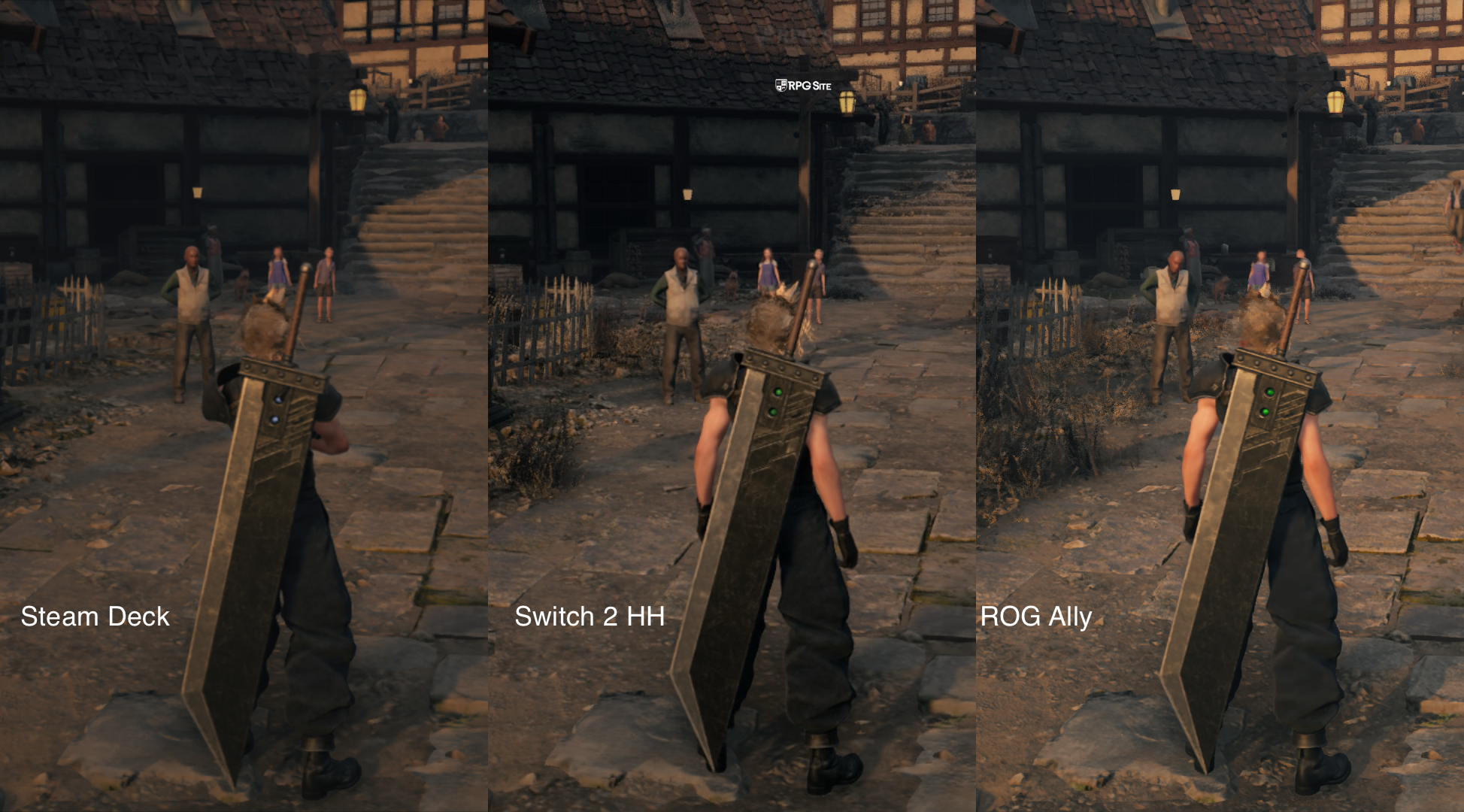
Note: For the comparison above, I used the Steam screenshot functionality on Steam Deck and ROG Ally with the game targeting 30fps on Steam Deck (with HDR) and the default settings on ROG Ally. The Switch 2 screenshot is using the system screenshot functionality since there is no other way to get handheld capture right now. The images were cropped to show the difference in the same scene.
Overall, Final Fantasy VII Rebirth on Switch 2 is hurt by the game's own technical issues, but DLSS and smart (sometimes too extreme I'd argue) cuts elevate it to be a solid version of the game. Thanks to streamlined progression, it is also worth considering for a portable replay since the PC port being what it is means I cannot recommend playing it on the PC handhelds I own and tested on.
Comparing the file sizes, Rebirth is just under 170GB on Xbox Series X and about 102GB on Switch. If the texture or asset quality reduction was mainly for space saving reasons, I hope Square Enix can offer a higher quality pack for some assets via free DLC. I know I'd download it without thinking twice.
The final version of note is Final Fantasy VII Rebirth's Xbox Play Anywhere release on PC. It defaulted to Medium preset on ROG Ally, and I was hoping this would bring improvements over the Steam release. It sadly runs the same as in my testing with the exact same hitching issues.. If you have a ROG Ally Z1E handheld and an Xbox console, I recommend streaming the game from the console isntead of playing it natively.
Having now spent between a dozen and multiple dozens of hours with Final Fantasy VII Rebirth on PS5 Pro, PS5, Xbox Series X, Switch 2, Switch 2 handheld, Steam Deck, and ROG Ally, I still have issues with some of the game's technical aspects, but a few platforms overdelivered given those issues as far as I'm concerned. I will say that the PS5 Pro mode and the Switch 2 handheld experience have been the most impressive for me, even with them being on both ends of the spectrum.
As someone who plays on multiple handhelds and platforms regularly, I didn't expect the Switch 2 handheld release to even run as it does now with all the cuts. I guess the PC version being what it is lowered my expectations. Either way, I will likely be sticking to PS5 Pro and Switch 2 handheld for my actual full playthroughs of Final Fantasy VII Rebirth over the year leading into whenever Part 3 is released. Streamlined Progression definitely helps speed things up on a replay or to catch up.
Final Fantasy VII Rebirth load times across Switch 2, PS5, Steam, Xbox, Xbox on PC, and PS5 Pro
To test load times, I installed basically every version of Final Fantasy VII Rebirth across platforms. This includes the PS5 version on the PS5 Pro internal storage, the PS5 version on the PS5 internal storage, the Xbox version on the Xbox Series X internal storage, the Xbox on PC version on the ROG Ally internal storage, the Steam version on the Steam Deck and ROG Ally internal storage, and finally the Switch 2 version on the Switch 2 internal storage. I measured the time taken to load the title screen from the platform dashboard and also the time taken to load an early game save.
| Platform | Dashboard to title | Loading save |
| PS5 | 12-14 / 6-7 | 3-5 |
| PS5 Pro | 4-5 | 3 |
| Xbox Series X | 11-16 | 6-9 |
| Switch 2 | 10-12 | 22-22 |
| ROG Ally (Xbox on PC) | 43-45 | 20 |
| ROG Ally (Steam)* | 24 / 12-14 | 20-21 / 18-20 |
| Steam Deck* | 14-15 / 14 | 21 / 17-18 |
Note: The PS5 and Steam version results have been updated with the June 3 patch results. I have left the old and new results in the chart to showcase any notable changes I found across six different tests. In the case of improved loading, I made sure to reboot the system and launch after playing other games to ensure it isn't a case of just faster loading after just completing a session of playing.
As you can see, the PS5 Pro loads the fastest across the board with PS5 followed by Xbox Series X after. The initial syncing for Xbox Series and Xbox on PC cause the longer initial load compared to Steam which is instant for save syncing. The PC version (Steam and Xbox on PC) takes more time initially because it checks shaders. My measured times above are not taking into account the initial shader compiling, but counts the checking since every player will have to sit through it checking shaders. The Switch 2 version load times are very impressive all things considered here. I expected much worse given how other multiplatform games load on the hardware so it is good to see.
Which version of Final Fantasy VII Rebirth is the best?
For a game like Pragmata or even Final Fantasy XV, XVI, and XIV, the PC version on a high spec setup would deliver the best possible experience. With games like Final Fantasy VII Rebirth and to a lesser degree Remake Intergrade, the PC port's issues hold it back. Is there a big benefit to getting the best image quality and a 120fps target if your gameplay is constantly stuttering when something happens on screen? I don't think so. If the stuttering problem could be solved, Final Fantasy VII Rebirth on PC would be the best version, but I cannot recommend it right now. Some people are less sensitive to hitching during gameplay, but it was bad enough in games like Final Fantasy VII Rebirth and even Elden Ring (on Windows) where I'd just rather play it on another system.
With that out of the way, I am once again going to cover what I think is the best version to play at home and the best version to play on the go. For the latter, I'd definitely play Final Fantasy VII Rebirth on Switch 2 over Steam Deck and ROG Ally Z1E. I don't own the MSI Claw handhelds or the ROG Xbox Ally X, but given they run the game via Windows, I don't expect them to be any better when it comes to performance and stability. While Final Fantasy VII Rebirth on Switch 2 is definitely cutback from even the lowest settings on PC, the lack of constant hitching and DLSS improvements to elevate image quality make it the only portable version I can recommend right now.
For playing on TV, Final Fantasy VII Rebirth's poor quality upscaling on PS5 and Xbox Series consoles means the 60fps mode is basically hard to recommend without major caveats. The PS5 Pro sorts this out with its PSSR 2 and Versatility mode delivering a massive upgrade over base consoles in just about every way. If you don't have a PS5 Pro, I recommend playing it on Xbox Series X and PS5 in the 30fps mode. The 60fps mode is too comprosed in clarity to recommend.

Which version of Final Fantasy VII Rebirth should you buy today?
Everyone has their own priorities for what they want, so I'm going to list the advantages and disadvantages of every single version of Final Fantasy VII Rebirth as a conclusion to this feature below:
- Final Fantasy VII Rebirth on Switch 2: If you value the hybrid nature of the Switch 2 more than anything else and can tolerate cutbacks more than what we saw in big ports like Cyberpunk 2077, Final Fantasy VII Rebirth on Switch 2 delivers a playable to good experience. With the day one patch, it is a bit easier to recommend as well. I mainly recommend this version for portable play since the PC version on PC handhelds is still bad. I can also recommend Final Fantasy VII Rebirth on Switch 2 for a replay with Streamlined Progression to do some of the side activities you may have skipped before on PS5.
- Final Fantasy VII Rebirth on Steam: I honestly don't recommend Final Fantasy VII Rebirth on PC unless you are ok modding the game and attempting to fix the issues present now. I also do not recommend playing it on Steam Deck or ROG Ally unless you have no other option. This is one to stream to a PC handheld from a more powerful platform if possible. Hopefully Square Enix fixes up the port and does better with Part 3.
- Final Fantasy VII Rebirth on PS5: The original release If you want to play on your TV, care about trophy support, and don't care about portable play (unless you stream to a PlayStation Portal or phone), this is the version to get since it doesn't have the additional performance issues present in 60fps mode on Xbox Series. It is also the fastest version when it comes to load times, but the most notable aspect is the PS5 Pro support which makes it by far the best version to play on TV. It has more stable performance than even PC since there is none of the constant hitching here.
- Final Fantasy VII Rebirth on Xbox: If you have access to a PC handheld or play on Xbox Series consoles and PC, the Play Anywhere feature is a big selling point in addition to the Quick Resume feature on Xbox, but the performance issues in 60fps mode hold this one back. I recommend playing it at 30fps until the 60fps mode is patched. I retested this with the day one patch so don't expect anything to improve today.
Hopefully this helped you decide where to play Final Fantasy VII Rebirth if you already own it, informed you of the issues present on PC, and more. I will be revisiting this when the Streamlined Progression update goes live on PS5 and Steam to check the load times and other aspects once again, but keep in mind that this week is very busy with the many showcases so it might be a few days.
Final Fantasy VII Rebirth is now available on PlayStation 5, Switch 2, Xbox Series, and PC (Steam, Epic Games Store, and Xbox on PC).