

Which is the best version of Digimon Story: Time Stranger? Switch 1, Switch 2, Xbox, PS5, & Steam covered
Digimon Story: Time Stranger recently launched for Switch 1 and Switch 2 following its debut last year on PS5, Xbox, and Steam. Alongside the Nintendo platforms launch, the PS5 and Xbox versions got updated to bring in the performance mode and more. For my comparison feature, I wanted to cover more than just the current platforms because this is one of those situations where the Switch 1 version can be patched to get an upgrade which means those who care about physical games could buy this and play it on Switch 2 with added enhancements if they wanted. This new patch on prior platforms also meant I would need to revisit those versions.
To ensure I have everything I wanted to cover, I've tested Digimon Story: Time Stranger across basically every platform I have access to including the Steam version running natively on the AYN Thor handheld. In addition to that, I tested the PS5 version on both PS5 and PS5 Pro across the different modes, the Xbox Series version on Xbox Series X in both modes, the Switch 1 version on Switch 1, the Switch 1 version patched on Switch 2 in both modes, the Switch 2 version in both modes, both Switch versions tested handheld as well, and the Steam version on Steam Deck and ROG Ally.
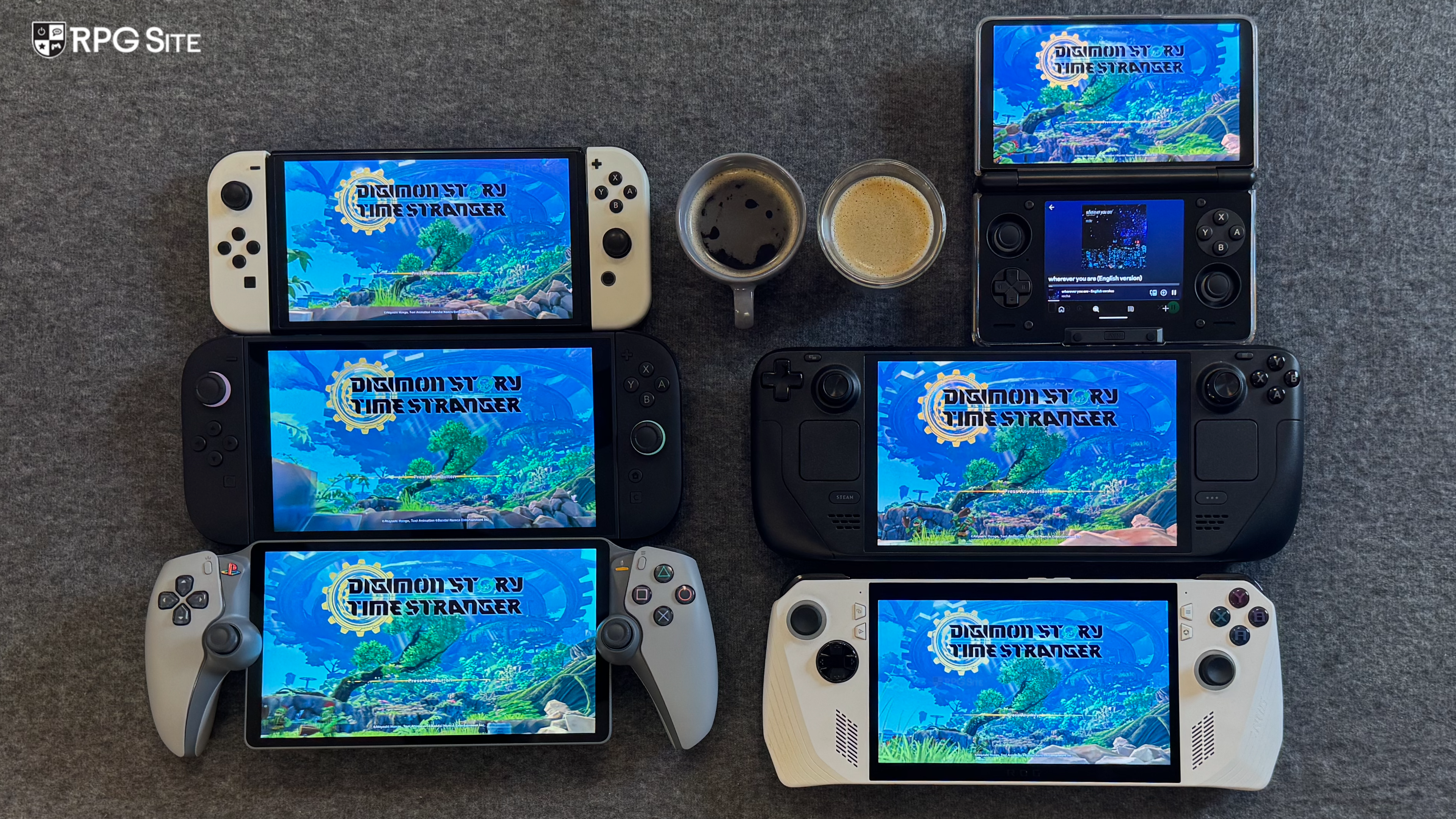
Before getting to the differences and performance impressions with comparisons across platforms, Digimon Story: Time Stranger launched with a 30fps cap on PS5 and Xbox Series consoles. The frame rate cap was also not correctly implemented so there were some frame pacing issues. The PC version at launch, while a bit too demanding given how it looks, was a massive step up over the console versions. It could do higher frame rates on PC handhelds compared to even the PS5 Pro. When the Switch 1 and Switch 2 versions were announced, Bandai Namco revealed that a performance mode would be available on Switch 2 (and also Switch 1 patched on Switch 2) delivering a 60fps target experience. This mode has now been patched into the PS5 and Xbox Series X versions.
With that context, I have tested the Quality (30fps target) and Performance (60fps target) modes on every applicable console or handheld here. I think this might be one of the largest comparisons I've done in terms of how many versions and modes there are as well. Having now sampled it all (based on what I have), I think this is a good indication of how a late port to Nintendo consoles benefits those hybrids. If the Switch 1 and 2 versions were day one, I doubt they would be as good as they turned out. The PS5 and Xbox versions only saw a new mode added with the original mode left the same unfortunately. Even the PC version didn't see any new optimization following the Switch and Switch 2 ports. I was hoping to see all versions improve with the new Switch 1 and 2 ports, but not much was addressed for the default 30fps on other consoles or on PC when it comes to optimization.
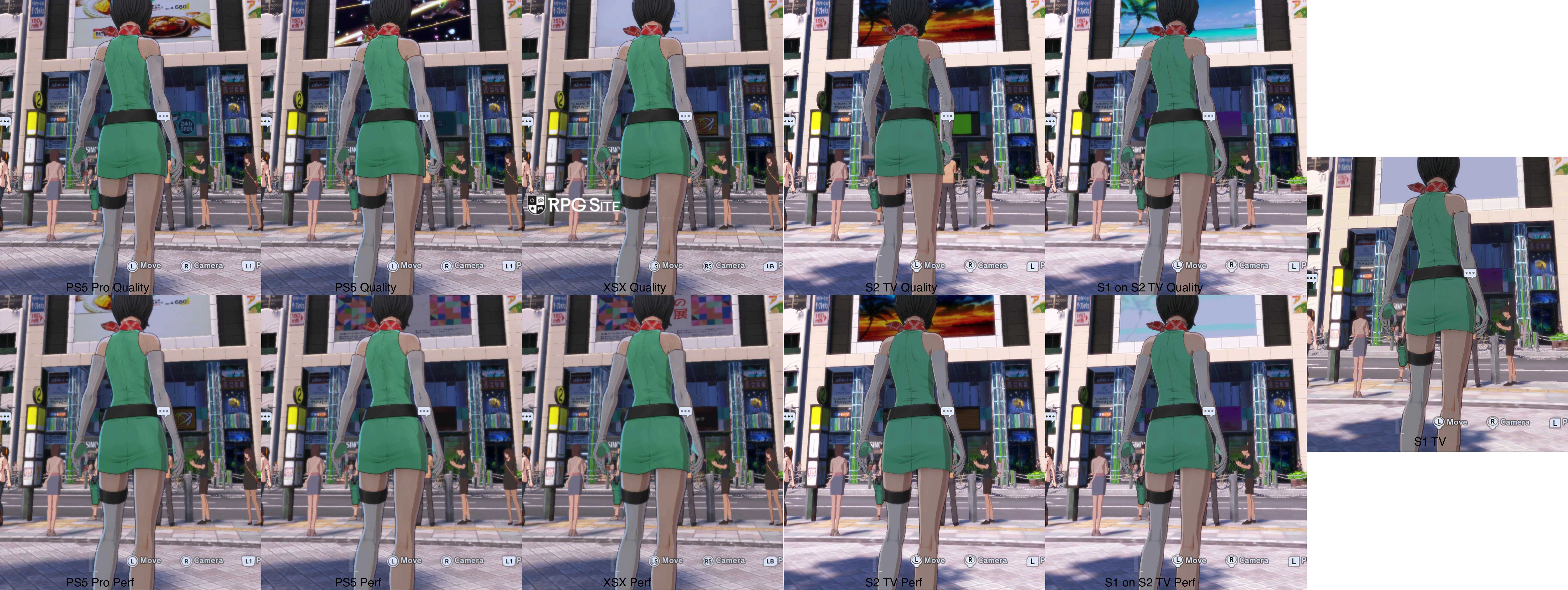
Digimon Story: Time Stranger graphics and visual comparison on PS5, Switch 2, Switch 1, Xbox, and Steam
While the back of the box mentions PS5 Pro Enhanced for Digimon Story: Time Stranger, I don't see any difference visually when playing them side by side. Performance targets are the same as well for both PS5 and PS5 Pro. With that out of the way, The PS5, PS5 Pro, and Xbox Series X deliver basically the same experience when it comes to visuals. Performance is more stable on PS5 Pro in the 30fps mode in my testing, but the 60fps target mode is same on all three. I don't own a Series S so I cannot cover that version.
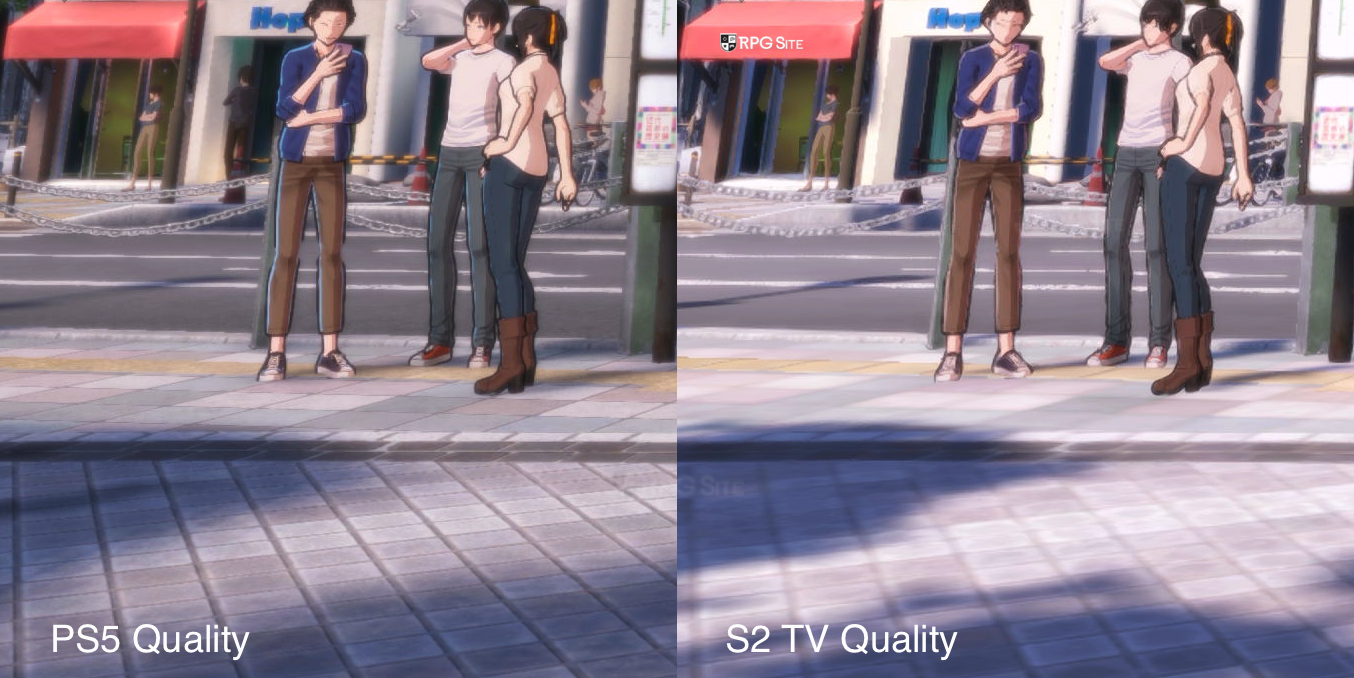
Visually, the Switch 2 sees cuts to texture filtering, draw distance (for geometry and certain other items), foliage, crowd density, and even to shadows compared to the PS5 and Xbox Series X versions. It also has lower quality reflections (or some removed) on buildings and some textures. Beyond that, anti-aliasing or post-processing in general has been cut back on Switch 2 compared to PS5. One last thing I noticed is compression on Switch and Switch 2 for the videos compared to other platforms.
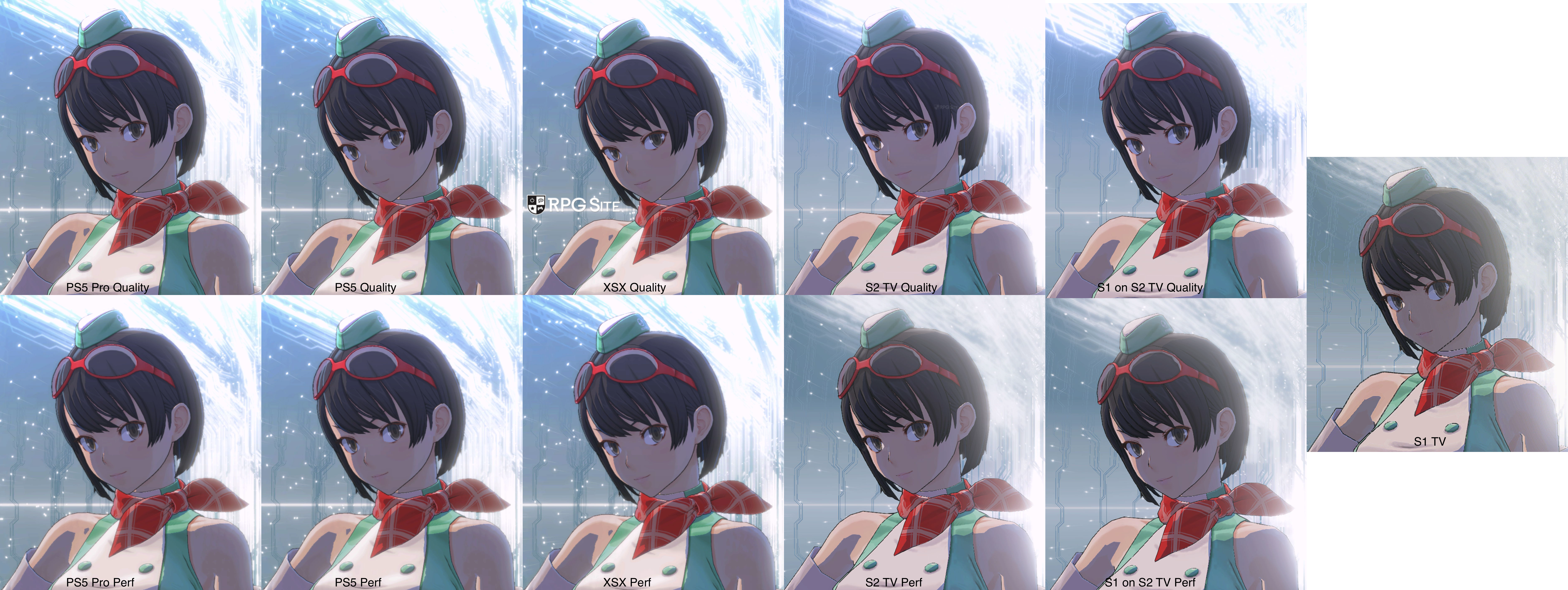
Note: For the two comparison images above, I used 4K capture from all platforms and the exact same position to ensure there are no camera angle changes or anything. I then cropped the images to show the differences. While they may not be visible on a phone screen or even as a thumbnail, open the image at full resolution to properly see any differences.
One oddity that I only noticed in the Switch 2 version is with distant objects like a bridge in the city or a rail that disappeared when I moved closer when using the performance mode docked. This didn't happen on any other platform including Switch 1. I assume it is a bug, but it only happened for one or two objects in the distance in one mode on Switch 2.
Digimon Story: Time Stranger performance impressions across PS5, PS5 Pro, Switch 1, Switch 1 on Switch 2, and Xbox Series X
When it comes to performance, Digimon Story: Time Stranger targets 30fps in Quality mode and 60fps in Performance mode on PS5, Xbox Series X, and Switch 2 (including S1 on S2). The 30fps cap is not properly implemented so there are frame pacing issues. When I tested on PS5 Pro, I had less of these issues but they were still there and are on all consoles even now with the latest update.
As for Performance mode, the Switch 2 docked targets 60, but it regularly drops below. This is one of those situations where VRR docked would sort any of the issues. The PS5 and Xbox Series X versions deliver a more stable experience in 60fps mode, but the drop in resolution for this feels too extreme on all consoles.
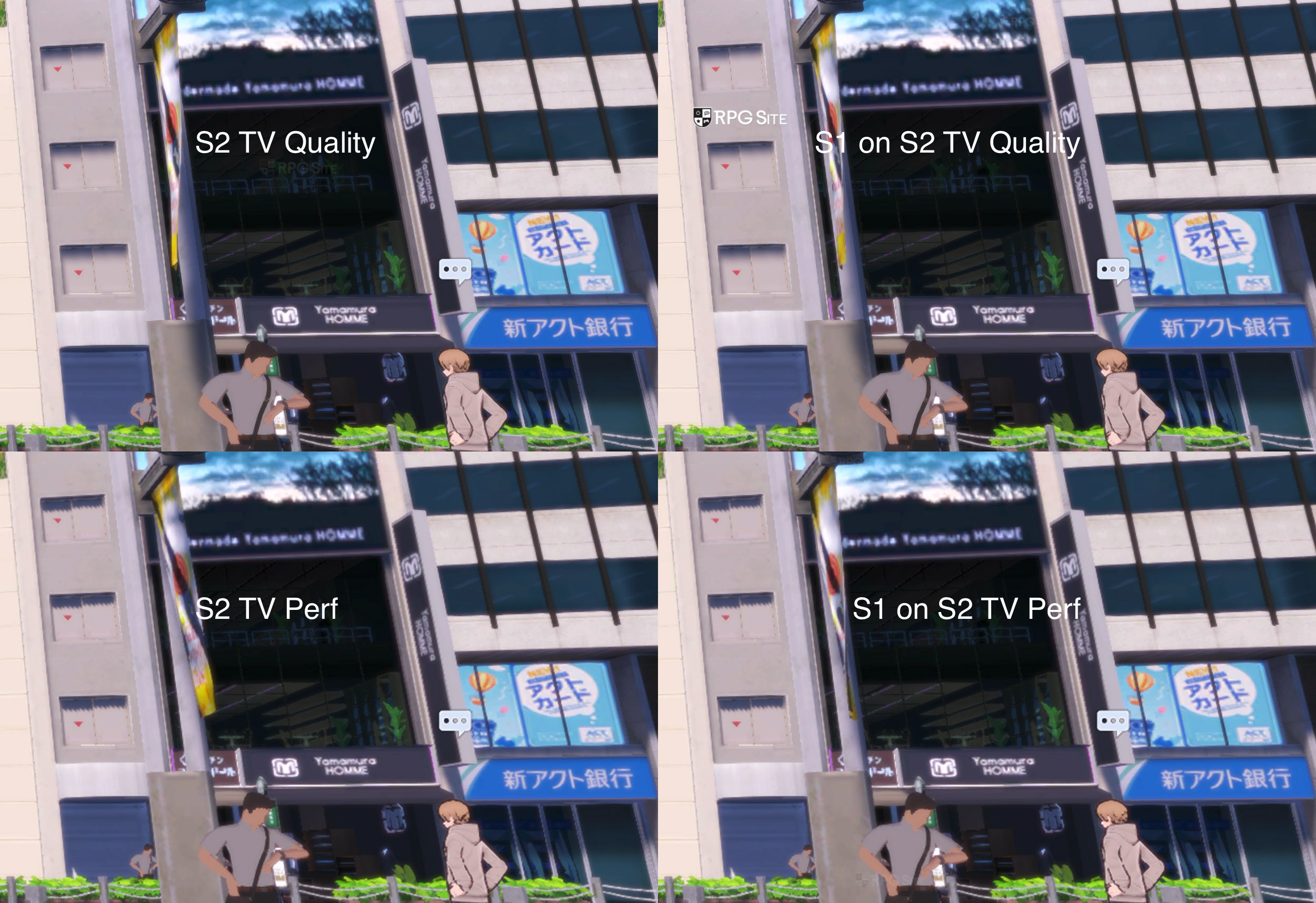
Digimon Story: Time Stranger Switch 1 on Switch 2 vs Switch 2
I wanted to highlight this separately because Switch 1 on Switch 2 patched is identical to the Switch 2's native release across visuals, performance, and load times. If you wanted a physical copy or just to play the game on Switch 1 and Switch 2, buy the Switch 1 version.
Digimon Story: Time Stranger PC port features not present on consoles
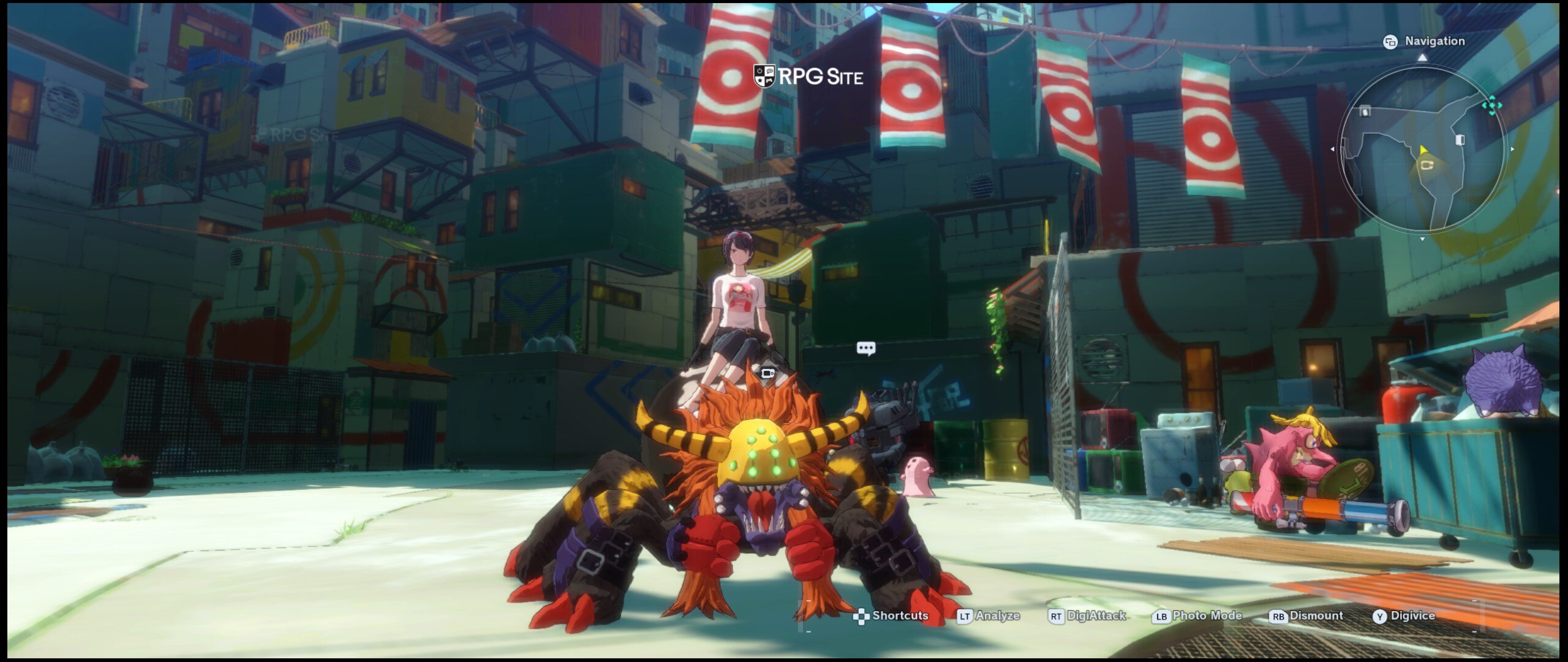
Digimon Story: Time Stranger on PC supports up to 144fps unlike the console versions which are all capped to 30 or 60fps. The PC version can also do 144fps at 4K if you have the hardware for it, push for better post-processing, and it even has proper 21:9 and 16:10 support. Digimon Story: Time Stranger is still best on PC, but the handheld experience is a bit lacking right now compared to the new Switch 2 release as I'll cover below.
Digimon Story: Time Stranger handheld comparison — Switch 1, Switch 2, Switch 1 on Switch 2, Steam Deck, ROG Ally, and AYN Thor
Digimon Story: Time Stranger on Switch 1 has no graphics settings or modes when played on Switch 1. The performance leaves a lot to be desired even with a 30fps target. Given the performance on PS5 and Xbox, I'm more impressed with the Switch 1 version all things considered. Moving over to Switch 2 (including Switch 1 version updated on Switch 2), you can get a good 60fps target experience with a 1080p resolution target. It isn't a locked 60 at all on Switch 2 (even docked), but it delivers a much better experience than Steam Deck. On ROG Ally, you can push for better performance, but a locked 60 is just not possible right now.
With its current patch on all versions, the Steam Deck delivers a 40-60fps experience in dungeons with it dropping to the mid 30s at worst in the central town hub. The Switch 2 in its performance mode handheld delivers a better portable experience than the Steam Deck. When it comes to visuals, the ROG Ally can push above Switch 2 since the Switch 2 version of Digimon Story: Time Stranger in general has cuts to textures and draw distance in addition to shadows. Having now spent a week or so with the Switch 1 and Switch 2 versions while revisiting the Steam release on PC handhelds, the Switch 2 delivers my favorite portable experience right now.
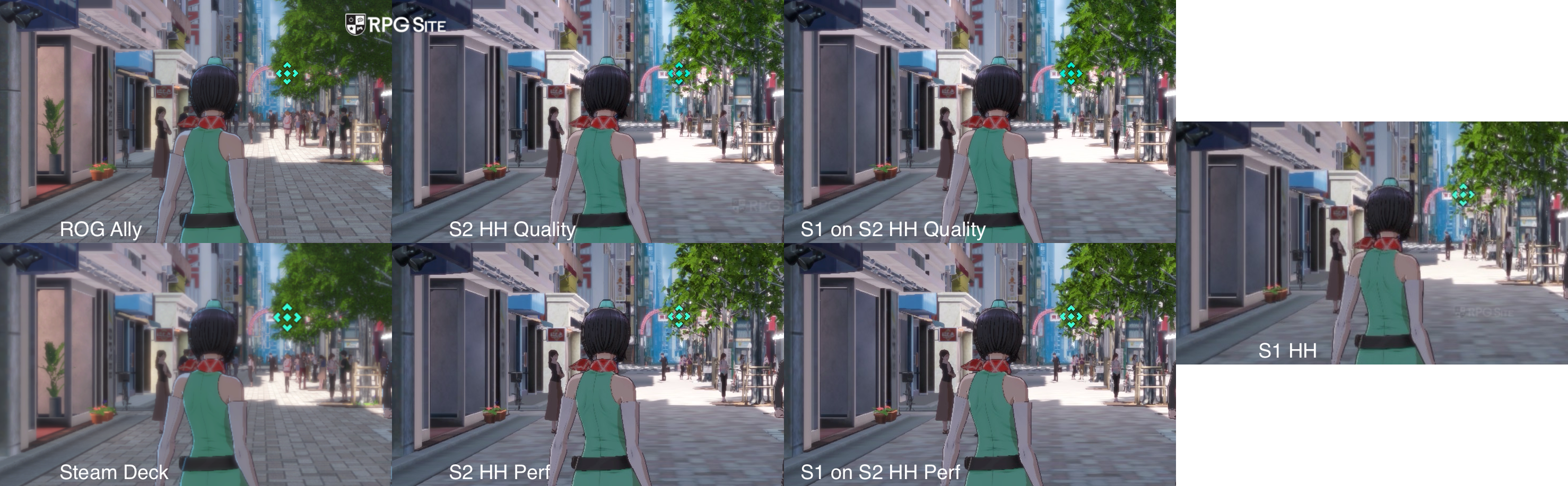
Note: For the comparison above, I used the system screenshot functionality on Switch 1 and Switch 2 since there is no other way to get handheld capture right now. For Steam Deck, I used my settings for 40fps at 720p and for ROG Ally I used my settings for 1080p and 40-60fps. The major cuts on Switch 1 and 2 have to do with reflections, texture filtering, and crowd density.
When playing it via GameNative (natively) on the AYN Thor, expect to get 18-32fps in the central town hub. This is the most-demanding area of the game early on and where even the other PC handhelds struggle. Dungeons seem to run between 25 and 60 fps in my testing. Note this is only using the default settings on the AYN Thor. I don't recommend playing it like this natively unless you are ok with that performance. This is one to stream from another device on the Thor if you have that option.
Digimon Story: Time Stranger load times compared across Switch 1, Switch 2, PS5, PS5 Pro, Xbox, Steam Deck, and PC
To test load times, I ended up using every version on every platform I could. This meant I tested PS5 on PS5 internal storage, PS5 on PS5 Pro internal storage, Xbox on Xbox Series X internal storage, Switch 1 on Switch OLED, Switch 1 on Switch 2 internal storage, Switch 2 on Switch 2 internal storage, Steam on Steam Deck SSD, Steam on ROG Ally SSD, and finally Steam on AYN Thor internal storage via GameNative. I measured the time taken to load the title screen from the dashboard and the time taken to load an early game save. All load times below are in seconds.
| Platform | Dashboard to title | Loading save |
| Switch 1 | 22 | 8-9 |
| Switch 1 on Switch 2 | 16 | 3 |
| Switch 2 | 16 | 3 |
| PS5 | 12 | 3 |
| PS5 Pro | 10 | 2.5 |
| Xbox Series X | 25 | 4 |
| Steam Deck | 15 | 3 |
| ROG Ally | 10-11 | 2 |
| AYN Thor | 13-14 | 3 |
As you can see, the PS5 and PS5 Pro deliver the fastest initial load alongside the ROG Ally. Loading a save is fast on every platform including Switch 1 all things considered. I am surprised that the Xbox Series X took longer for the initial load than even Switch 1, but you can get around this with Quick Resume. The one thing to keep in mind on Switch 1 (played on Switch 1) is that there is added loading within different locations of a zone. This is not present to the same degree on other platforms.
Which is the best version of Digimon Story: Time Stranger?
For playing on TV or a monitor, the PC version if your hardware can handle it delivers the best experience since you aren't playing with soft visuals for 60fps here. For portable play, the Switch 2 delivers the best experience if you want higher frame rates, but there are many visual cuts compared to the experience you get on PC handhelds. It isn't perfect on anything right now, but Switch 2 delivers a better performing experience than the ROG Ally and Steam Deck all things considered. If you want to play at 30fps or 40fps, I wouldn't play the Switch 2 version at all. Being able to use your own frame rate cap sorts out the frame pacing issues consoles have when you play on PC handhelds.
For consoles, the best way to play on TV right now is the PS5 Pro version since it has the least frame pacing issues in Quality mode and the performance mode is solid with fast load times. The Switch 2 version in its Quality mode feels awful and the performance mode delivers an experience that is below the other consoles with many visual cuts. If you, like me, value the hybrid nature of the Switch 2, I think the visual cuts are worth it for Digimon Story: Time Stranger. If you want to purely play on TV, I recommend playing on PS5 or Xbox Series X. As you can see, there is no single best version here because of the many modes and also the priorities people have for playing at home, on the go, or both.
Which version of Digimon Story: Time Stranger should you buy?
- Digimon Story: Time Stranger on PS5: Digimon Story: Time Stranger on PS5 delivers the best home console version with the fastest load times and the PS5 Pro version has the least issues in its 30fps mode. It also feels perfect in its 60fps mode. This is also the version to get if you care about trophies and stream on a PS Portal.
- Digimon Story: Time Stranger on Xbox Series: If you play on Xbox Series X, this is the version to get. Note that Series S does not get the performance mode option. Note that Digimon Story: Time Stranger is not Xbox Play Anywhere so you cannot play it natively via Xbox on PC and will need to remote play or stream. The Xbox Series version also supports Quick Resume to sort out the long initial load compared to other platforms.
- Digimon Story: Time Stranger on Switch 1: If you want a physical copy with the game included, this is the version to get. If you also only own a Switch 1, I would say this is still a solid version all things considered. It has performance issues, but holds up better than I expected. You can also play this on Switch 2 with enhanced visuals and performance thanks to a free patch.
- Digimon Story: Time Stranger on Switch 2: The native Switch 2 version is the same as the Switch 1 version on Switch 2. If you only buy games digitally, you can get this, but if you want to buy it physically, I recommend the Switch 1 version on Switch 2. With that out of the way, if you care about handheld mode more than anything else and are willing to deal with visual cuts for better performance, this is the version to get. Don't play here if you want a 30fps experience with better visuals though.
- Digimon Story: Time Stranger on Steam: If you want the best possible technical experience overall, Digimon Story: Time Stranger on Steam delivers the highest possible visuals and performance above 60fps. If you play on PC handhelds, this is also the version to get if you are ok playing at 30 or 40fps there. It may not run as well as on Switch 2, but it delivers better graphics and is a good companion for playing on the go and resuming when you get home on your main PC.
Hopefully this helped you find what platform to play Digimon Story: Time Stranger on or where to buy it for the best experience based on what you want out of the game.
Digimon Story: Time Stranger is now available on Switch 1, Switch 2, PS5, Xbox Series, and PC (Steam).