

Which is the best version of Brigandine Abyss? Switch 2, PS5, PS5 Pro, Xbox Series, and PC compared
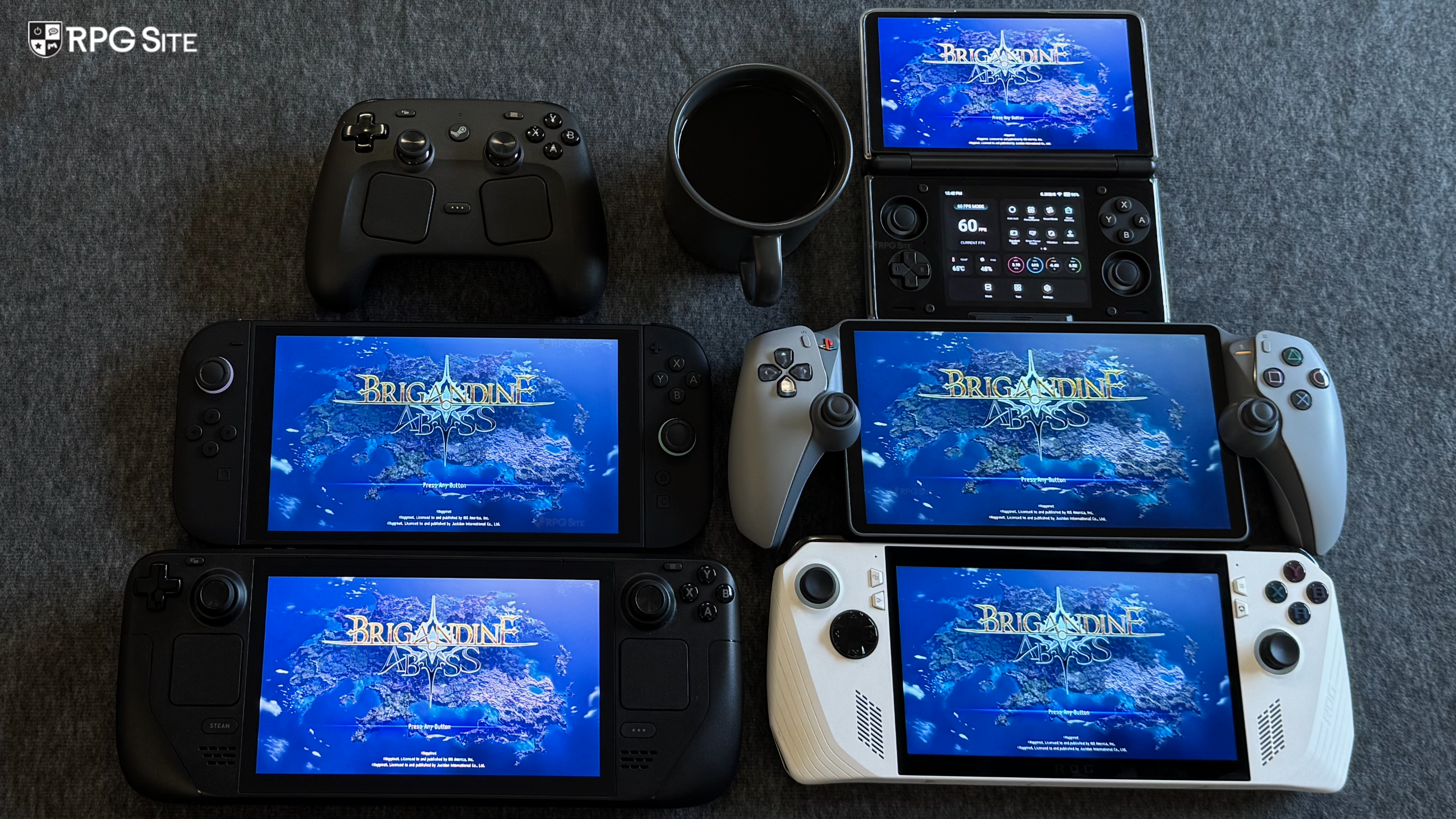
Brigandine Abyss launches soon for Nintendo Switch 2, PS5, Xbox Series, and PC (Steam). Ahead of its launch, I've had a chance to check out all four versions of the game across my consoles and PC handhelds for this comparison feature. Brigandine: The Legend of Runersia saw a staggered launch across platforms, but with Abyss out on all platforms simultaneously, I was curious to see how it scaled and what system offered the best experience based on things like portable play and more. If you're curious about the game itself, read our review here.
Brigandine Abyss PC port features
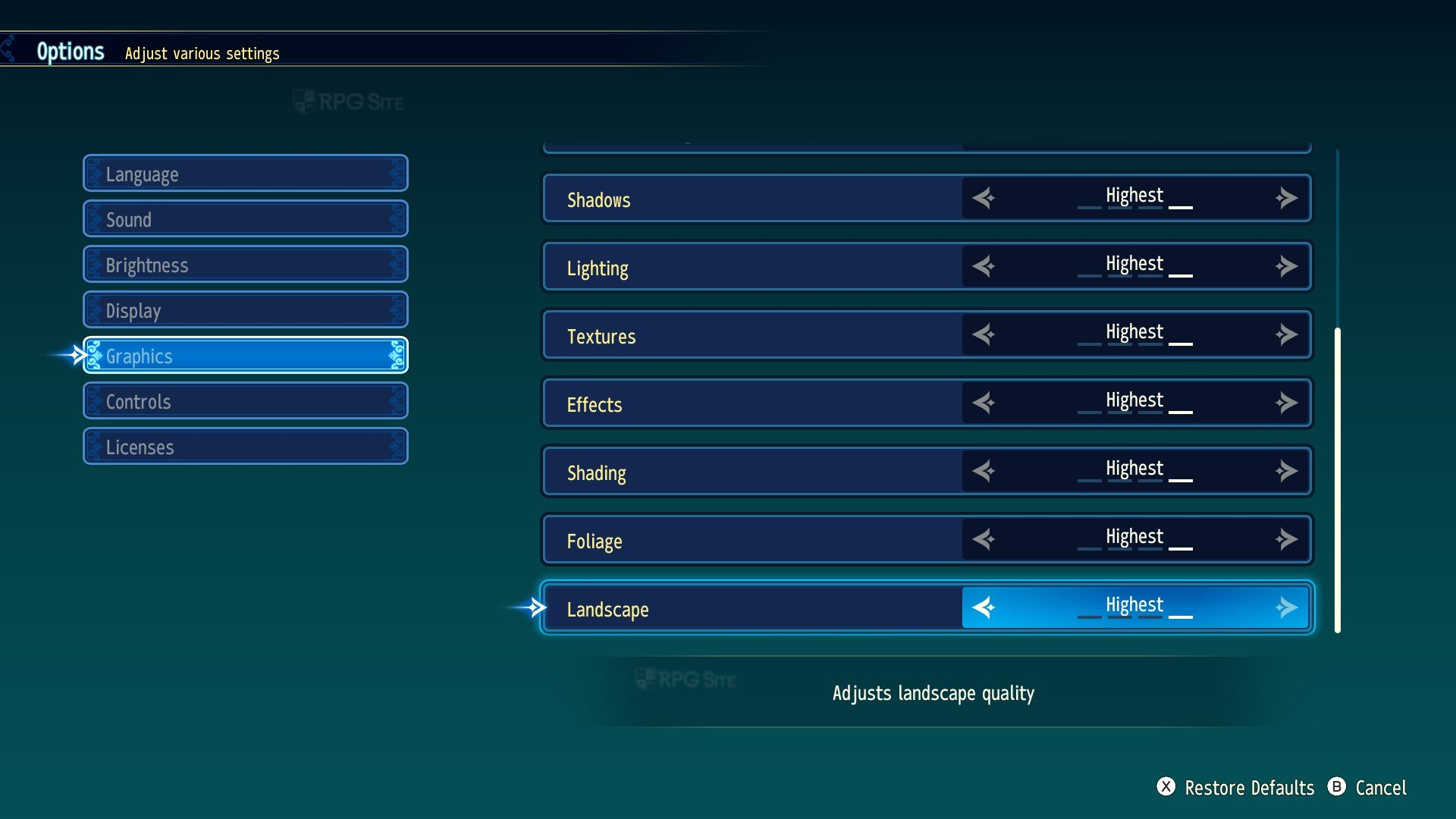
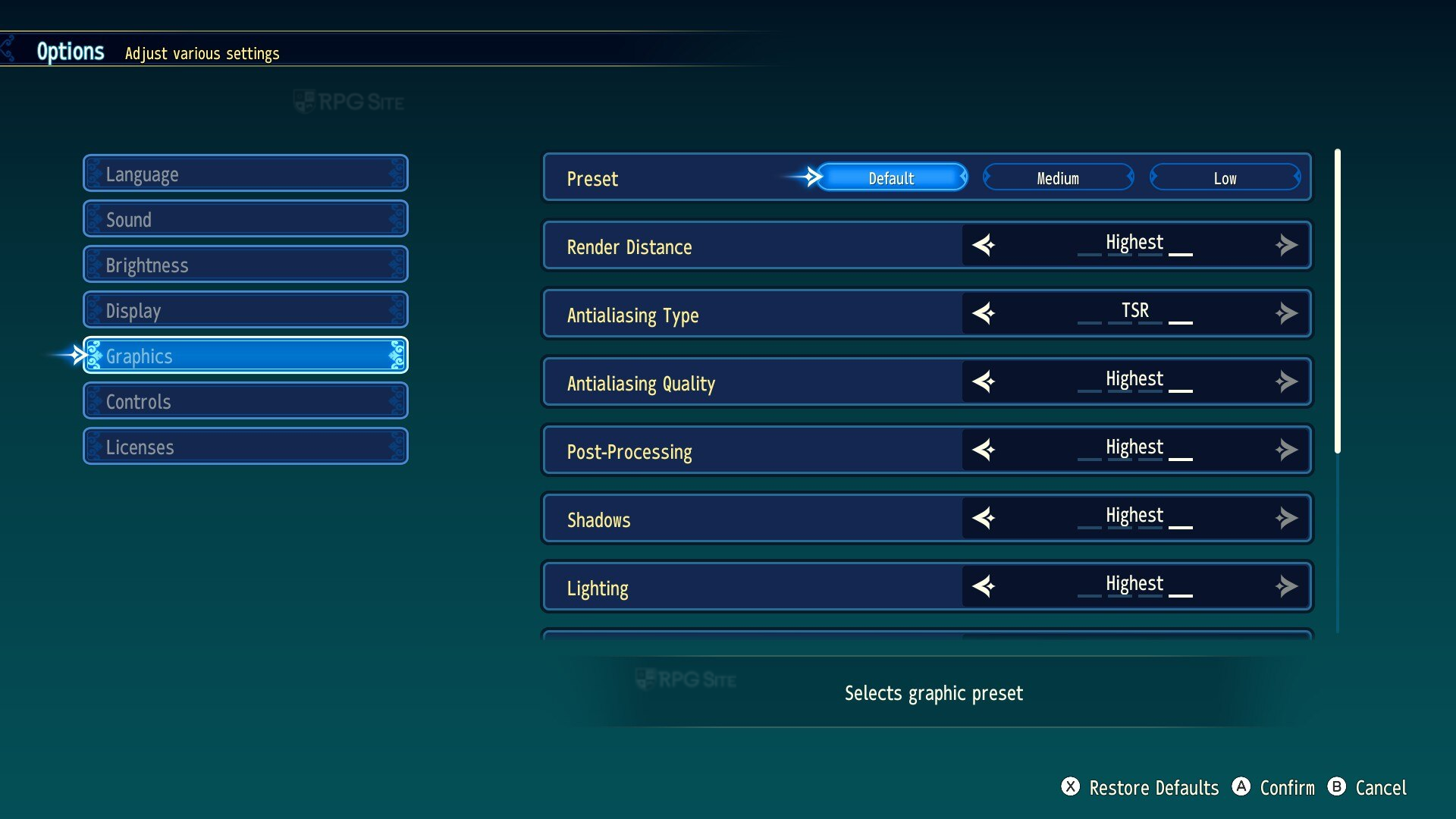
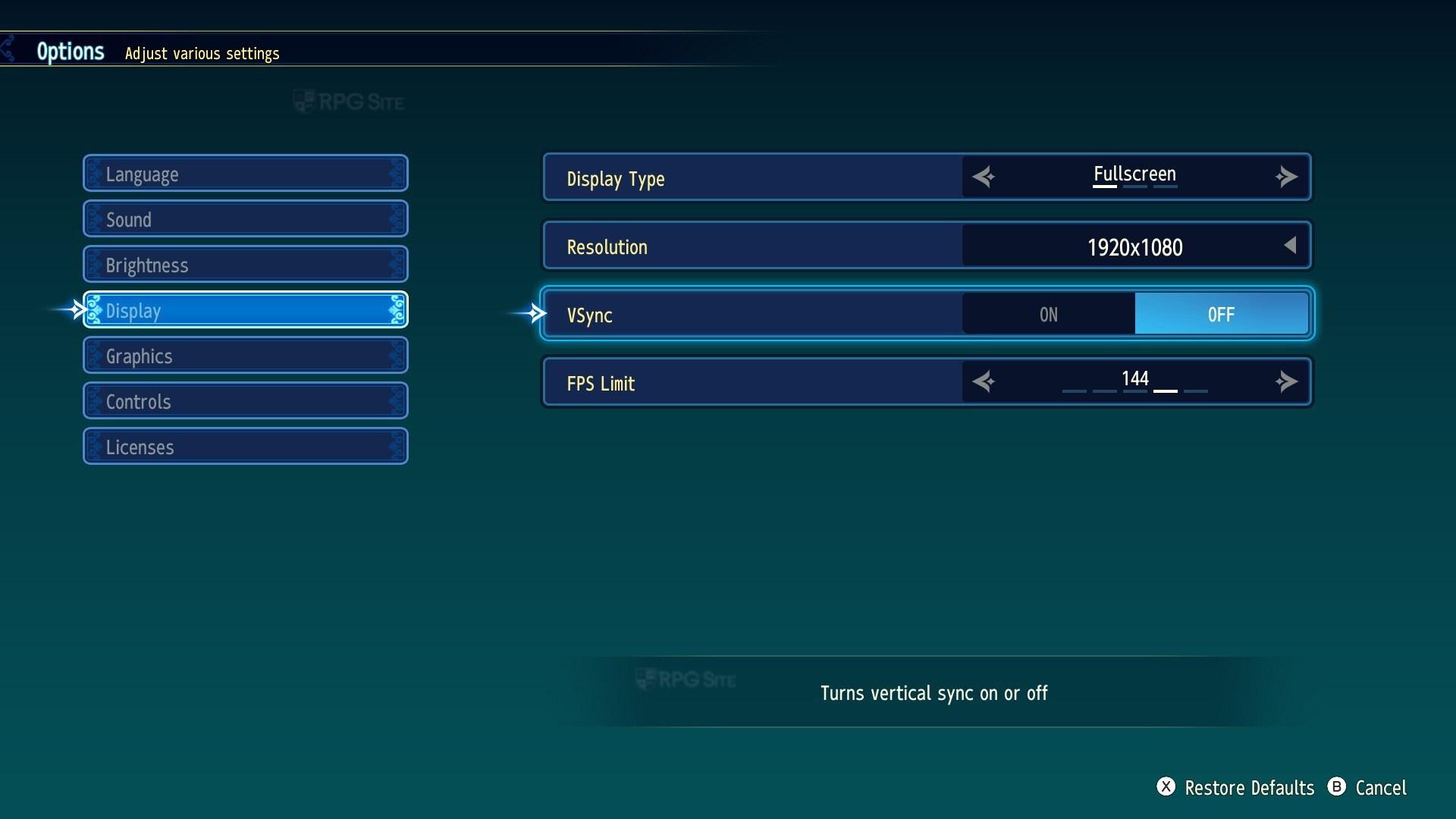
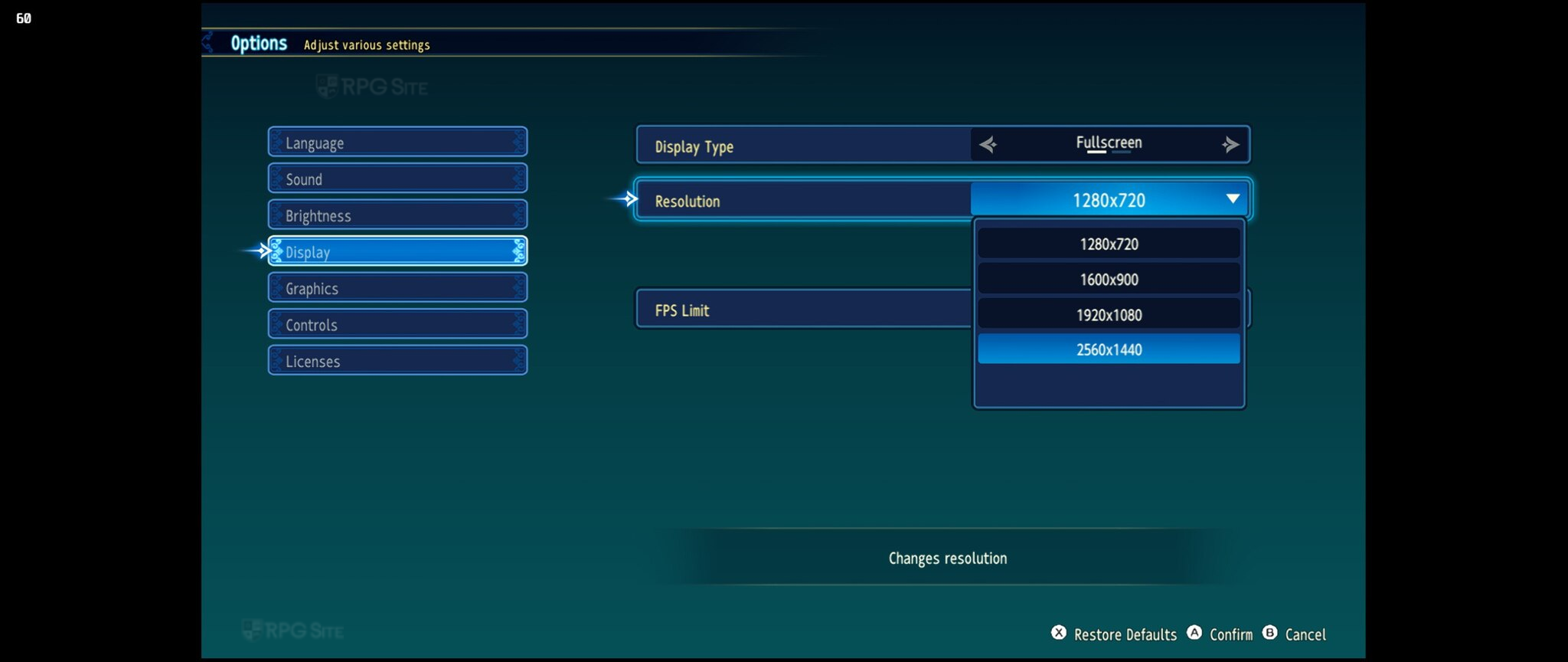
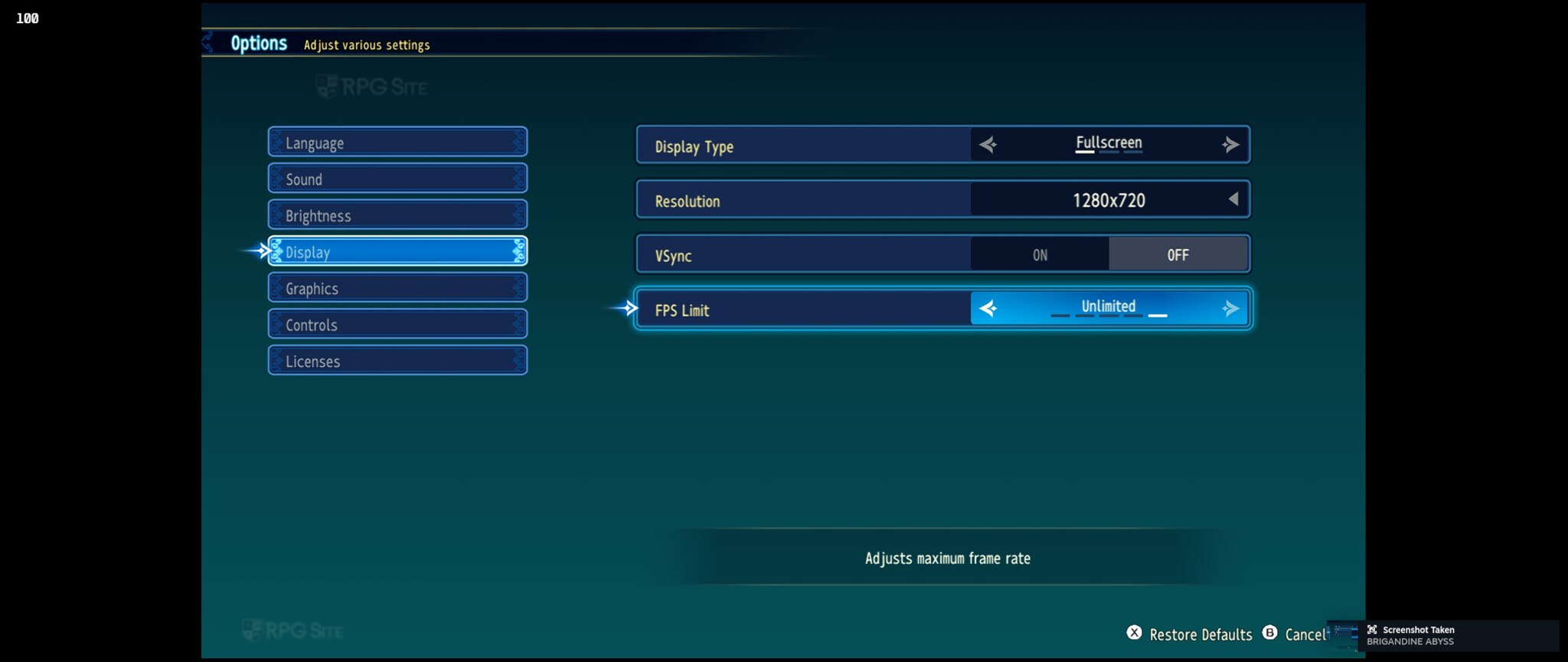
Brigandine Abyss on PC has different display options if you play on Steam Deck compared to Windows in general. I'll cover the latter first. Brigandine Abyss on PC lets you adjust display type (fullscreen, borderless, windowed), resolution (720p, 900p, 1080p, and 1440p on my 1440p monitor), toggle v-sync, adjust frame rate limit (30, 60, 120, 144, unlimited), and adjust graphics across presets or detailed options. The presets are Default, Medium, and Low. The options you can adjust are render distance, anti-aliasing type (FXAA, MSAA, TAA, UE5's TSR), anti-aliasing quality, post-processing, shadow quality, lighting quality, texture quality, effects quality, shading quality, foliage quality, and landscape quality.
On Steam Deck, you can only adjust the frame rate cap across 30fps and 60fps and cannot disable v-sync. The resolution is also capped to 720p when playing handheld so you cannot downsample if required without using the custom launch option: "SteamDeck=0 %command%" in the game properties.
Brigandine Abyss visuals across Switch 2, PS5, PS5 Pro, Xbox, AYN Thor, Steam Deck, and ROG Ally
Both PS5 and Xbox Series X have a quality and performance option under the graphics menu. The Switch 2 release has no options to target a higher frame rate as of this writing, but I don't think it will be added given what NIS America told me. With that out of the way, Brigandine Abyss on PS5 and PS5 Pro appears to be the same. I don't think there are any PS5 Pro enhancements, but I still tested it to have capture from both PS5 consoles here. The PS5 and Xbox Series X versions have motion blur forced with no way to disable it. The Switch 2 version has no motion blur and basically every visual setting turned down including some aspects below the PC version's lowest settings.

Note: For the comparison above, I used my 4K capture card to get capture from the same mission and the same turn on every console in both modes if applicable. I then cropped one section from all of them to show the difference in graphics and other visuals moving from Switch 2 across the PS5 and Xbox versions. I recommend zooming in and viewing it fullscreen in a new tab given the number of modes and platforms.
The PS5 and Xbox Series X versions in the Prioritize Graphics mode enabled (AKA Quality Mode) deliver upgrades to foliage, post-processing, anti-aliasing, and more compared to the 60fps target mode. When you disable Prioritize Graphics, it uses a 60fps target with cut back visuals, but even these are a big step up over the Switch 2's single mode docked, which itself targets 30fps (and is not a locked 30fps either sadly). I'm not against motion blur in games, but it is a bit too strong in Brigandine Abyss.
When moving to portables and the PC version, the Switch 2 version appears to use some settings below the PC's lowest preset, but the UI is crisp on the 1080p screen including 2D elements like portraits. The Switch 2 delivers a comparable experience to the Steam Deck visually right now, but foliage is cut compared to the Steam Deck using the lowest settings on PC. The ROG Ally delivers a much better visual experience right now just because it can run with higher settings and deliver a better frame rate.

Note: For the comparison above, I used Steam's screenshot functionality on ROG Ally and Steam Deck with all three settings on ROG Ally at 1080p. On Steam Deck, I used tweaked low and medium settings to target 40 or 30fps in the two comparison sections. On Switch 2, there is only one mode handheld.
Brigandine Abyss performance across Switch 2, PS5, PS5 Pro, Xbox, AYN Thor, Steam Deck, and ROG Ally
I didn't notice any major performance issues in the Prioritize Graphics mode or with it disabled (AKA what I call performance mode) on PS5 or Xbox Series X. If you move the camera and cursor around the battle fast for a little while, there might be some hitching, but it is negligible compared to how it feels on Switch 2 docked. The Switch 2 version right now feels more optimized for portable play where I didn't notice major issues. Switch 2 docked definitely needs some more optimization because it has some performance issues even early on when you move the cursor and camera fast.
The AYN Thor cannot deliver a 30fps experience right now and is a 25-40fps one so far. The ROG Ally at 1080p can target 40 at medium with some tweaks, 60 with drops at low, and 25-30 on the maximum settings. I don't recommend the maximum settings unless you drop the resolution down. If you play on PS5 or Xbox Series X, I recommend disabling the Prioritize Graphics mode for the fluidity you get with cursor movement and camera panning, but both modes are fine. I hope we get an option to disable or reduce the motion blur in the future. It is too strong right now.
Brigandine Abyss load times across Switch 2, PS5, PS5 Pro, Xbox, AYN Thor, Steam Deck, and ROG Ally
For testing load times, I installed Brigandine Abyss on the Switch 2 internal storage, PS5 Pro internal storage, PS5 internal storage, Xbox Series X internal storage, ROG Ally internal storage, AYN Thor internal storage, and Steam Deck OLED internal storage. I measured the time taken to load the title screen from the dashboard and also the time taken to load a battle map. The results below are in seconds.
| Platform | Dashboard to title | Loading save |
| Switch 2 | 15-16 | 10 |
| PS5 | 8-9 | 6-7 |
| PS5 Pro | 7 | 6 |
| XSX | 13-15 | 8 |
| Steam Deck | 15 | 8-9 |
| ROG Ally | 10 | 9-10 |
| AYN Thor | 16-17 | 10 |
As you can see, the PS5 version loads the fastest across the board. The load times in general are not too bad though, but the Switch 2 initial load is a bit too long considering it is comparable to running the PC version on Android.
Brigandine Abyss full game Steam Deck recommended settings
If you play on the low preset, you will get a 40fps tier experience with some drops on Steam Deck. The only setting I recommend changing in the low preset is the lighting quality. Keeping this on medium helps a lot with the overall visuals. Otherwise, Brigandine Abyss is solid on Steam Deck. Don't expect 60fps though. It isn't possible on Deck right now.
Brigandine Abyss full game ROG Ally recommended settings
The ROG Ally can push well above the Deck and deliver a 60fps with drops experience at 1080p on the low preset. The medium preset is fine for a 30-40fps experience. Playing at 720p on the low preset will give you the closest to a 60fps experience on the go right now. I tested using the ROG Ally Z1 Extreme in the 25W turbo mode.
Brigandine Abyss full game AYN Thor recommended settings
Based on how Brigandine Abyss played on Deck, I didn't expect it to even boot up on AYN Thor, but it did via GameNative. If you want to play it here, expect a 25-40fps experience on the low preset at 720p. Don't change the window mode since GameNative sometimes letterboxes the gameplay if you do that until you reload it. I think a 30fps experience will be possible on AYN Thor if Brigandine Abyss gets more optimization on PC.
Which is the best version of Brigandine Abyss?
Right now, the PC version is the only one that can run above 60fps and deliver the best visuals at higher resolutions. On the console side, the PS5 and Xbox Series X versions are comparable and both great with the PS5 delivering the fastest load times across all platforms. The Xbox version supports Quick Resume to cut down the load times though. It is hard to recommend the Switch 2 version outside portable play and assuming you don't have access to a PC handheld. The Switch 2 version cuts to visuals are quite bad all things considered. The best portable version right now is on a PC handheld at ROG Ally Z1 Extreme level or above.

Which version of Brigandine Abyss should you play?
Everyone has their own priorities for what they want, so I'm going to list the advantages and disadvantages of every single version of Brigandine Abyss as a conclusion to this feature below:
- Brigandine Abyss on Switch 2: If you value portability above all and want the convenience of playing on TV as well, the Switch 2 version is acceptable, but not a great experience right now. This is one to skip right now if you have access to other platforms given the many visual cuts here. Note that the physical release is a Game-Key Card. An Asia version has the game on cartridge, but the Western release is a Game-Key Card.
- Brigandine Abyss on Steam: If you play on PC handhelds or PC in general, this is the only version you should consider. It plays well on handhelds and is a very good PC port given the many options you have. The PC version is still quite heavy given the engine used, but it can scale down well even on Steam Deck which usually doesn't play nice with UE5 games.
- Brigandine Abyss on PS5: If you want to play on your TV, care about trophy support, and don't care about portable play (unless you stream to a PlayStation Portal or phone), this is the version to get. It is also the fastest version when it comes to load times. The PS5 version is also the only Western release with a proper physical release.
- Brigandine Abyss on Xbox: While the Xbox Series version doesn't support Play Anywhere, it does have Quick Resume support and runs well just like the PS5 release. It also supports Xbox Achievements. Quick Resume helps a lot in games like this.
Hopefully this helped you decide where you should play Brigandine Abyss with it releasing simultaneously on August 26 for PC (Steam) and August 27 for PS5, Xbox Series, and Nintendo Switch 2.