

How to downgrade Xenoblade Chronicles X: Definitive Edition Nintendo Switch 2 Edition to the Switch 1 version
Nintendo recently released Xenoblade Chronicles X: Definitive Edition Nintendo Switch 2 Edition with a $4.99 upgrade pack option for existing owners. I wrote up some early impressions on the upgrade praising the frame rate increase across the board, but the handheld experience is quite lacking thanks to the upscaling implementation causing a lot of warping and distortion. The issues are less pronounced docked, but they are still present. Since I own Xenoblade Chronicles X: Definitive Edition digitally and physically, I looked into how to downgrade the game from the Switch 2 Edition to the Switch version. This guide will cover how to downgrade Xenoblade Chronicles X: Definitive Edition Switch 2 Edition to the Switch 1 version to play using Handheld Boost Mode and more.
Make sure to delete the game by doing the Manage Software -> Delete Software from the icon on the console dashboard after removing the cartridge if you own it physically or just in general when you own it digitally. This will not affect your save data and is just an extra step to ensure the process works without issues. I tested this across 4 different games with ugprade packs that I own digitally and physically including Xenoblade Chronicles X.
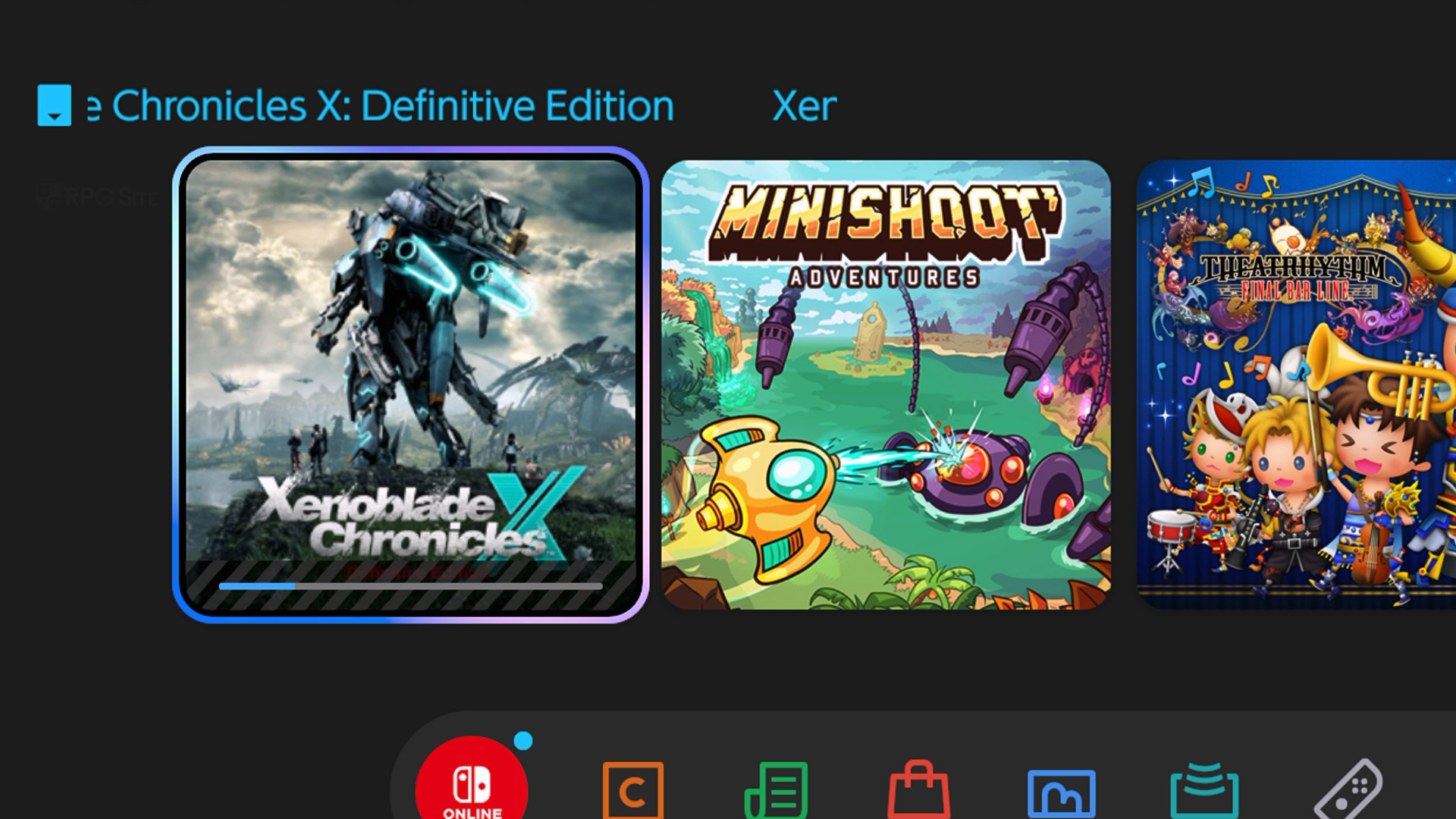
How to downgrade Xenoblade Chronicles X: Definitive Edition Nintendo Switch 2 Edition to the Switch 1 edition if you own XCX physically
If you own Xenoblade Chronicles X: Definitive Edition physically and bought the upgrade path digitally for $4.99, you will need to eject the virtual game card, but this might take an extra step if you own the pre-order or early purchase DLC detailed here. I've listed the steps for both possibilites.
If you do not own the early purchase bonus with a physical copy of Xenoblade Chronicles X: Definitive Edition
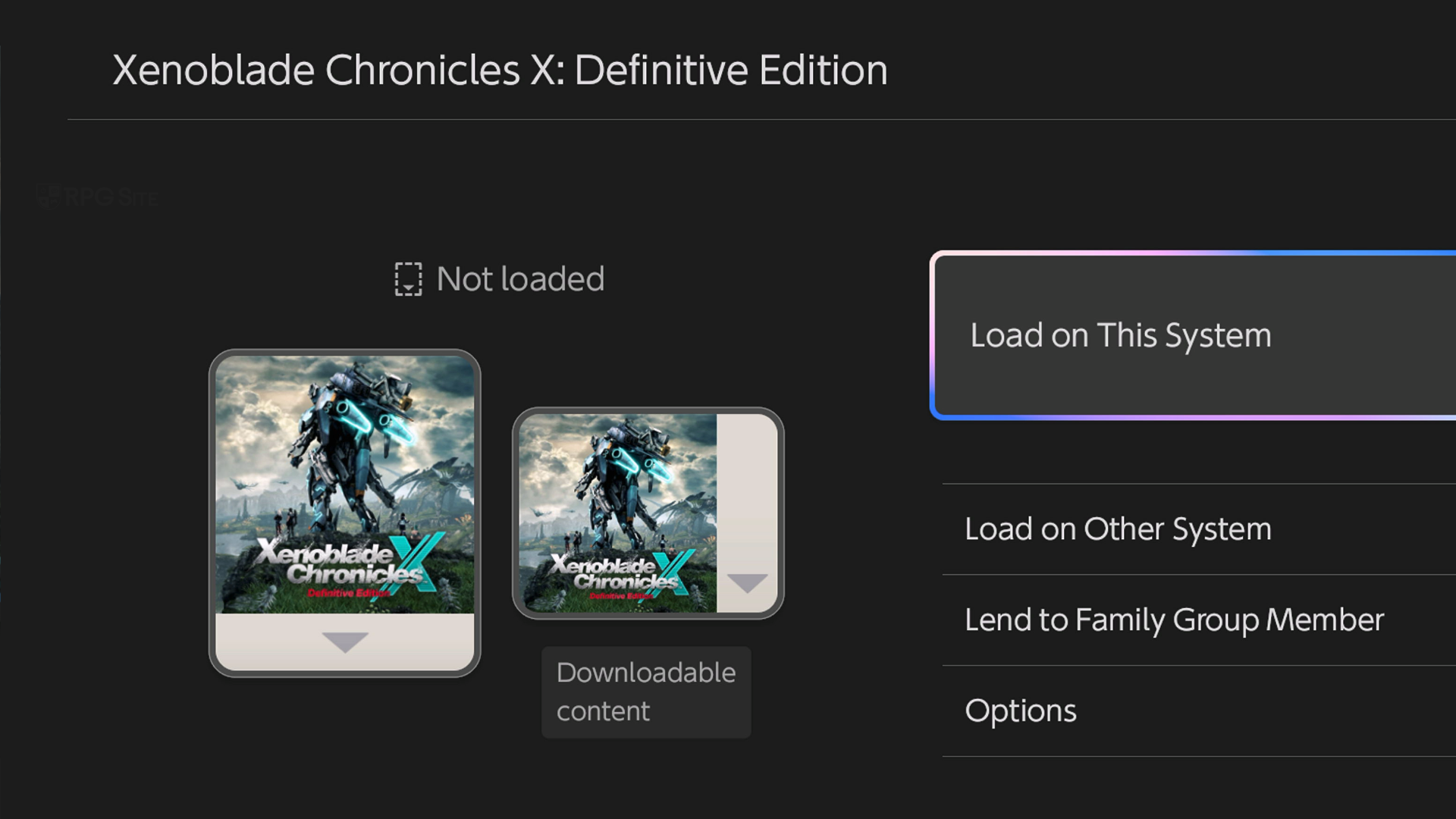
- Go into the Virtual Game Card menu on the Switch 2 dashboard indicated by the card symbol next to settings. You can also select Xenoblade Chronicles X: Definitive Edition / Switch 2 Edition and select the Nintendo eShop under Software Information followed by selecting the user which owns the game or DLC.
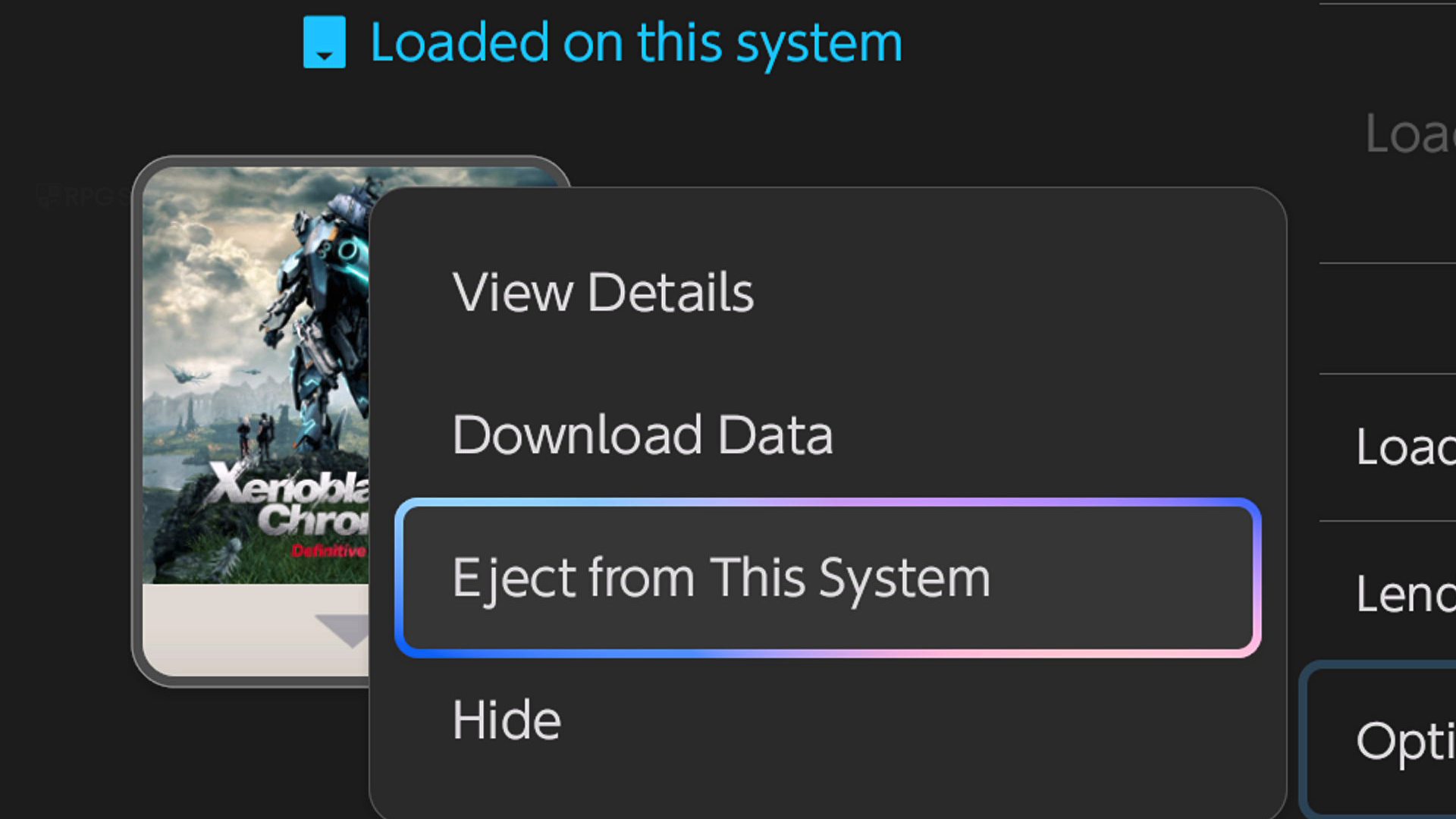
- In the Virtual Game Card page for Xenoblade Chronicles X: Definitive Edition Nintendo Switch 2 Edition, go into Options and select "Eject from This System".
- When you insert the cartridge and update it, your game will now just be the Switch 1 version of Xenoblade Chronicles X: Definitive Edition when you try to play it on Switch 2 and it will download only updates for that. This will not refund or remove the purchase for the Switch 2 Edition Upgrade Pack. You can redownload it any time using the same steps.
If you own the early purchase bonus with a physical copy of Xenoblade Chronicles X: Definitive Edition
For this, you need to do a bit more since the early purchase bonus and Switch 2 Edition Upgrade Pack are both treated as DLC for Xenoblade Chronicles X: Definitive Edition.
- Go into the eShop page for Xenoblade Chronicles X: Definitive Edition and then scroll down to the Xenoblade Chronicles X: Definitive Edition Switch 2 Edition Upgrade Pack that you own.
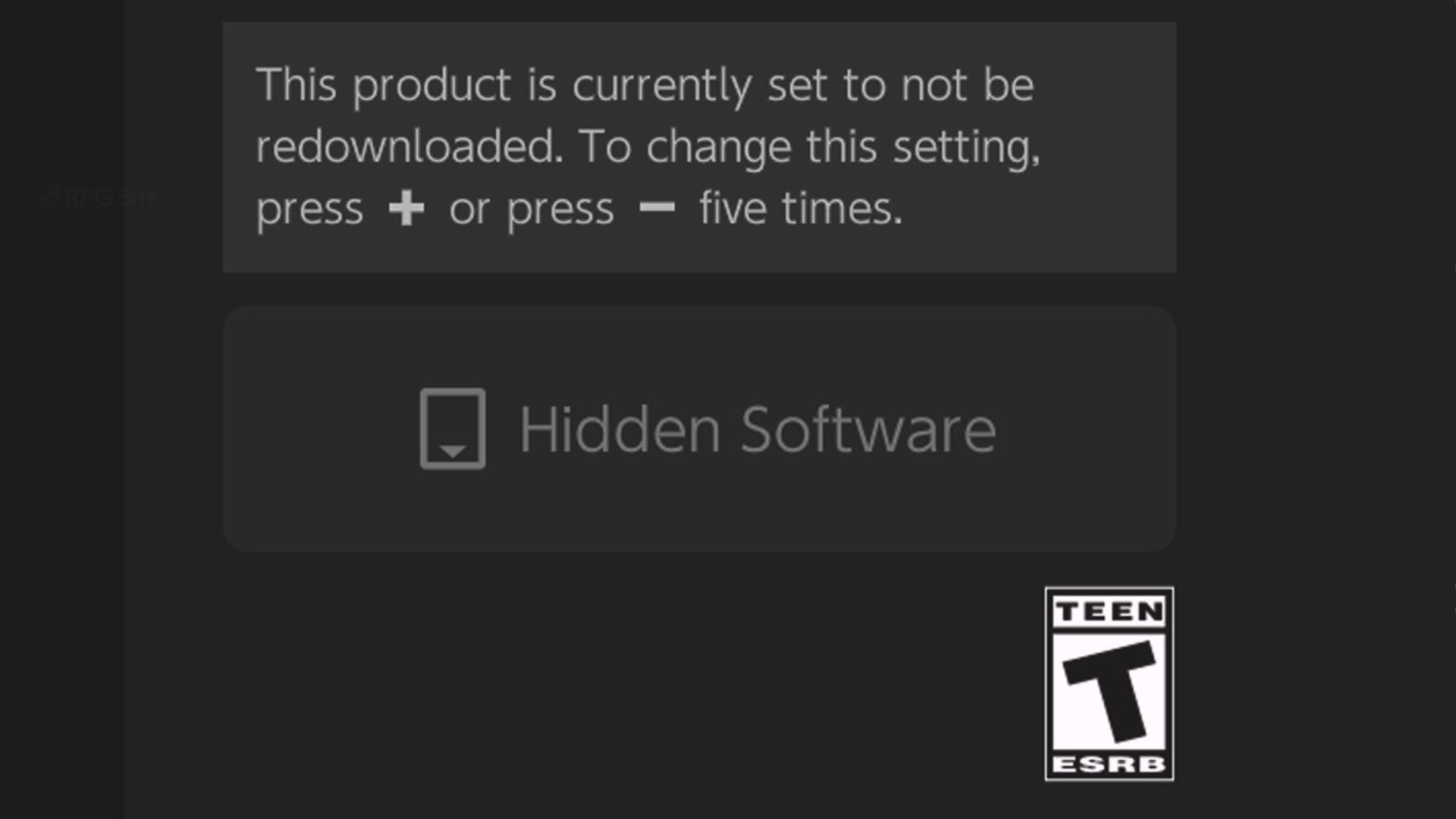
- From here, press + or - on the controller five times in a row. You will notice the right button changes to say Hidden Software and that this will not be redownloaded when you download the game or other DLC.
- You can now update and download the game as normal. It will only download the early purchase DLC with update data and not the Upgrade Pack letting you play the Switch version on Switch 2.
How to downgrade Xenoblade Chronicles X: Definitive Edition Nintendo Switch 2 Edition to the Switch 1 edition if you own XCX digitally
If you own Xenoblade Chronicles X: Definitive Edition digitally, regardless of if you own the early purchase DLC detailed here or not, the steps are covered below:
- Go into the eShop page for Xenoblade Chronicles X: Definitive Edition and then scroll down to the Xenoblade Chronicles X: Definitive Edition Switch 2 Edition Upgrade Pack that you own.
- From here, press + or - on the controller five times in a row. You will notice the right button changes to say "Hidden Software" and that this will not be redownloaded when you download the game or other DLC.
- When you redownload the game after having deleted it and the icon like I mentioned above, it will only download the base Switch release with the DLC and not the upgrade pack.
- You should see this reflected on the Virtual Game Card menu now listing only the Switch game and not the Switch 2 Edition.
- This will let you play the Switch 1 game via handheld boost mode or just in general on Switch 2.
Hopefully this got you back into Xenoblade Chronicles X until Nintendo releases a fix for the handheld mode visuals in the Switch 2 Edition.
Xenoblade Chronicles X: Definitive Edition Nintendo Switch 2 Edition and Xenoblade Chronicles X: Definitive Edition are now available worldwide. The Xenoblade Chronicles X: Definitive Edition Nintendo Switch 2 Edition physical release is set for April 16.